
Quick answer: When Spotify reports that it can’t play a song right now, first test a different track and playback device. Then check your internet connection, restart Spotify, confirm the correct output device and update the app. If the issue affects only one song, licensing or availability may differ from a device-wide playback failure.
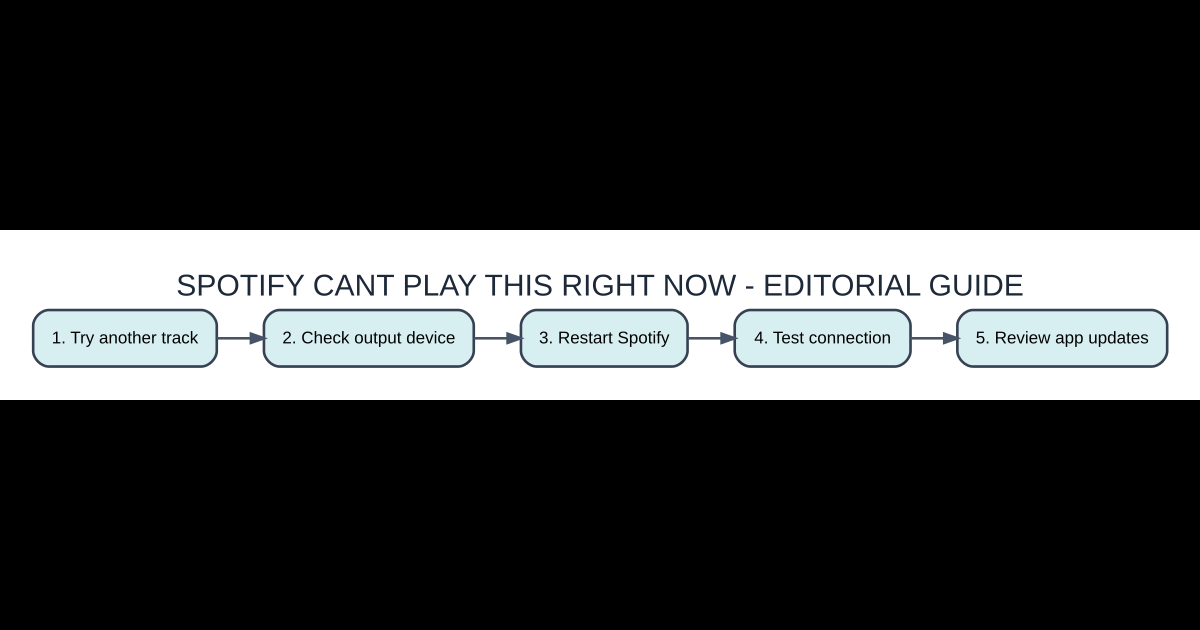
Quick setup checklist
- Try another track: Identify the version or account requirements and avoid skipping verification.
- Check output device: Follow only the actual program, game or service instructions for this step.
- Restart Spotify: Confirm that the correct settings or content are selected before proceeding.
- Test connection: Test the result in a reversible way before investing more work.
- Review app updates: Save a backup or a safe way to recover from an unexpected error.
Diagnose the scope before reinstalling
Play a different album and check whether the error follows one specific track or affects nearly everything. A gray or unavailable song may indicate a catalog or region restriction rather than a broken speaker. If every track fails in one app but works in another browser or device, focus on that app’s audio output, session and cached data. This simple comparison prevents deleting downloads and settings unnecessarily.
Make sure sound is going to the right place
Spotify can switch output through its device picker, the operating system’s speaker selection and Bluetooth routing. Check each layer: the actual speaker or headphones must be connected, selected and unmuted. If you recently played music on a smart speaker through Spotify Connect, the active playback destination may not be your phone or laptop. Choose This device where available, then retry a track you know played earlier.
Restart the app and its playback session
Quit Spotify fully instead of only hiding the window, and launch it again. On a desktop, confirm that an older Spotify process is not still running in the background. If the app recently updated or the computer woke from sleep, a fresh playback session may clear a stale device state. Keep saved playlists; a restart should not require deleting your account or repurchasing Premium.
Test the network and offline availability
If Spotify is streaming, verify that another reliable website loads and that the connection remains stable. A corporate, school or hotel network may restrict the service. For downloads, check that the music is actually stored for offline use and that the subscription and periodic online verification rules remain satisfied. You cannot assume a displayed playlist title means every track is playable without a connection.
Clear only appropriate cache data
Spotify uses cached data to improve startup and reduce repeated downloads, but corruption can interfere with playback. Look for the app’s built-in storage or cache controls rather than randomly deleting system folders. Clearing cache is not the same as removing all downloaded music, so read the labels carefully. If an app reinstall becomes necessary, be prepared to redownload offline tracks and log into the proper account.
Missing or unavailable tracks and local files
A song may disappear temporarily because of distributor rights, regional catalog changes or an artist’s release decisions. Local audio files rely on the computer or phone having access to the real file path and compatible format. If a playlist mixes local files with streaming songs, test each type separately. Another listener’s screenshot proving that a song appears in their market does not establish that your region currently has access.
Side-by-side comparison
| Option | What it means | Why it matters |
|---|---|---|
| One song fails | Availability or local-file issue | Test different music |
| Every song fails on one device | Output, session or app fault | Compare another device |
| Only offline files fail | Download and verification issue | Check offline status |
| Connect speaker fails | Network discovery or device state | Choose correct speaker |
Frequently asked questions
Does the error always mean Spotify is down?
No. Device routing, account state, track availability and local app issues can trigger playback problems.
Will clearing cache delete playlists?
Saved playlists belong to your account, though offline downloads may need redownloading depending on the operation.
Why is one song gray?
Rights or market availability can change; compare its availability on your account and region.
Can Spotify Connect cause the wrong device to play?
Yes. Check the device picker before troubleshooting your computer’s speaker.
Official source and related coverage
For further verification and version changes, see Spotify Support: Playback troubleshooting. Our related AVARIXO coverage provides additional context. Review current interfaces and eligibility rules before performing account or software changes.


