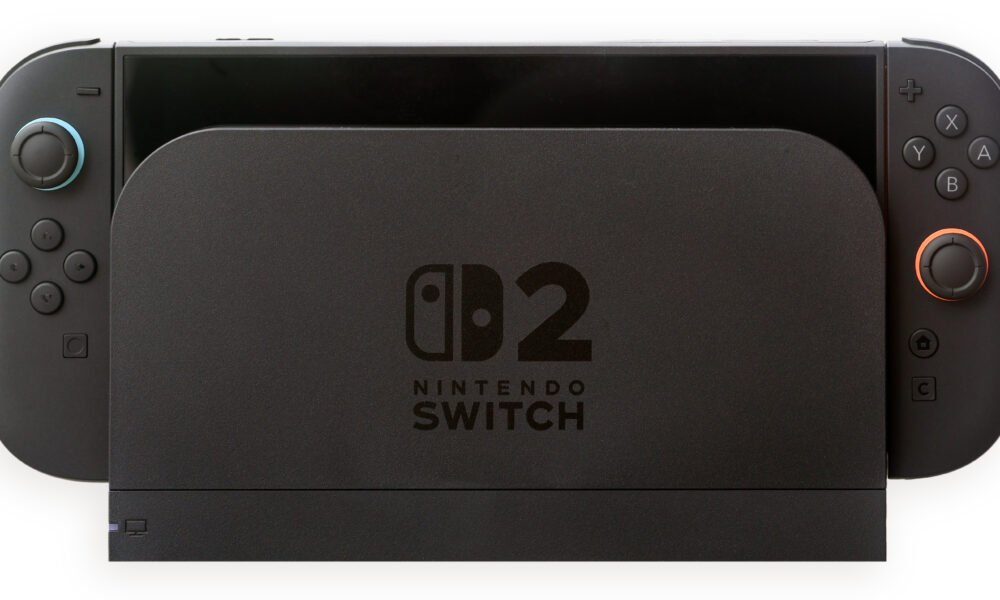

Nintendo Switch 2 is Nintendo’s successor to the original Switch, released June 5, 2025. It combines a 7.9-inch 1080p LCD, up to 120 Hz variable refresh in supported handheld games, a dock capable of up to 4K at 60 fps, 256 GB of internal storage, magnetic Joy-Con 2 controllers, and support for many original Nintendo Switch games. Its expansion slot requires microSD Express for game storage, not the ordinary microSD card you may have used on the original Switch.
This guide concentrates on practical decisions—what the specifications mean, how game and accessory compatibility works, what to check before transferring an existing Switch, and the setup mistakes that cost players time or money. Specifications below are based on Nintendo’s official US technical specifications and feature documentation; availability and store prices can change by region and date.
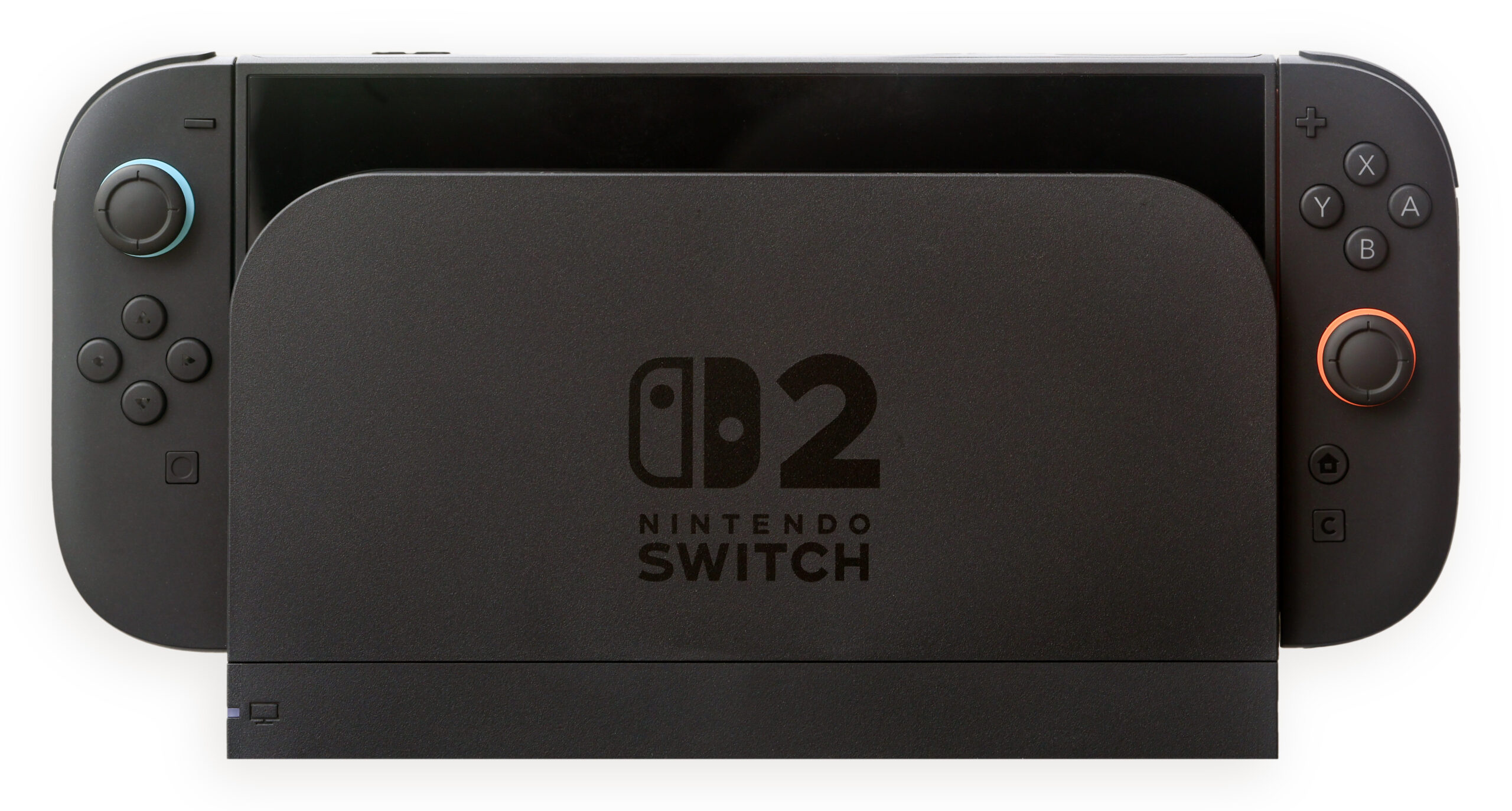
Nintendo Switch 2 specs at a glance
| Feature | Official specification | What it means |
|---|---|---|
| Display | 7.9-inch 1920×1080 LCD touch screen | Full HD image in handheld mode |
| Refresh rate | VRR up to 120 Hz | Smoother compatible gameplay; not a guarantee of 120 fps |
| TV output | Up to 4K at 60 fps | 4K depends on the game, dock, cable and TV |
| Processor | Custom NVIDIA CPU/GPU | Different hardware from the original Switch |
| Internal storage | 256 GB UFS | Usable game space is less after system files |
| Expansion | microSD Express, up to 2 TB | Ordinary microSD does not serve as normal Switch 2 game storage |
| Wireless | Wi-Fi 6 and Bluetooth | Modern network and accessory support |
| Game cards | Switch 2 and compatible original Switch cards | Check each game’s compatibility |
| Battery life | Nintendo estimate: roughly 2–6.5 hours | Actual time varies substantially by game and settings |
| Charging | Roughly 3 hours in Sleep mode | Use appropriate supported USB-C power equipment |
Is the Switch 2 screen OLED?
No. Nintendo Switch 2 uses a 7.9-inch LCD panel, not an OLED panel. The display supports 1920×1080 resolution, HDR10, and a variable refresh rate up to 120 Hz according to Nintendo. This is different from the original Nintendo Switch OLED model, which has an OLED display but is not a Switch 2. When comparing videos or store listings, always verify which product is pictured.
A 120 Hz panel can update the picture more frequently than a 60 Hz screen, but a particular game must actually run at a corresponding frame rate to take full advantage of it. Battery life, graphics settings and game engine caps also affect the experience. Similarly, HDR support means compatible content and display output, not that every game automatically displays a visible HDR improvement.
Can Nintendo Switch 2 display 4K at 120 fps?
Do not combine two separate maximum specifications into one promise. Nintendo lists up to 4K at 60 fps for TV output and up to 120 Hz in supported display configurations. The 4K specification does not mean the system outputs 4K at 120 fps. Both the game and connected display must support the chosen resolution and frame rate. Nintendo’s updated feature page also notes TV-mode VRR support added in a September 10, 2026 system update; specific combinations still depend on game and TV support.
When connected to a television, use the supplied dock and a suitable display and HDMI connection. Check the game’s own resolution or performance modes before concluding that a lower frame rate signals a hardware fault.
Can Switch 2 play original Nintendo Switch games?
It supports many compatible physical and digital Nintendo Switch games, but not every title is fully compatible. Some older games may have issues, require updates or depend on accessories that behave differently on the new hardware. Nintendo publishes a compatibility guide with requirements and exceptions.
- Make a list of the original Switch games you intend to keep playing.
- Check Nintendo’s official compatibility details for each one, especially games that use unusual controllers or peripheral features.
- For physical purchases, confirm you have the cartridge and that the game is supported.
- For digital purchases, sign in with the correct Nintendo Account and check download access for your purchased titles.
- Check for separate Switch 2 editions or upgrade packs rather than assuming an old copy automatically includes all enhancements.
Some Switch 2-enhanced releases have their own purchase rules. You can see a specific example in our Minecraft Switch 2 upgrade guide. The availability of a particular upgrade should always be checked in the official game listing.
Can you use old Joy-Con and Pro Controllers?
Nintendo’s compatibility documentation says original Joy-Con can pair wirelessly with Switch 2, but cannot physically attach to the new console and need a compatible charging method. The original Nintendo Switch Pro Controller can also be used wirelessly with supported games. Some functions and games require Joy-Con 2 specifically, so accessory compatibility is not identical to game-card compatibility.
Joy-Con 2 attach magnetically and include mouse-style input in compatible games. A game supporting mouse controls does not mean all games gain them automatically. Before buying a used accessory or assuming an old controller will work in a particular mode, check the game’s controller support and Nintendo’s compatibility list.
Switch 2 storage: why microSD Express matters
Nintendo Switch 2 includes 256 GB of internal UFS storage, but part of that capacity is reserved for the system. If you want more space for installed Switch 2 games, Nintendo specifies microSD Express cards, up to 2 TB. An ordinary microSD card that worked on Switch 1 is not an equivalent expansion card for installing Switch 2 games.
Before purchasing a memory card, inspect the product label for the Express standard—not just an advertised read speed or the words “high performance.” A standard microSD card can be physically similar, and old cards have limited use for copying screenshots or videos, but they do not replace microSD Express game storage. Check Nintendo’s supported-card specifications rather than relying on a seller’s unverified compatibility claim.
What should you move to an expansion card?
Prioritize large games you frequently play and leave adequate free internal space for updates. Keep game saves managed by Nintendo’s supported account/transfer systems rather than assuming removing an SD card will migrate all save data. Downloaded games, captures and saved progress may use different storage paths and transfer rules.
How to move from Nintendo Switch to Switch 2
Nintendo offers system-transfer options for existing Switch owners. The available methods and exactly which data remains on the original console depend on the transfer method. The official System Transfer guide explains that a full system-transfer flow is available during Switch 2’s initial setup, and describes local transfer or server-based steps under specified conditions.
- Update both systems to current supported software before beginning the transfer process.
- Check your Nintendo Account. Make sure you can access the account associated with purchased digital games and saves.
- Review the transfer method. If you plan to keep and use the old Switch, read the differences between local and other transfer options carefully.
- Back up where supported. Some games have special save-data handling, so verify them individually.
- Start at initial setup when required. Do not assume every full-transfer option remains available after completing all setup screens.
- Verify your library and save files. Check the titles you care about before factory-resetting or giving away the older console.
Do not sell or wipe your original Switch before confirming what happened to your save data. Games with unusual save architectures may have game-specific migration steps, and not all software supports identical cloud-backup behavior.
Nintendo Switch 2 battery life and charging
Nintendo estimates approximately 2 to 6.5 hours of gameplay, depending on the software. A visually demanding game with a high frame rate can use battery faster than a simple game. Screen brightness, networking and peripheral use may also influence a particular session. See our dedicated Switch 2 battery-life troubleshooting guide for practical ways to evaluate and improve runtime without mistaking the manufacturer’s range for a fixed promise.
If charging appears unusually slow, first test with appropriate official or compatible power hardware, allow time in Sleep mode, and check that the connector is firmly seated. Do not open the console to investigate a battery issue unless you are following qualified repair guidance.
GameChat, GameShare and family controls
Switch 2 includes GameChat for voice and screen sharing, with supported video calling through a compatible camera. Nintendo’s free GameChat access period ended in March 2026; its official US materials state that Nintendo Switch Online membership is required afterward for GameChat. Additional online, hardware and regional restrictions can apply.
GameShare lets people participate in supported shared-game experiences under the title’s stated requirements; it does not convert every game into a freely shareable multiplayer game. Some features need compatible systems and software. For children, review account permissions and parental approvals. Nintendo states that players under 16 need parental or guardian approval through its parental-control tools before starting GameChat.
Three first-day setup mistakes to avoid
| Mistake | Better choice |
|---|---|
| Buying a regular microSD card for Switch 2 downloads | Look specifically for microSD Express |
| Assuming every old Switch game and controller works unchanged | Check official compatibility game by game |
| Deleting the old Switch before verifying migration | Finish the supported transfer and check critical saves first |
Frequently asked questions
When was Nintendo Switch 2 released?
June 5, 2025, according to Nintendo’s official product announcement and store listing.
Is Switch 2 backward compatible?
Yes, with many original Switch physical and digital games, but some games may not be fully supported. Check Nintendo’s per-game compatibility information.
How much storage does Nintendo Switch 2 have?
256 GB of built-in storage, part of which is reserved for system use. Game-storage expansion requires supported microSD Express cards.
Does Switch 2 have an OLED screen?
No. It has a 7.9-inch 1080p LCD panel supporting HDR and up to 120 Hz variable refresh in compatible modes.
Does Switch 2 support 4K?
Yes, when docked and connected to a compatible television, with a maximum of 4K at 60 fps according to Nintendo. Actual game rendering and output vary.
Do original Joy-Con attach to Switch 2?
No. They may connect wirelessly, but the original Joy-Con cannot attach physically to Switch 2. Review charging and game-specific requirements.
Do I need Nintendo Switch Online for GameChat?
Nintendo’s introductory free access ended in March 2026, and its official materials describe membership as required afterward. Verify your region’s current service conditions.
The bottom line
Nintendo Switch 2 is best understood as a newer platform with a larger high-refresh LCD, stronger display options and a redesigned controller system—not simply an OLED refresh of the original Switch. The most important checks before upgrading are your existing game’s compatibility, required microSD Express storage, controller support and saved-data transfer plan. Use Nintendo’s official technical specifications and compatibility documentation rather than assuming a third-party seller’s feature claim is correct.


