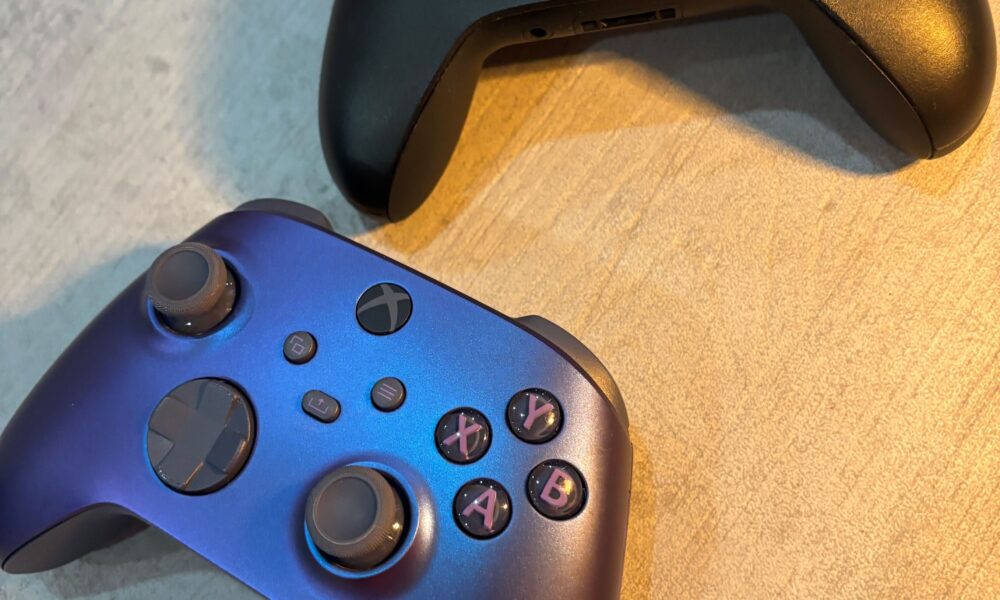

If you want to play compatible games with physical buttons instead of touchscreen controls, you can connect an Xbox controller to an iPad using Bluetooth. You do not have to own an Xbox console to pair a supported controller. But it matters which Xbox controller model you have: some older versions do not support the same Bluetooth pairing method.

How to connect an Xbox controller to iPad
- Check that your controller is a Bluetooth-capable Xbox Wireless Controller.
- Press the Xbox button to turn the controller on.
- Press and hold the controller’s small Connect button for a few seconds. The Xbox light should begin flashing as it enters pairing mode.
- On your iPad, open Settings → Bluetooth and turn Bluetooth on.
- Look for the Xbox wireless controller in the nearby-device list and tap it to pair.
- Open a game with controller support and test the analog sticks and buttons.
Apple gives this sequence on its official Xbox controller pairing page, published January 14, 2026. The controller can appear under a slightly different name depending on its model and firmware.
Which Xbox controllers work with iPad?
Apple specifically lists the following families as compatible with its Apple-device pairing guidance:
| Controller model | Bluetooth pairing with iPad |
|---|---|
| Xbox Wireless Controller with Bluetooth (model 1708) | Supported |
| Xbox Wireless Controller for Series S | Supported |
| Xbox Wireless Controller for Series X | Supported |
| Xbox Elite Wireless Controller Series 2 | Supported |
| Xbox Adaptive Controller | Supported |
| Older controller without Bluetooth | Not covered by Apple’s Bluetooth method |
The table is about Bluetooth compatibility, not a promise that every iPad game supports gamepad input. An older Xbox 360 controller, for example, should not be assumed to connect through the same Bluetooth steps.
How to tell whether your controller is discoverable
When the controller is in pairing mode, its Xbox button indicator typically flashes. The iPad should then list the controller in Bluetooth settings. If the button does not enter pairing mode, confirm that the controller has power and that you are pressing the Connect button rather than a menu button.
Paired but not working in a game?
First check the game’s own controller-support information. Some iPad titles are made for touch input only, while others support analog movement, shoulder triggers and alternate button layouts. Bluetooth showing Connected only confirms the link; the app determines whether and how that input is used.
Xbox controller not appearing on iPad? Fixes to try
1. Restart pairing from the controller
Turn the controller on, then hold Connect long enough to make it discoverable. If the light returns to a solid state because it connected to a different device, disconnect that device before trying again.
2. Forget an old Bluetooth connection
On iPad, tap the information button beside the controller in Bluetooth settings and choose Forget This Device if it is listed but not connecting. Repeat the pairing process. Apple includes forgetting and re-pairing among its general controller troubleshooting suggestions.
3. Check controller firmware
Apple advises following Microsoft’s official update instructions if the device reports a controller firmware issue. Do not install unknown update utilities from search ads or unofficial download pages.
4. Reduce nearby wireless congestion
If input drops out, temporarily disconnect unnecessary Bluetooth accessories. A crowded desk with several active wireless devices can complicate pairing or responsiveness.
5. Confirm game settings
Look for Controller, Gamepad or Input in the game’s settings. If only one game fails, test another controller-compatible game before treating the controller as defective.
Can you change button assignments on iPad?
Apple documents controller customization settings on supported iPadOS versions. With the controller connected, open Settings → General → Game Controller and select the controller if that menu is available. Options depend on the game, iPad software and controller model. The feature does not guarantee a game will recognize otherwise unsupported controller inputs.
Can you use the controller with a Windows PC too?
Yes, where supported. Moving between devices may require choosing the right remembered connection or pairing again. Our Xbox controller setup guide for Windows PCs explains the separate Bluetooth, USB and adapter options.
FAQ
Can an Xbox Series X controller connect to iPad?
Yes. Apple lists the Xbox Series X and Series S wireless controllers as supported models.
Where is the pairing button?
Use the small Connect button on the controller and hold it for a few seconds; the indicator should flash.
Why does Bluetooth show a controller but games ignore it?
The game may lack controller support or use different input settings. Test a game that explicitly supports gamepads.
Do I need Xbox Game Pass to pair the controller?
No. Bluetooth pairing is independent of any gaming subscription.
Can I pair an old Xbox 360 wireless controller by Bluetooth?
Do not assume so. The older controller is not on Apple’s list of supported Bluetooth Xbox controller models.

Other Articles

How to Clean a Charging Port Safely (Without Damaging Pins)
Steam Deck Factory Reset: Erase Your Data Safely and Start Fresh
