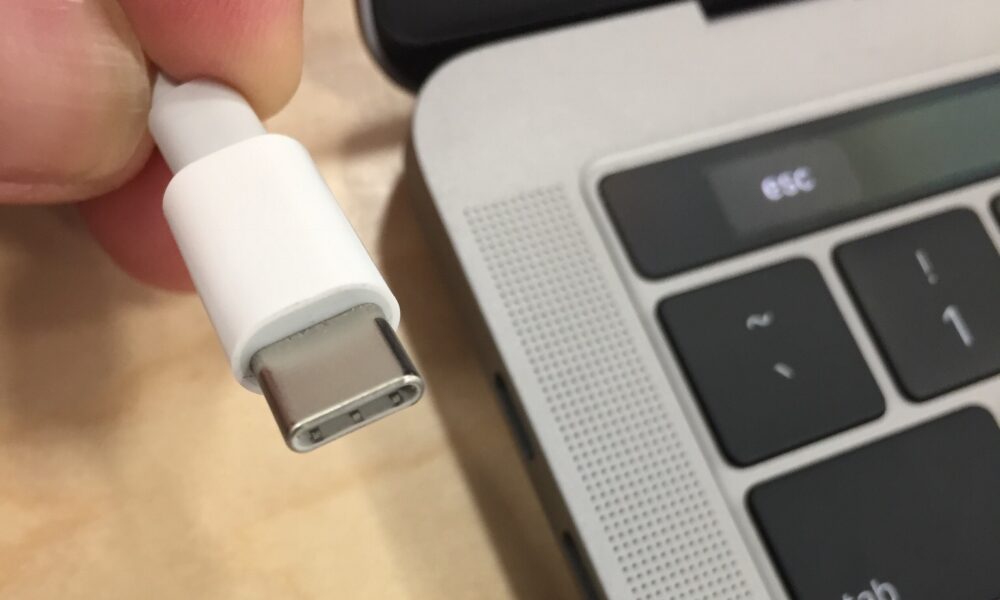

When a charging cable no longer clicks into place or charging stops intermittently, it is tempting to dig into the socket. But how to clean a charging port safely depends on whether it contains loose dust, packed lint, moisture or actual connector damage. The best first step is a careful visual check—not a metal pin or a splash of cleaning liquid.

First: is your charging port dirty, wet or damaged?
| What you notice | Safer next step |
|---|---|
| Loose dust at the outer edge | Power off, disconnect the charger and gently remove only external loose debris using manufacturer-approved cleaning guidance |
| Cable fails to seat completely | Look for visible lint or an obstructed connector; do not force the plug |
| Liquid-detection alert | Disconnect and allow the phone and cable to dry following the manufacturer’s instructions |
| Bent, corroded, hot or loose contacts | Stop charging and arrange qualified service |
| One cable fails but another works | Investigate the cable before blaming the port |
How to inspect and clean the outside of a charging port
- Unplug everything. Disconnect the power adapter and turn the device off if its manufacturer recommends it for inspection.
- Check the cable first. Try a known-good compatible cable and power source. A worn plug or faulty adapter can mimic a dirty port.
- Use bright light to inspect, not to scrape. Look for dust near the opening, bent metal, unusual color or moisture. Never force a charging connector that no longer fits normally.
- Clean only accessible external surfaces. A dry, clean, soft, nonabrasive cloth is safer for the device’s exterior than solvents or sharp tools. Do not stuff cloth or cotton into the socket.
- Follow your device maker’s instructions for debris inside the port. The safe method is model-specific. If lint is tightly packed or contacts are exposed, use professional service instead of improvising with pins, needles or liquids.
- Reconnect once safe and fully dry. Try the original or another compatible cable gently. If the connection still fails or wiggles, stop rather than pressing harder.
This approach deliberately separates surface cleaning from invasive connector cleaning. A USB-C socket contains closely spaced electrical contacts; tools and liquid can damage them, and a device maker may explicitly forbid inserting anything.
What should you never put inside a charging port?
Avoid metal picks, staples, pins, hard scraping tools and unapproved solvents. Do not pour alcohol or water into a phone charging socket. Do not force a cotton swab or paper towel into a narrow connector. For iPhone moisture alerts, Apple expressly warns against inserting foreign objects, compressed air and external heat. That warning matters even if a social-media cleaning video makes the shortcut look easy.
What if the port is wet?
Stop charging by cable and disconnect the accessory. A moisture warning is not a prompt to start scraping. For supported iPhones, Apple recommends gently tapping the device against your hand with the connector facing down, allowing airflow and waiting before reconnecting. It says to try again after at least 30 minutes, and that full drying can take up to 24 hours. Do not use a hair dryer, compressed air or rice to speed the process.
Other phone brands may provide different model-specific instructions; use those rather than assuming Apple’s exact wait times apply everywhere. Never override a moisture alert for ordinary convenience.
Why does the charging cable work only at an angle?
An angle-sensitive connection can result from lint, a worn cable, a damaged plug or a mechanically loose port. Repeatedly bending the cable until charging starts can worsen damage. Compare with a good compatible cable, without pressure, and seek service if the connection remains loose or the socket moves within the case.
How to distinguish a dirty port from a battery problem
If the device charges reliably through a supported wireless charger but not via a cable, that suggests the wired charging path deserves investigation; it does not prove the socket is dirty. If neither method works, the adapter, battery, software or internal charging components may also be involved. Make one change at a time and note the result.
When is professional cleaning the better choice?
Ask a qualified technician or the manufacturer when you can see compacted material deep inside the connector, any bent contacts, corrosion, recurring liquid alerts or a loose USB-C or Lightning receptacle. Aggressive DIY cleaning can turn a simple blockage into a port replacement.
FAQ
Can I use a toothpick to clean my phone charging port?
Do not assume it is safe. Some manufacturers prohibit inserting foreign objects into the connector; follow the exact guidance for your device or request service.
Is compressed air safe for an iPhone charging port?
Apple warns not to use compressed air when addressing liquid-detection issues. Follow current model-specific instructions rather than spraying blindly.
Why won’t my charger click into place?
Visible lint can obstruct the fit, but a damaged plug or port can do the same. Do not force the cable.
Will cleaning the port fix slow charging?
Only if contamination was the cause. Slow charging may also involve the adapter, cable, heat, charging limits or battery health.
What about other phone openings?
Speaker grilles need different care. Our iPhone speaker cleaning guide covers muffled sound without treating the charging port as a speaker.

Other Articles

PS5 Controller Not Charging? Fix USB Power and Rest Mode First
Xbox Controller to iPad: Pair It by Bluetooth and Fix Missing Input