
Quick answer: Game Builder Garage is Nintendo Switch software that teaches visual game creation with connected characters called Nodon. Start with the free Tag Showdown demo, follow the seven lessons, then build your own games in Free Programming. You can share projects using Game IDs or Programmer IDs, subject to Nintendo’s online and local sharing requirements.
Game Builder Garage at a glance
| Feature | What you should know |
|---|---|
| Platform | Nintendo Switch family (check specific compatibility) |
| Release | June 11, 2021 |
| Programming approach | Visual Nodon connections, not traditional typed code |
| Guided lessons | 7 interactive game-building projects |
| First demo | Tag Showdown, lesson 1 |
| Free Programming unlocked | After completing the first lesson |
| Share creations | Game IDs or Programmer IDs; eligibility rules apply |
| Slots for saved creations | 64, per Nintendo’s FAQ |
What Game Builder Garage lets you make
Game Builder Garage is Nintendo’s visual game-creation software for Nintendo Switch, released in June 2021. Rather than requiring players to type a conventional programming language, it provides a system of colorful blocks called Nodon. Each Nodon represents a function or piece of game behavior, and the relationships between them create an interactive game. The software includes guided lessons and a Free Programming mode for building your own projects. It is a structured introduction to logic and game design, not a general-purpose coding environment that exports standalone Windows, PlayStation or mobile applications. Players work within the available Nintendo Switch tools and share creations through the features supported by the game.
Begin with the free Tag Showdown demo
Nintendo offers a demo centered on Lesson 1, Tag Showdown. This is the logical place to begin because the project teaches how player input and game objects work before asking you to plan a full game independently. The demo and complete product have different availability and purchase requirements, so use the official Nintendo eShop listing for your region. Once you understand the structure of the first lesson, you can make informed decisions about the complete seven-lesson product. The demo is not a trial of an unlimited game-publishing business platform; it focuses on a defined introductory lesson.
Meet the Nodon: input, processing and output
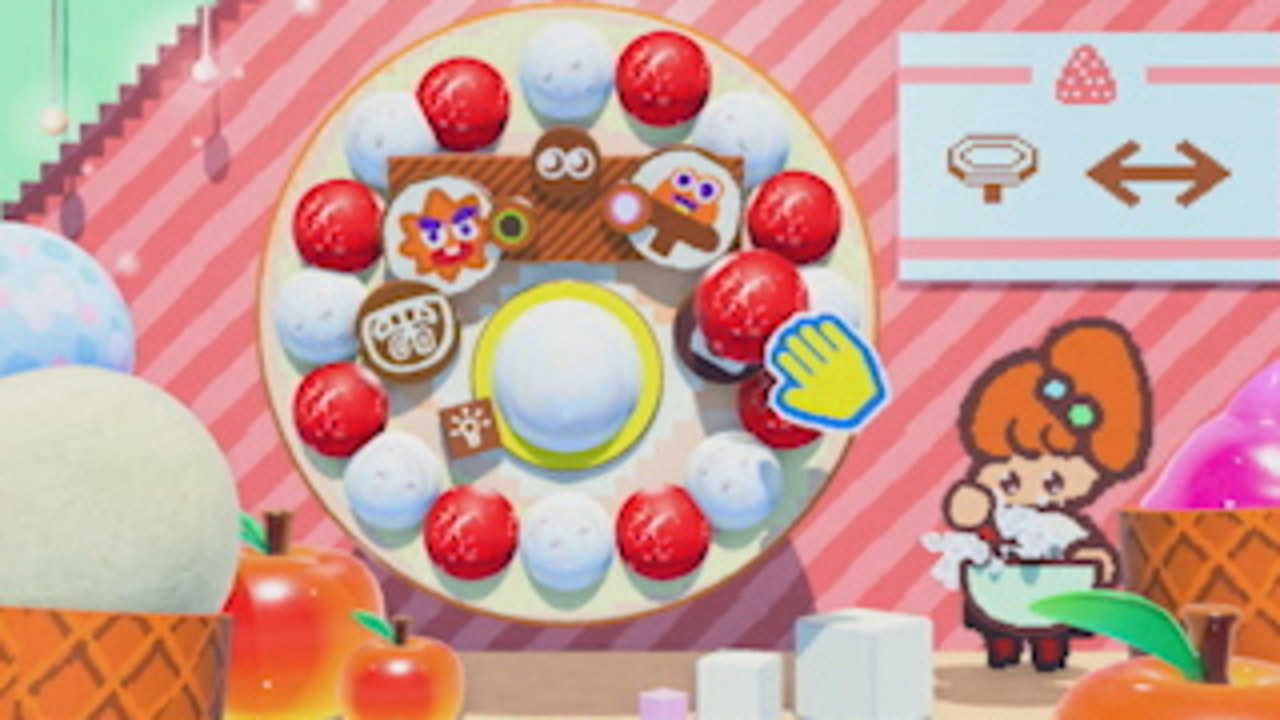
Think of a Nodon network as a sequence of events. An input Nodon can detect a button press or another signal; a processing Nodon can count, compare, reverse or delay a value; and an output or object-related Nodon changes what happens on the game screen. Nintendo’s official examples include Button, Counter, Timer, Game-Screen, Effect, Tilt and NOT Nodon. Understanding the flow between these functions is more valuable than memorizing their character designs. Start with one input and one visible response, then add a second Nodon only when you can explain what new behavior it contributes.
Build a tiny jump-control experiment
As a simple learning project, create a controlled playable scene through the software’s permitted object and character tools, then use the appropriate Button Nodon and compatible player-action connection to make the character jump when an input is pressed. The exact available options and connectors are best followed through the in-game lesson or Nodopedia, since certain Nodon settings depend on their roles. Run your project after each connection. If the response never occurs, trace the signal: confirm that the input is detected, that the connection points to the intended target, and that your object has not been disabled or placed outside the active game screen.
Lesson 1 — Tag Showdown
Tag Showdown introduces basic programming by assembling a two-character, one-on-one tag game. It helps explain how the game screen responds to player actions and why building a working interaction requires more than putting a character model into a level. Beginners should observe the direction in which signals flow and how the lesson checks their understanding. It is a particularly good first project because the goal is obvious: a character must be controllable, and the game’s rules must respond correctly to interaction. After finishing, experiment with a small, reversible change to understand what the tutorial originally configured.
Lesson 2 — On A Roll
On A Roll introduces gameplay with a different viewpoint and motion-based concepts. A game that depends on tilting and moving an object can help make the relationship between input, simulation and on-screen feedback more tangible than a static menu. Keep the scene simple while you learn how a change in controls affects movement. On Switch Lite, some motion-sensor features may depend on compatible Joy-Con accessories, as Nintendo notes in its official FAQ. If a control does not behave like the tutorial video, inspect the controller type and hardware rather than assuming the software’s Nodon system is broken.
Lesson 3 — Alien Blaster
Alien Blaster shifts to a space-themed shooting game, giving users experience creating an interactive challenge with moving targets and actions triggered by player controls. Compare the behavior of different entities and inspect how a change in speed or signal timing alters the difficulty. The useful lesson is that a functional shooter needs clear feedback when a target is hit, not merely visual objects on screen. Play through the tutorial’s steps at a comfortable pace before expanding the scene. Nintendo describes the game’s lessons as a way to build programming logic progressively, so use each previous mechanic instead of skipping unfamiliar steps.
Lesson 4 — Risky Run
Risky Run is a side-scrolling action lesson in which the arrangement of objects and their connections becomes increasingly important. A side view lets you focus on obstacle placement, movement timing and the difference between a logical trigger and a physical object. Before adding another hazard, check whether the player can complete the existing section without confusion. Game creation is partly communication: players should understand what is dangerous and what they can do to respond. A complicated obstacle network that is impossible to read is less useful than a shorter, well-tested course.
Lesson 5 — Mystery Room
Mystery Room uses three-dimensional puzzle ideas, asking creators to reason about hidden objects, triggers and spatial relationships. This project is a good reminder that designing a 3D space involves camera choices as well as rules. Where you place an object matters: a correct connection can seem broken if the target is inaccessible or the camera hides the relevant cue. Plan a small puzzle around a clear question, such as finding an item or activating something in a room. Test the puzzle from the actual player’s viewpoint rather than only the editor’s overhead view.
Lesson 6 — Thrill Racer
Thrill Racer builds a racing-style project and introduces a different use case for player control and movement. Consistent steering, clear track layout and readable goals matter when comparing a racing game with earlier lessons. When adjusting a vehicle-like object, modify one behavior at a time rather than changing all of its values simultaneously. Check that a player can understand the start and finish conditions, and verify that the camera presents upcoming turns. A successful racer is not necessarily the fastest possible vehicle; it should feel responsive and predictable enough for a new player to learn.
Lesson 7 — Super Person World
Super Person World brings several concepts together in a more elaborate 3D action game. Nintendo presents it as a culminating exercise, not as evidence that the game includes a full commercial 3D engine. Try to understand how each Nodon contributes to the player’s actions, the camera, the level and the game rules. Finishing this lesson is a good time to return to earlier projects and rebuild one mechanic without following every on-screen instruction. If you can explain why each connection exists, you are better prepared for original designs in Free Programming.
What Free Programming unlocks
Nintendo’s FAQ says Free Programming becomes available after finishing Tag Showdown, the first guided lesson. You do not have to finish all seven lessons to try an original game. The editor allows users to place Nodon, control elements of the game and experiment with their own structures, including linked creations. Keep a deliberately small scope for your first independent build, such as a single-room obstacle challenge. Write down its objective before opening the editor: what can the player do, how can they win, and what happens when they lose? Then add only the logic needed to answer those questions.
Game IDs and Programmer IDs: two different sharing methods
To share projects online, Game Builder Garage provides a Game ID for a particular creation and a Programmer ID associated with its creator. Nintendo’s official materials describe them as ten-character or ten-digit identifiers, depending on regional presentation. The important distinction is the purpose: send the Game ID when somebody wants one specific game, and the Programmer ID when they want to access creations associated with a particular creator. The recipient needs the software and an eligible Nintendo Switch Online membership for online download and sharing features. Local wireless sharing is a different nearby-device workflow and requires compatible hardware and separate software copies as specified by Nintendo.
There is no public browsing marketplace inside the game
Nintendo explicitly says its online sharing system does not provide a searchable public catalog of all uploaded creations. People normally need to exchange the relevant Game ID or Programmer ID directly. This makes careful descriptions useful when sharing a game with friends: mention the name, its main goal, expected controls and approximate difficulty alongside its code. Downloaded games can be inspected and modified in supported ways, providing a valuable learning opportunity. Do not trust a random third-party website that promises universal access to private projects if it asks for Nintendo account passwords or payment-card details.
Switch Lite controls and optional mouse
Game Builder Garage works with standard Nintendo Switch control methods, but some features make particular use of Joy-Con hardware. Nintendo notes that HD rumble, the IR Motion Camera, motion sensors and certain Joy-Con buttons are not available from a Switch Lite alone without appropriate additional Joy-Con accessories. A compatible USB mouse can help control the programming cursor on a docked Nintendo Switch in TV mode, but Nintendo says it is not a general way to play the games you have built or a mouse feature for Switch Lite’s unsupported TV mode. Check your hardware before designing a project around physical controls your system cannot provide.
Saving creations, troubleshooting and limits
Nintendo’s FAQ lists 64 slots for saved games, including creations downloaded from other users. Start by keeping a working copy of any project you plan to alter significantly. If a Nodon connection fails, inspect the exact signal path and whether the controlled object is active. If the game appears stuck after a change, undo the latest edit and test again rather than rebuilding the entire program. Sharing problems often come from using the wrong identifier, lack of an eligible online membership, country availability or the owner having removed the project. For a related but different game-creation workflow, read AVARIXO’s beginner Roblox Studio guide.
Who should choose Game Builder Garage?
This Nintendo Switch title is well suited to players who want to learn cause-and-effect programming concepts through short, playable experiments. Parents can use the lessons as a structured introduction to game logic, while hobbyists can enjoy making simple puzzles, racers and action prototypes. It is a poorer match for somebody who specifically needs professional scripts, commercial publication across several platforms, advanced 3D asset pipelines or large online multiplayer infrastructure. Nintendo’s official game page explains the actual tools, demos and sharing restrictions. For a more open-ended creation system, compare our Minecraft mod-maker overview to understand how visual mod tools and game-creation environments differ.
Frequently asked questions
Is Game Builder Garage available on Roblox or PC?
It is Nintendo Switch software, not a Roblox experience or an ordinary PC game editor.
Does it teach a real programming language such as Python?
It teaches logic through a visual Nodon system, not conventional typed language syntax.
How many lessons are there?
Seven guided projects, with checkpoints that test what you learned.
Do you have to finish every lesson to create your own game?
No. Free Programming becomes available after the first lesson, Tag Showdown.
Can other players discover every uploaded game automatically?
No. Nintendo’s official FAQ explains there is no built-in public browsing catalog; users exchange Game or Programmer IDs.
Can Switch Lite use every Joy-Con feature?
Some Joy-Con-specific effects require additional controllers and are not available through Switch Lite hardware alone.

Other Articles

Chess Notation Explained: Algebraic Moves, Symbols and Examples