
Quick answer (reviewed October 13, 2026): To use ChatGPT Voice, open the official ChatGPT app on iPhone or Android, or visit chatgpt.com on a supported desktop browser. Sign in, tap or click the Voice control in the message box, allow microphone access, choose a voice if prompted, and start speaking. ChatGPT answers aloud. Voice is not identical to the microphone dictation button, which turns speech into editable text for a regular typed message.
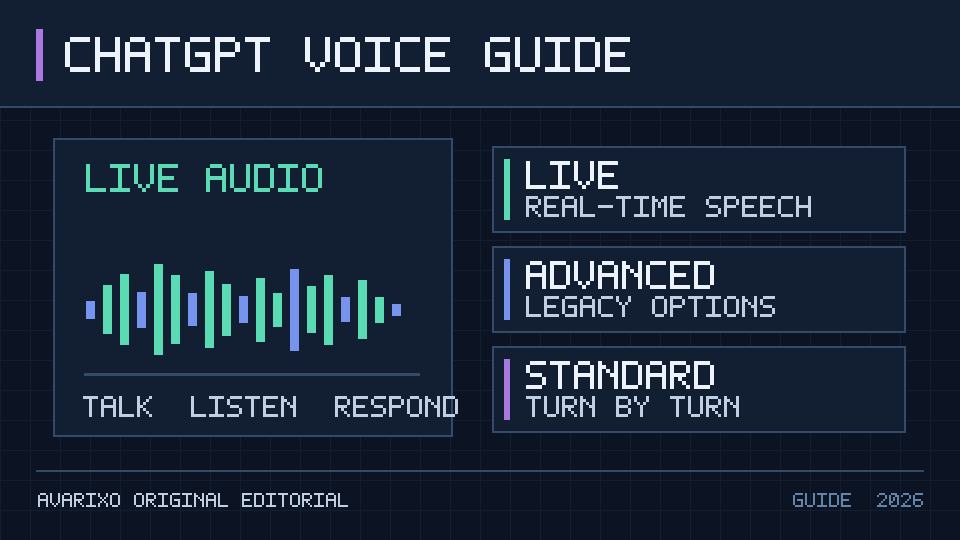
In 2026, ChatGPT offers Live, Advanced and Standard voice options depending on account, region and app version. OpenAI’s current official ChatGPT Voice guide identifies Live as the newer real-time experience and describes the available modes and restrictions. This article explains how to get started, choose a mode, fix silence or permission issues, and understand transcripts and privacy.
What is ChatGPT Voice?
ChatGPT Voice lets you speak to ChatGPT and hear a spoken answer without repeatedly typing. You can ask a follow-up question in the same conversation, change topics or use it for brainstorming, language practice and hands-free explanations. It can still make mistakes, particularly about facts that change quickly or advice in sensitive areas, so verify important information separately.
OpenAI describes the latest Live experience as being powered by GPT-Live-1 or GPT-Live-1 mini depending on plan eligibility. Live can listen and speak naturally, with supported features such as web search or visual responses where available. The older Advanced and Standard experiences may remain available in Settings → Voice. Not every account shows the same mode picker at the same time.
| Feature | ChatGPT Voice | Dictation microphone |
|---|---|---|
| Speak a question | Yes | Yes, to create text input |
| Hear ChatGPT speak back | Yes | Not automatically; text input works as a normal chat message |
| Live spoken follow-up | Yes in supported voice modes | No, dictation ends with text submission |
| Review text after speaking | Voice transcripts and live text are available subject to mode | Editable draft before sending |
| Best for | Conversation, practice, explanations and verbal brainstorming | Writing a message without typing |
How to use ChatGPT Voice on iPhone and Android
- Install or update the official ChatGPT mobile app from your platform’s supported app store. Avoid apps with confusingly similar logos or names.
- Sign into your ChatGPT account, then open an existing chat or start a new one.
- Find the Voice button near the message composer and tap it. The precise symbol and layout can vary by app version; do not confuse it with plain voice dictation.
- If the operating system requests microphone permission, choose to allow it for the app.
- If this is your first Voice session, choose an available voice. You may also be able to change the voice later through the in-call interface or Voice settings.
- Begin talking naturally. The app listens and responds aloud; supported Live experiences can handle normal interruptions and follow-up questions.
- Tap the in-call microphone control to mute or unmute, and use the exit/end-call control when finished.
Where do you change the voice?
Open Settings → Voice for the options shown by your app, or look for a voice customization control within a supported call. OpenAI notes that changing the selected voice during a voice conversation can start a new call within the same chat. If you cannot find a particular voice, check the current official voice list instead of assuming every name remains available forever.
Can ChatGPT Voice speak another language?
Voice can respond in different supported languages. Ask in the target language or say, “Please answer in Spanish,” for example. Some accounts expose a preferred Language setting within Voice options that helps with recognition. Regional accents, technical names and noisy environments can still produce transcription errors; spell out unusual terms when accuracy matters.
How to start ChatGPT Voice on a computer browser
- Open a supported modern browser and navigate to chatgpt.com.
- Log in and open a chat.
- Click the Voice control on the right side of the prompt area.
- When the browser requests microphone access, approve the correct microphone and origin.
- Speak and listen; use the in-call controls to mute or end the session.
If Voice works on your phone but not on desktop web, check the browser permission for chatgpt.com, the computer’s selected input device, other apps using the mic and the current supported browser. A laptop’s system default microphone can differ from the headset you expect to use.
Voice button missing on desktop?
Confirm you are on the authentic ChatGPT site and are signed in. Refresh the page, check browser compatibility, confirm that Voice is enabled for your account or workspace, and review whether an admin or parental control restricts it. Not every workplace makes all voice experiences available to every role.
ChatGPT Live vs. Advanced vs. Standard voice: which should you choose?
The modes differ in responsiveness and available capabilities. The official October 2026 help documentation is the source of record for the current feature set; the exact settings can change during rollouts.
| Mode | Main idea | When it may help | Key caveat |
|---|---|---|---|
| Live | Low-latency back-and-forth speech that can listen and respond naturally | Conversation practice, brainstorming, quick explanations | Does not offer live video or screen sharing in the current Live design |
| Advanced | Earlier real-time Voice experience | Eligible users who need certain legacy mobile visual features | Availability and supported features depend on platform and plan |
| Standard | Turn-based spoken experience | Users preferring a more structured speak-then-respond rhythm | Not the same as Live’s overlapping conversation |
Paid eligible users can have access to GPT-Live-1, while free access uses a smaller Live model, but usage policies and eligibility are subject to change. Do not rely on an old “minutes per day” chart as a guaranteed current limit. The app indicates available voice usage for your plan.
Can ChatGPT Voice see your camera or screen?
Not through the current Live experience. OpenAI says Live does not support live video or screen sharing, while some eligible users may have those capabilities in the older Advanced mode on supported mobile devices. If you are trying to demonstrate a technical problem visually, check the mode and platform before assuming a camera button should appear.
Does Voice use the same model as ChatGPT text?
Not necessarily. A model used for real-time speech is optimized for conversational audio and is separate from the model that may answer your typed questions. OpenAI describes Live with GPT-Live-1 and GPT-Live-1 mini. Access to other reasoning or text models in ChatGPT does not mean the audio session is powered by the same selected text model.
How to use ChatGPT Voice for study, work and everyday tasks
Language practice without a rigid script
Ask for a five-minute conversation at beginner level, request one correction at a time, and tell ChatGPT to speak a little more slowly. Make your goal specific: “Act as a French conversation partner and ask one question at a time.” When the exercise ends, request a short written summary of vocabulary to review.
Brainstorming out loud
Describe a project in your own words, then request three contrasting approaches. You can use voice for a quick verbal outline, but verify citations and numbers in the text view before using the output in a report or public article.
Explaining a tricky concept
Ask for a short explanation, interrupt with “Give me a simpler analogy” if the topic is unfamiliar, and follow up with a check-for-understanding question. In a quiet room, voice makes it easier to ask rapid small questions than repeatedly opening a keyboard.
Getting an answer while multitasking
Supported mobile settings may allow Background Conversations, which can continue while you use other apps or lock the phone. This capability has its own stop conditions and session limits; never assume it will run indefinitely or replace supervision while driving or doing hazardous work.
Why is ChatGPT Voice not working? Troubleshoot by symptom
| Symptom | Most useful check | What to try next |
|---|---|---|
| Voice button does not appear | Login, app version, platform, workspace policy | Update app, refresh web, review Settings → Voice |
| ChatGPT cannot hear you | Mic muted, OS/browser microphone access | Check selected input, permissions, headset switch |
| Wrong microphone on desktop | Browser’s chosen audio input | Pick the active headset or laptop mic in device and browser settings |
| No spoken response | Phone/media volume, connected headphones, output route | Increase media volume and check Bluetooth output |
| Voice disconnects | Internet stability, service issue, session limits | Try a stable connection and inspect current status |
| ChatGPT mishears words | Background noise or language selection | Speak clearly, specify language and check transcript |
| Screen-share control missing | Live versus Advanced mode eligibility | Check supported mode; Live does not have this feature |
Fix microphone permissions on iPhone or Android
Open your phone’s operating-system settings and check whether ChatGPT is allowed to use the microphone. Reopen the app and confirm the in-call mute control is off. If a Bluetooth headset is connected, the active microphone may not be the phone’s built-in mic. Test recording a short voice note in a trusted device app to determine whether the hardware input works independently.
Fix microphone permissions in Windows or a browser
Verify microphone access in Windows privacy settings, the correct input device and the browser’s site-specific microphone permission for chatgpt.com. Our Windows 11 microphone troubleshooting guide explains the operating-system checks. If other browser voice apps also fail, the problem may be an audio-device setting rather than ChatGPT.
What if ChatGPT Voice keeps ending?
Voice sessions can end because of usage limits, connection loss, app closing, a maximum session length or account restrictions. OpenAI documents background-session limits separately; if it stops, read the actual in-app notice instead of assuming a payment or security problem. For broad service issues, check OpenAI Status.
ChatGPT Voice privacy, transcripts and recordings
Voice conversations can create a transcript in the chat history, but it may not match every word exactly—particularly if people speak simultaneously or the connection is noisy. Live may display the answer text as you listen; after the call, review the transcript before relying on it to represent a precise quotation or instruction.
Audio clips and transcripts have their own retention and data controls. OpenAI says voice recordings are not used for training without explicit opt-in. Review your ChatGPT privacy and Data Controls settings for the current retention and training choices, especially if you are speaking about workplace, financial, medical or other sensitive information. Avoid sharing secrets or identifying details you would not type into a chat.
A workplace administrator may manage availability and permissions. If Voice is disabled by the organization, a user cannot reliably enable it by changing a local device setting. When a child’s account is involved, family settings may restrict access; check OpenAI’s guidance for connected teen accounts rather than attempting to work around controls. Our ChatGPT teen-safety overview provides related context.
Does ChatGPT Voice work with live information and other ChatGPT features?
OpenAI says the latest Live experience can support web search, memory and certain visual response formats where available. That does not mean every external tool or connected app is enabled on every account or that the feature will work exactly like a typed request. When an answer concerns something current, explicitly ask ChatGPT to verify it rather than relying solely on conversational confidence.
Voice is also different from ChatGPT’s visual interface features for text chats. Our GPT-6 Intelligent UI overview explains interactive visual responses. Check the current Voice help documentation for which interfaces can be used while an audio session is in progress.
ChatGPT Voice FAQs
Is ChatGPT Voice free?
Voice is available to eligible logged-in users, including free users, but the model and usage allowance vary by plan and may change. Review your current in-app limit notice rather than assuming unlimited usage.
Where is the ChatGPT Voice button?
On mobile, look near the message composer; on supported desktop web, look to the right side of the prompt window. The precise icon and layout vary with app version.
Is the microphone button the same as Voice?
No. Dictation generally converts your speech into editable text for a normal message, while Voice begins a two-way spoken conversation that answers aloud.
Can you use ChatGPT Voice on a laptop?
Yes, on supported desktop web at chatgpt.com. Grant browser microphone permission for the site and select the correct input/output devices.
How do I make ChatGPT Voice speak more slowly?
Ask it in the call, for example, “Please speak more slowly and use shorter sentences.” You can also change the preferred language where your current settings support it.
Can I use ChatGPT Voice in the background?
Supported mobile apps offer a Background Conversations setting. The session still stops under documented conditions such as an app closing, a limit or maximum call duration.
Does Live voice support video or screen sharing?
No, not in the current Live mode. Some eligible users can use older Advanced mode mobile capabilities when supported.
Are Voice transcripts perfectly accurate?
No. They are useful records but may omit overlaps or misrecognize words. Check critical quotations, names and technical instructions.
Which voice sounds best?
That depends on personal preference and availability. Start with an official sample, choose a comfortable voice, and change it in Settings → Voice where available.
Can a school or company disable ChatGPT Voice?
Yes, workspace and parental-control policies can affect availability. Ask the appropriate account owner or administrator about supported access.
Official sources and review date
- OpenAI Help Center — ChatGPT Voice (primary source for Live, Advanced, Standard, availability and controls).
- OpenAI — ChatGPT Release Notes (official timeline for Live rollout in July 2026 and later changes).
- OpenAI Status (official service incidents).
AVARIXO editorial review: October 13, 2026. Voice features, regional support and usage allowances may change. Use the official help center and in-app controls if your version differs from this guide.

Other Articles

Fortnite on PS4: Free Download, Updates, Account Linking and Fixes
