
Quick answer: SUMIF adds values only when another range meets a specified condition.
Start with the right setup
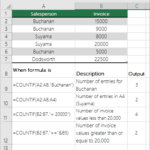
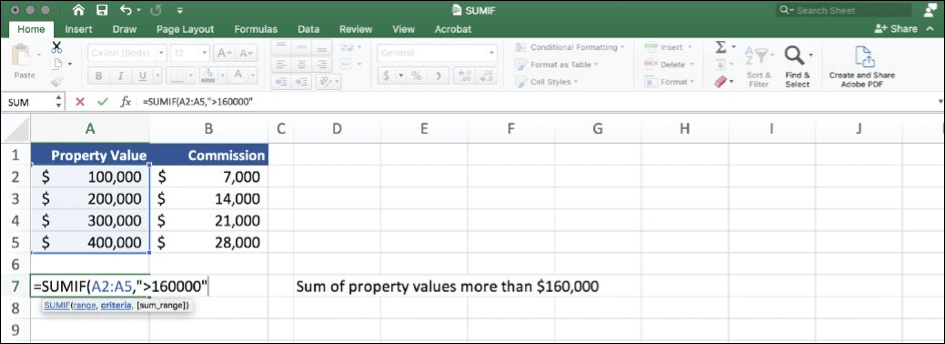
The syntax is SUMIF(range,criteria,[sum_range]). For example, =SUMIF(A2:A100,”Food”,B2:B100) totals amounts in B where A contains Food.
Build the core result
For comparisons, criteria such as “>100” must be quoted. When referencing a threshold cell, concatenate the operator with its address.
Choose a reliable output
Make sure the criteria range and sum range align. Mismatched ranges or numbers stored as text can produce unexpected totals.
Check quality and avoid mistakes
Use SUMIFS when you need more than one condition, such as category and month. Verify a few matching rows manually before trusting a dashboard.
Practical checklist
- Confirm that the tool, version and settings match your intended result.
- Review your source information before editing or exporting.
- Test the finished output on the device or application where it will be used.
- Keep a backup of important work and protect private account information.
Frequently asked questions
Can I use the same steps on every device?
Not always. Menu labels, supported file types and feature availability may differ by device, account plan and software version. Check the current official help center when an option is missing.
What if the result looks wrong?
Check the source data or design, confirm your selected format and test a simple example. Change one setting at a time to identify the cause rather than starting over immediately.
Official documentation
For updated instructions, see official help documentation.

Other Articles
Excel Conditional Formatting: Highlight Duplicates and Trends
COUNTIF in Excel: Count Matches, Text and Duplicates