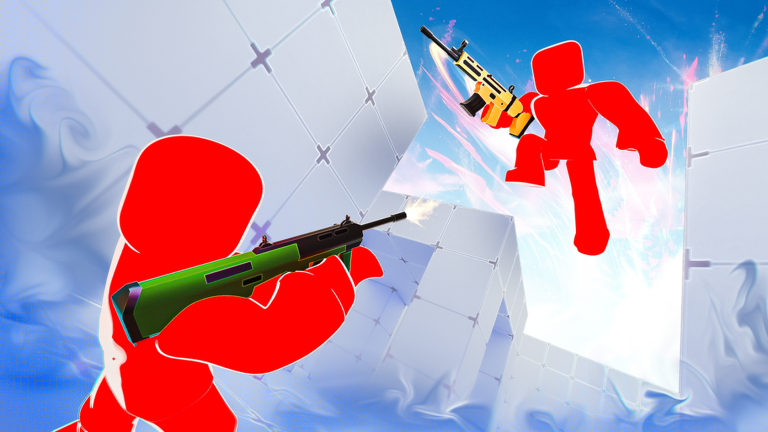

RIVALS codes for October 2026 can give you free Keys in Nosniy Games’ Roblox first-person shooter. The latest promotion, FREE202, awards three Keys—useful if you’re saving for another weapon or improving your loadout. Before you can claim it, RIVALS may require you to complete starter tasks and verify your account through the Rewards menu, so the redemption steps are slightly more involved than in many other Roblox games.
Updated October 13, 2026. Codes can expire after later game updates.
RIVALS codes for October 2026
| Code | Reward | How to claim |
|---|---|---|
FREE202 | 3 Keys | Open the Rewards menu and redeem once your account is eligible. |
Why is this list short? RIVALS releases codes frequently, and older FREE-number codes can stop being accepted as a newer number appears. Several historical community wrap codes are also no longer reliable. This guide focuses on the latest Key reward instead of promising a large stack of codes whose availability is uncertain.
How to redeem RIVALS codes
- Open the official RIVALS experience by Nosniy Games.
- Complete the introduction and any early shooting-range or duel objectives needed to unlock the game’s Rewards interface.
- Tap or click Rewards near the bottom of the screen.
- Scroll to the code section near the bottom of the Rewards panel.
- If prompted, complete the developer social verification step. The interface may ask you to follow the developer’s linked accounts and enter your Roblox or X username, then press Verify.
- Type or paste
FREE202into the field labeled Enter a special code here. - Select Redeem and check whether three Keys were added to your account.
If the Rewards button isn’t visible, don’t assume the code is broken. New accounts may first need to finish the initial shooting-range tasks or a set of duels before redemption becomes available. Follow the current on-screen checklist rather than searching for a hidden button in the Shop.
Why does RIVALS ask you to verify first?
Some Roblox experiences let anyone enter a code immediately. RIVALS ties redemption to progression and social verification. The exact requirements shown to your account can change, but they are part of the game’s own interface. Checking eligibility is important because a valid code won’t necessarily work before you’ve unlocked the necessary menu.
Use the developer links presented inside the official experience. Don’t enter your Roblox password, email password, or two-factor authentication code on an unrelated website. Following a developer or verifying a public username is different from handing over login credentials.
What are Keys in RIVALS?
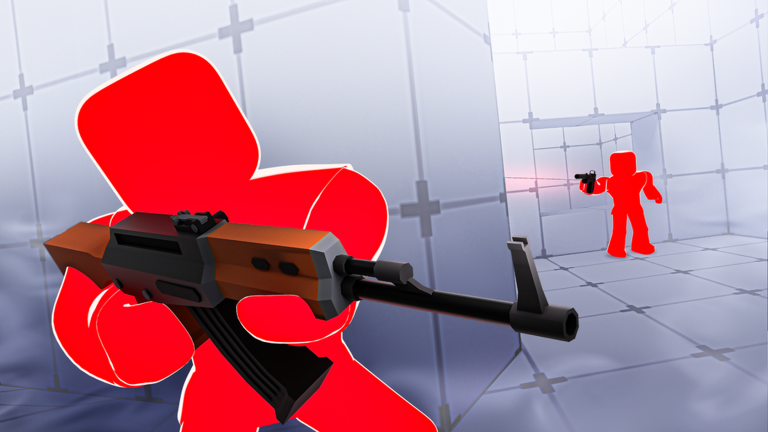
Keys are a major progression resource. You earn them by playing, completing objectives, and collecting rewards. They help you unlock weapons and participate in parts of the game’s cosmetic economy. Because three Keys won’t buy everything, it’s worth deciding whether you’re saving for a practical weapon upgrade or spending on an appearance item.
Choose weapon utility before looks
A cosmetic wrap can make a loadout feel personal, but it doesn’t replace a gun that suits your preferred fighting distance. If you’re new to RIVALS, spend some time in the shooting range to understand which weapons fit you. A dependable weapon at the right range can be more useful than an expensive unlock you rarely equip.
Track your existing balance
Before redeeming, open the game’s rewards or progression screen and note your current Key count. After entering FREE202, check the balance again. It helps confirm that you received the Key reward even when a notification disappears quickly.
How to earn more Keys without codes
Complete daily or starter tasks
RIVALS includes objectives and contracts that encourage you to try different ways of playing. Starter tasks are particularly valuable because they also help you become familiar with the game while working toward regular progression. Focus on objectives that you can finish naturally during a normal match rather than chasing a difficult task that interrupts your play.
Play modes that suit your skill level
Matches range from head-to-head 1v1 encounters to larger team fights. A beginner can learn a great deal from a duel where mistakes are easy to identify, but team modes also teach positioning and coordination. Choose a mode that gives you frequent opportunities to practice without losing track of your goals.
Use the game’s free social rewards
The Rewards menu offers additional tasks beyond code redemption, such as joining the official group, favoriting the experience, enabling notifications, or inviting friends. Their rewards may include cosmetic items and Keys. Review the current tasks listed in the game and claim those you are comfortable completing.
Five RIVALS tips for beginners
1. Learn one map at a time
Map knowledge helps with movement and aiming. Find the safest routes between cover, identify common sightlines, and notice where enemies are likely to appear. Familiarity with one map is often better for improving consistency than changing your strategy completely every match.
2. Aim before you expose yourself
When you know an opponent may be around a corner, position your crosshair at an appropriate height before you peek. That reduces how far you need to adjust your aim when the opponent comes into view.
3. Use cover between fights
Running through open areas without a plan gives enemies an easier target. Break up movement with cover and keep track of your nearest escape route. When you’re low on health, retreating can protect a lead more effectively than forcing a risky duel.
4. Keep a simple loadout
Experimenting with new weapons is useful, but constant switching can make it difficult to develop muscle memory. Settle on a loadout for several matches, learn its strengths and weaknesses, then change one item at a time.
5. Practice in the shooting range
The shooting range is helpful for understanding recoil, reload timing, and the rhythm of different weapons without the pressure of an active round. A few focused minutes there can make the next match feel less unpredictable.
Why your RIVALS code might not work
The reward menu isn’t unlocked
Finish the introductory tasks or duel requirement shown for your account and try again after the menu becomes available.
You haven’t completed verification
Read the instructions inside Rewards. If a verify control is displayed, follow the official on-screen process before entering the code.
The code has expired
RIVALS rotates promotions often. A previous FREE number might no longer be accepted even if it appeared in a recent video.
It was typed incorrectly or used already
Copy FREE202 without quotation marks or spaces. Most codes can be claimed once per eligible account.
RIVALS codes FAQ
Does FREE202 award three Keys?
Yes, the promotion is associated with a three-Key reward, subject to account eligibility and current availability.
Are Keys the same as Robux?
No. Keys are RIVALS-specific progression currency, not Roblox platform currency.
Why can’t I see Rewards on a new account?
The game may require you to finish introductory objectives, shooting-range tasks or duels before showing all reward options.
Is RIVALS the same game as Blue Lock Rivals?
No. RIVALS by Nosniy Games is an FPS. Blue Lock Rivals is a soccer experience with an entirely separate code system.
Learn more about matches and weapons in our RIVALS beginner guide, or browse AVARIXO Gaming.

Other Articles
Steal a Brainrot Codes (October 2026): BESTBRAINROTEVER Explained