
Quick answer: Pixelmon refers to a Pokémon-inspired modding ecosystem built around creatures, battles and collecting inside Minecraft Java. A Pixelmon server is not usually a vanilla Minecraft server with a custom skin pack: participants need the correct compatible game, mo
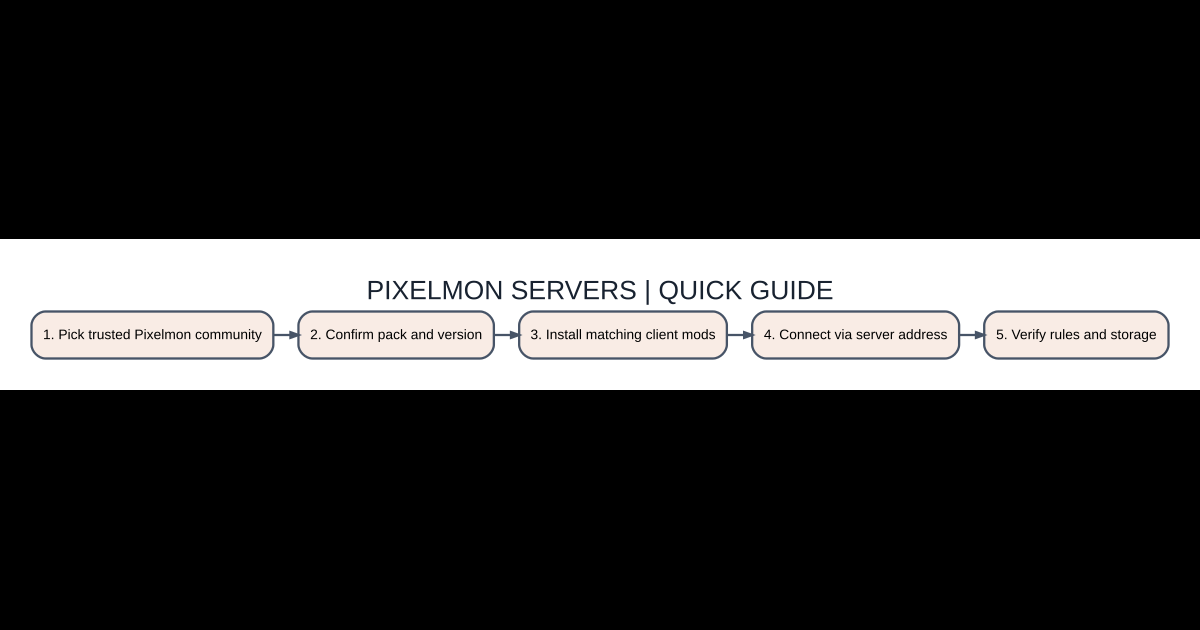
Step-by-step starting checklist
- Pick trusted Pixelmon community
- Confirm pack and version
- Install matching client mods
- Connect via server address
- Verify rules and storage
Pixelmon is a modded server experience
Pixelmon refers to a Pokémon-inspired modding ecosystem built around creatures, battles and collecting inside Minecraft Java. A Pixelmon server is not usually a vanilla Minecraft server with a custom skin pack: participants need the correct compatible game, mod and associated dependencies. Different communities can use different economies, permission systems, rules and added features. A general Pixelmon download from an unrelated site may fail if the server expects a different pack version.
Find a trustworthy server
Start from the server owner’s official site or a well-established modpack/community listing. Review activity, rule enforcement, anti-scam policies and whether the server clearly publishes its Minecraft version and modpack requirements. A huge online-player counter is not a guarantee of quality. Avoid servers requiring you to download an unexplained executable, submit your Microsoft password to a separate registration page or pay before you can even verify the community.
Install matching client files
Use a reputable modpack manager or the server’s documented official modpack link and launch the precise version it specifies. A modpack may require Forge or another supported loader, along with libraries that are not present in an ordinary Minecraft profile. Do not combine mod files from several servers in the same folder. Test the pack in a temporary single-player world if its documentation allows that, then connect to the server from Multiplayer using the exact address supplied by the owner.
Understand creature and battle mechanics
Creature encounters, capturing and battles are central to many Pixelmon experiences, but the specific game balance and available items depend on the version and server customization. Start by reading the in-game starter instructions, town or spawn-area signs and community guide. Learn how to access storage, protect your team from accidental loss and save or register your progress. Do not assume that commands demonstrated on an administrator’s private test server are accessible to ordinary players.
Joining errors and missing resources
Connection refused may mean the server is offline, blocked by a firewall or reachable only from a certain domain and port. An incompatible mod list usually indicates a mismatched Minecraft version, mod loader, required pack dependency or config. If a resource-pack prompt appears, read it carefully and accept only if you trust the server’s distribution. Keep a clean copy of the known-working pack before adding optional graphics enhancements or unofficial creature modifications.
Fair play and online safety
Public servers may include trades, marketplaces and user-built areas. Confirm rules for creature trades and any paid shop purchases; staff impersonators can pressure new players to transfer their rarest items. Never pay an unknown person to recover an account, and do not share verification codes. If a server has an in-game dispute system, document trade details before contacting moderators. A safe, active community is more valuable than inflated promises of free legendary creatures.
Which option should you choose?
| Item or option | What it does | Best use |
|---|---|---|
| Pixelmon server | Minecraft Java with required modpack | Creature-focused multiplayer |
| Vanilla Minecraft server | Unmodded compatible Java client | Not automatically Pixelmon |
| Bedrock server | Bedrock protocol and add-ons | Not directly compatible with Java Pixelmon |
| Modpack profile | Version-locked dependencies | Reduce connection errors |
Questions players ask
Can I join Pixelmon from normal Minecraft Bedrock?
Not directly through a standard Java Pixelmon modpack.
Why does the server reject my mod list?
Match the exact client pack, loader and game version published by the server.
Are all Pixelmon servers official?
No. Many are independent community-managed services with their own rules.
Do I need to share my Microsoft password?
Never give credentials to an independent server operator or a supposed moderator.
Related AVARIXO coverage
For a broader foundation, see our Minecraft Java versus Bedrock explainer and resource pack troubleshooting guide. Verify the exact game, edition, launcher or modpack version before following online tutorials that may describe a different release.


