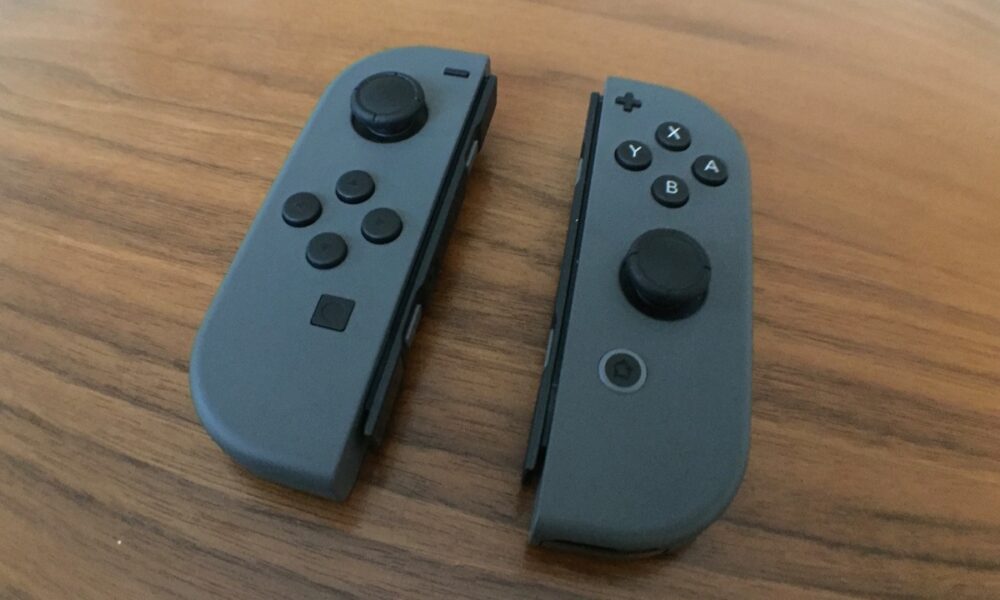

Nintendo Switch Joy-Con repair searches often begin with an analog stick moving a character even when your thumb is not touching it. That unwanted input is commonly called drift. Before buying a replacement stick or opening the controller, determine whether you are seeing a calibration or settings problem, a game-specific control behavior, or a hardware issue that needs service.
Confirm that the problem is really Joy-Con drift
Test the controller in more than one game or in the console’s built-in controller calibration screen. If movement appears only in a single game, inspect that game’s camera, motion-control and sensitivity options first. Motion controls or a remapped button can feel like stick failure even though the hardware is responding normally.
If the analog stick reports movement while untouched across multiple contexts, check the stick’s calibration and the controller’s firmware before concluding that physical wear is responsible. Nintendo’s Joy-Con stick troubleshooting guide follows a similar diagnostic sequence.
Update the console and controller first
Install any available official Nintendo Switch system update. Then check whether a controller update is offered in System Settings → Controllers and Sensors for your model and firmware. Follow on-screen instructions and avoid powering the console off during an update.
This is worth trying because software, calibration data and controller behavior can all affect what you see. It is not a promise that firmware can correct worn components or physical damage.
Check for accessories that interfere with the stick
A tight case, cover or accessory fitted around a Joy-Con can obstruct an analog stick’s range of movement. Nintendo explicitly recommends removing skins or covers as part of the troubleshooting process. Take the controller out of the accessory, test again and look for visible obstructions without forcing the stick beyond its normal travel.
If the unit has been dropped, exposed to liquid or physically bent, do not continue using it if you see cracking, swelling, unusual heat or other signs of damage. Hardware service is safer than pressing harder or attempting an improvised repair.
Calibrate the Joy-Con control stick
Open System Settings → Controllers and Sensors → Calibrate Control Sticks on the original Nintendo Switch family, then follow the prompt for the affected stick. Observe whether the marker returns to the center when untouched and whether it tracks movement consistently in different directions.
Calibration corrects how the system interprets an otherwise functioning control. It may help when values are slightly off, but it cannot replace a damaged sensor. If the controller cannot complete calibration or continues to drift badly, stop repeating the same step and move to official service guidance.
Should you clean the stick or open the Joy-Con?
Do not pour cleaner into a controller, spray fluid through the stick opening or use sharp tools to dig around the mechanism. Liquid and mechanical damage can make an existing fault worse. A gentle external wipe of an unplugged controller is different from internal joystick repair.
DIY joystick replacement is a separate project involving small electronic parts and delicate connectors. It may be appropriate for someone equipped and experienced with electronics, but it can damage a controller and may affect warranty or service eligibility. This article does not claim that a particular home repair will permanently resolve drift.
How official Nintendo Joy-Con repair works
If the controls continue responding incorrectly after the official checks, Nintendo advises servicing the affected Joy-Con rather than sending the entire console in situations covered by its support instructions. Service terms, fees and eligibility can vary by country and by hardware model. Open the regional Nintendo support site for your location before arranging postage or paying a third-party shop.
When contacting support, describe which side is affected, whether the stick fails calibration, which console model you own and which steps you already tried. Do not mail a console or accessory that the service request did not ask for. Keep proof of the service request and follow Nintendo’s packing guidance.
What if the controller also loses its connection?
Drift and wireless pairing problems are not the same issue. A controller that disappears from the console may need pairing or power troubleshooting instead of stick calibration. For external input on a Windows computer, our Nintendo Switch Pro Controller PC setup guide explains why connecting to Windows is a different task. If you plan to replace your entire console, read our Switch save-data transfer guide before making account or storage changes.
Frequently asked questions
Can recalibration permanently fix Joy-Con drift?
It can help when incorrect calibration is the cause. It cannot guarantee recovery from mechanical wear or a damaged sensor.
Does Nintendo repair Joy-Con for free?
Policies differ by country, product and fault. Check your regional Nintendo service portal rather than relying on an old price claim.
Do I need to send my whole Switch?
For the relevant stick-response issue, Nintendo’s support instructions direct users to service the affected Joy-Con. Follow the instructions on your own service request.
Photograph by Brett Chalupa, Wikimedia Commons, CC BY 2.0. No modifications to the photograph.

Other Articles

Steam Deck microSD Card: Which Speed and Capacity Matter?
How to Split Screen on Mac: Split View vs Window Tiling
