
Use /weather clear, /weather rain or /weather thunder in Minecraft to set the world’s weather. Microsoft lists those three weather types in the official Bedrock command reference. Cheats or the required command privileges must be available, and weather behaves differently in different biomes and dimensions.
Minecraft weather commands: quick reference
| Command | What it does | What you will notice |
|---|---|---|
/weather clear | Sets clear weather | Rain and storm conditions end where applicable |
/weather rain | Sets rain | Rain appears in ordinary wet biomes; snow may fall in cold biomes |
/weather thunder | Sets thunderstorm weather | Storm and potential lightning activity in relevant conditions |
/weather query | Requests weather information in supported Bedrock syntax | Returns a weather state rather than changing it |
These aren’t item redemption codes or commands that alter your account. They affect the game world’s environment. The official /weather documentation supplies the permitted values and describes an optional duration parameter.
How to change the weather
- Enter a world that permits commands or join a server where you have adequate permissions.
- Open chat and the command input. On Java PC, the slash key opens command entry in many configurations.
- Type
/weather clear,/weather rainor/weather thunder. - Submit the command and check the sky in an Overworld biome where the effect is visible.
- If it appears unchanged, confirm the command succeeded, and check your current dimension and biome.
Snowy and hot biomes can make one weather command look different from another location. Rain may become snowfall in cold regions, while some hot regions do not display rain normally. Do not interpret a clear-looking sky in the Nether or End as proof that your command failed.
Can you keep Minecraft weather permanently clear?
If you want a builder’s world to remain clear rather than cycling into rain later, set clear weather and then disable automatic weather changes using the game rule /gamerule doWeatherCycle false on editions and versions that recognize that rule. Microsoft documents the Bedrock spelling doweathercycle in its Popular Commands guide. Command names may appear with different capitalization in different examples; follow your game’s autocomplete.
To return to ordinary weather progression, set that game rule back to true. Think of the two operations separately: /weather chooses the weather now; doWeatherCycle controls whether the normal cycle is allowed to change it later.
How do I make it snow?
There is no universal /weather snow choice in the standard three-option weather list. Snow occurs where the biome and local temperature support snow during precipitation. In a suitable cold biome, /weather rain creates snowfall instead of raindrops. In other regions, the same command produces rain or has little visible effect.
If you want a snow-covered landscape in a warm area, changing weather alone will not necessarily alter biome temperatures or generate snow layers. Consider an appropriate cold biome or world-building tools designed for terrain and biome changes.
Does weather change the time of day?
No. Weather and the day/night cycle are different systems. Setting a thunderstorm does not permanently set midnight; changing to clear weather does not automatically switch the clock to noon. Minecraft also has a separate /time command to work with in-game time. The two commands can be combined for a build scene if your world permits them.
Weather command versus gamerule: when to use which
| Goal | Tool | Why |
|---|---|---|
| Stop rain immediately | /weather clear | Changes the current weather |
| Create a storm for a scene | /weather thunder | Changes the current weather to a thunderstorm |
| Keep weather from changing naturally | /gamerule doWeatherCycle false | Disables automatic weather transitions |
| Resume natural weather | /gamerule doWeatherCycle true | Re-enables the normal cycle |
| Change from night to day | /time set day | Changes world time instead of weather |
Why does /weather not work?
- Check whether commands are permitted in the world; server administrators can restrict this function.
- Use one of the supported values:
clear,rainorthunder. - Check the current dimension and biome: rain is not visible everywhere.
- Check whether a command block, game rule or plugin is changing weather again.
- Use the correct syntax for your Java or Bedrock version; optional duration formats can differ.
Frequently asked questions
What is the command for sunshine?
Use /weather clear when commands are permitted. In areas with rain, the precipitation should stop.
How can I make Minecraft thunder?
Use /weather thunder. Thunder and lightning effects depend on where you are and the world’s conditions.
Can I create a blizzard anywhere?
Not with a single universal weather value. Cold biomes can display snow or blizzard-like conditions during precipitation, while warmer regions behave differently.
Does /weather disable achievements?
Enabling cheats on some world configurations can affect achievements. Check your platform’s world-setting rules before activating cheats merely to adjust the weather.
Will clear weather stay forever?
Not if the normal weather cycle later changes it. Set the relevant weather cycle game rule to false if you need stable conditions and your version supports the command.
Summary: use the weather value that matches your goal, and use a game rule only if you want to control future changes. For other building commands read our Minecraft /fill guide or command block tutorial.
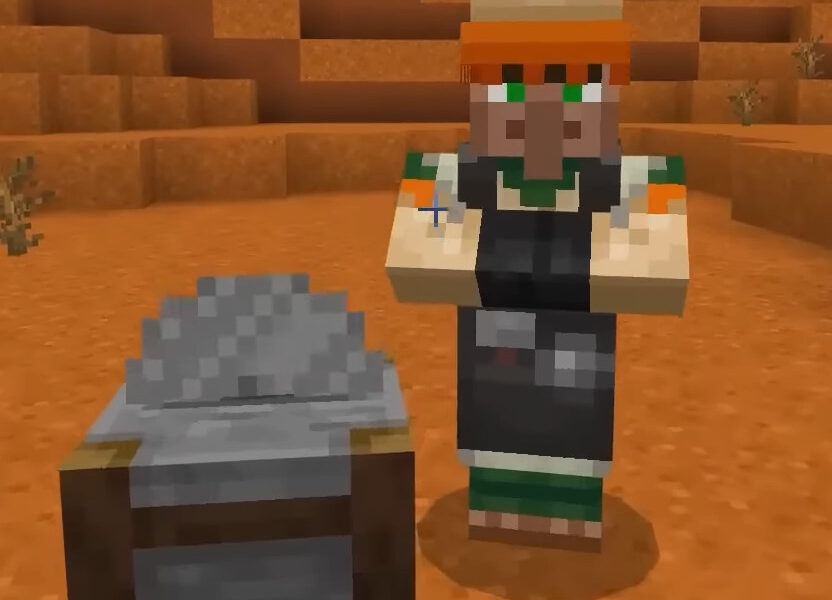
Image: archival Minecraft village gameplay from Xbox México, Wikimedia Commons, CC BY 3.0. The image illustrates Minecraft scenery, not a modern weather-control UI.

Other Articles

Minecraft Locate Command: Find Strongholds, Villages and Biomes
How Many Players on a Soccer Team? Starting XI, Subs and Red Cards
