
Quick answer: Texture-pack workflows depend on the client version. Java Edition uses resource-pack structure with a pack.mcmeta metadata file and asset paths for block, item and interface textures. Bedrock Edition uses resource packs with a manifest and different resource i

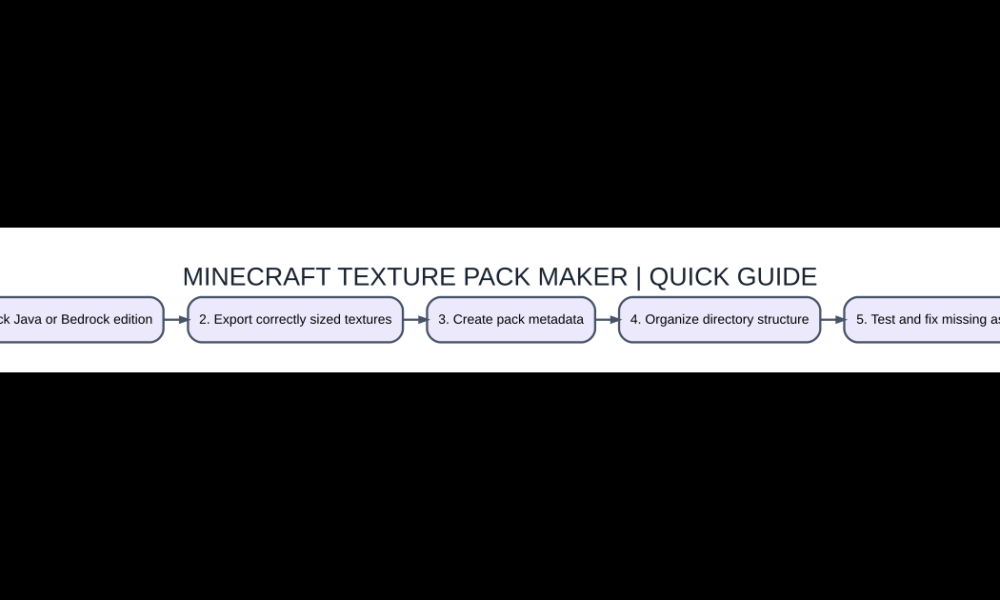
Step-by-step starting checklist
- Pick Java or Bedrock edition
- Export correctly sized textures
- Create pack metadata
- Organize directory structure
- Test and fix missing assets
Begin with the exact Minecraft edition
Texture-pack workflows depend on the client version. Java Edition uses resource-pack structure with a pack.mcmeta metadata file and asset paths for block, item and interface textures. Bedrock Edition uses resource packs with a manifest and different resource identifiers. A PNG that looks correct by itself will not load just because you drop it in the game folder. Choose your exact edition, find the default texture name you plan to override, and make a copy of its expected path before editing.
Tools that actually help
A pixel-art editor is enough for many simple block or item textures. Blockbench is helpful for some model-related artwork, while an ordinary image editor supports colors, layers and transparency. Advanced packs may need JSON editing for models and metadata. You do not need an unknown executable claiming to automatically generate every resource pack. Choose tools that export standard PNG files and let you inspect the result. Avoid copyrighted art you do not have permission to redistribute.
Make your first replacement texture
Start with a recognizable block such as a basic stone texture, keeping the expected filename and square pixel proportions. Work at the original resolution or a consistent multiple where appropriate. Preserve alpha transparency only for textures that need it, and compare the asset against a neutral background to identify invisible edges. Save as PNG without an added duplicate extension. Do not include a nested folder that makes Minecraft look for assets one directory deeper than intended.
Understand metadata and pack format
Java resource packs require pack.mcmeta with a correctly structured description and a compatible format designation. That format number changes across versions, so copy it from documentation for the exact game build rather than using a timeless example from an old article. Bedrock packs typically need a manifest.json containing identifying fields and UUIDs. Never reuse another author’s identifiers blindly when creating a distinct pack. Validate JSON syntax before opening Minecraft to avoid silent load failures.
Install in a test profile
Put the Java pack in the resourcepacks folder of a clean Minecraft instance and enable it in Options > Resource Packs. On a compatible Bedrock platform, import the pack through its supported process and activate it for the intended world or global resource settings. Compare before-and-after screenshots of exactly the block you edited. If you do not see a change, check filenames, folder hierarchy, pack order and any higher-priority pack overriding yours.
Package it for other players
Remove temporary design files, personal screenshots and unrelated downloads from the distributable folder. Provide a clear title, supported edition and version, sample images, authorship and license. If users report missing textures, ask for their game version and exact installed archive layout. A reliable pack with ten clean custom assets is more useful than a giant auto-export with broken paths. Test the distributed ZIP or package after export, not only your local development folder.
Which option should you choose?
| Item or option | What it does | Best use |
|---|---|---|
| Java pack.mcmeta | Java pack metadata | Format must match game version |
| Java assets folders | Texture paths and names | Exact hierarchy matters |
| Bedrock manifest.json | Bedrock package identification | Requires valid identifiers |
| PNG texture | Visual asset | Correct filename and transparency |
Questions players ask
Can I build a pack without programming?
Many basic textures can be made in a pixel-art editor; pack metadata and file structure still need to be correct.
Why is my pack missing from the menu?
Check the archive structure and valid edition-specific metadata.
Can I install the same ZIP in Bedrock and Java?
Do not assume so; pack formats and resource paths differ.
Is a 64x texture automatically better than 16x?
Higher resolution can add detail but also increase resource usage and alter the visual style.
Related AVARIXO coverage
For a broader foundation, see our Minecraft Java versus Bedrock explainer and resource pack troubleshooting guide. Verify the exact game, edition, launcher or modpack version before following online tutorials that may describe a different release.