
Quick answer: A high frame rate does not guarantee a responsive server, and a high server tick rate does not guarantee smooth graphics on your laptop. FPS represents the number of frames the client displays, while ticks per second relate to world simulation. Chunk generation and

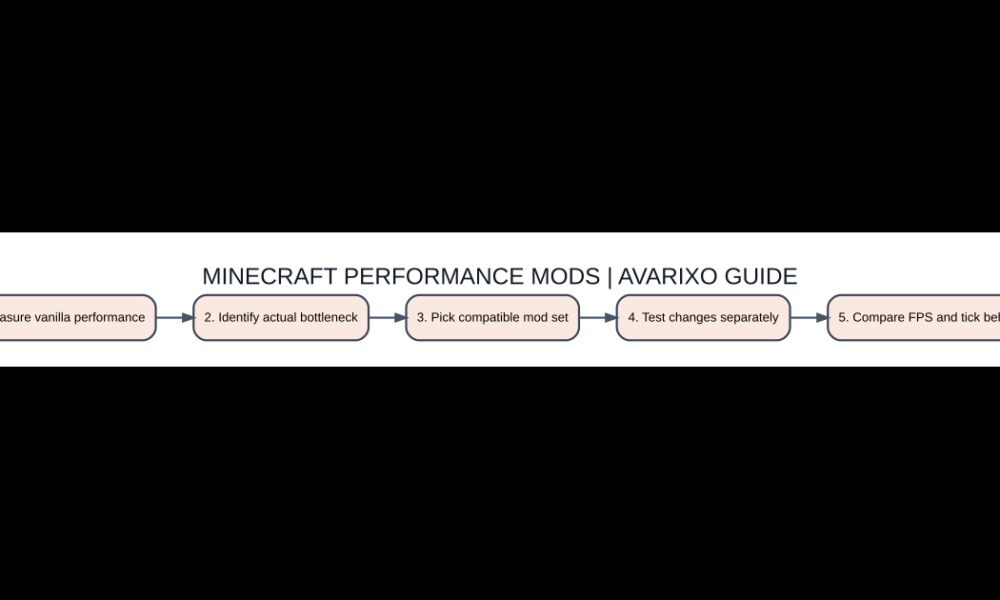
Five-step quick checklist
- Measure vanilla performance
- Identify actual bottleneck
- Pick compatible mod set
- Test changes separately
- Compare FPS and tick behavior
FPS, TPS and loading time are different
A high frame rate does not guarantee a responsive server, and a high server tick rate does not guarantee smooth graphics on your laptop. FPS represents the number of frames the client displays, while ticks per second relate to world simulation. Chunk generation and loading can cause separate stutters. When choosing performance mods, identify which symptom you want to improve. Adding five rendering mods will not fix a server whose redstone and entity logic is overloaded.
Sodium focuses on rendering
Sodium is a well-known Minecraft Java client renderer optimization, and can improve frames or reduce stuttering on suitable hardware. It does not turn every unsupported GPU into a modern gaming card. Its supported loaders, libraries and target versions change with project releases. Use the exact combination named by the maintainer and test the same world before and after. If you already have shader or rendering modifications, review compatibility rather than piling multiple graphics replacements together.
Lithium and simulation behavior
Lithium targets game logic and internal systems, with performance work that can benefit simulation-related workloads in suitable environments. Because it operates differently from Sodium, the two can complement each other when compatible. Do not interpret marketing screenshots of high FPS as proof that Lithium improves your monitor’s refresh rate; it is mainly about reducing game-logic overhead. A crowded mob farm or machine-heavy base may behave differently from a simple empty world. Watch for modpack-specific conflicts.
FerriteCore and memory pressure
FerriteCore is commonly discussed as a memory-usage optimization for Minecraft modded environments. Lowering memory pressure can improve stability on some setups, although it is not a universal guarantee of higher FPS. Use the developer’s supported release rather than copying an old JAR into a new modpack. Increasing Java heap memory far beyond the machine’s available RAM can make performance worse through swapping. Profile memory and garbage collection before concluding that a particular mod is ineffective.
Shifting to shaders and render distance
Iris is associated with shader pack integration; a demanding shader can reduce FPS despite an optimized rendering pipeline. Distant Horizons adds faraway terrain rendering using simplified geometry but can still impose CPU, memory or GPU costs. Treat these as visual choices with their own constraints, not pure optimization switches. When benchmarking, first use the same resolution, chunk distance and no shaders. Then add visual changes one at a time so you know what caused each improvement or regression.
Build a stable modpack with backups
Use a clean instance, match game version and loader, add a single optimization mod, then open the same benchmark area and record results. Reintroduce the next mod only after you establish stability. Keep copies of config files and the list of installed JAR versions. If Minecraft crashes at launch, inspect the log for dependencies or overlapping class modifications. Randomly deleting Java system files or disabling security software is not an appropriate troubleshooting method.
Options compared
| Item | Role | Practical use |
|---|---|---|
| Sodium | Rendering optimization | Client-side FPS / stutter |
| Lithium | Game logic optimization | Simulation workloads |
| FerriteCore | Memory reduction | Modded memory pressure |
| Iris | Shader integration | Visual effect support |
| Distant Horizons | Faraway LOD terrain | Visibility, with resource cost |
Common questions
Which mod guarantees the biggest FPS gain?
None. Results depend on your exact hardware, world and mod set.
Can I combine Sodium and Lithium?
Compatible versions can complement one another because they target different systems.
Do shader packs always improve performance?
No. Many add significant rendering work.
Does more allocated RAM always help?
No. Excessive heap allocation can reduce resources available to the rest of the system.
Edition and version checks
Verify your exact Minecraft edition, game release and any relevant server rules before applying commands or mod advice. For related resources, read the AVARIXO resource-pack guide and Java vs Bedrock differences. Mechanics can differ between mods, multiplayer servers and vanilla worlds.

Other Articles

Ice and Fire Minecraft Mod: Dragons, Dangers and Installation Guide