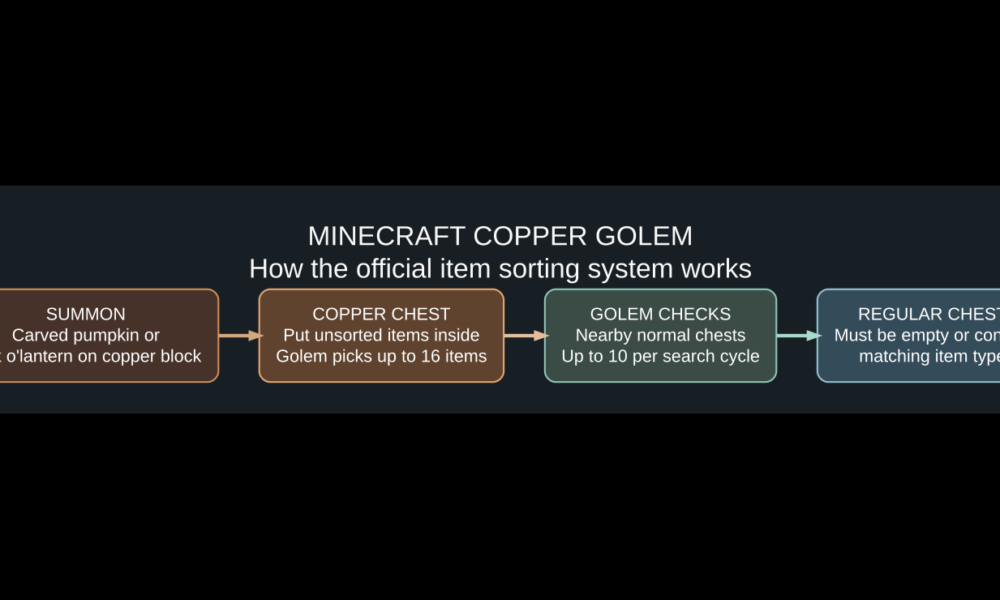

To make a copper golem in Minecraft, place a carved pumpkin or a jack o’lantern on top of a copper block. The golem appears alongside a copper chest. Put loose items inside the copper chest, then arrange ordinary chests nearby: the golem carries matching items from the copper chest into an empty chest or one that already contains that item type. It can transport up to 16 items per trip. Left unwaxed, the golem eventually oxidizes and becomes a statue. Use a honeycomb to protect it, or an axe to scrape oxidation from its statue so it can become active again.
Copper golems were added in Minecraft’s The Copper Age update in 2025 (Java Edition 1.21.9 and Bedrock Edition 1.21.111). This guide covers the survival-mode construction, useful storage layout, precise limits, oxidation, and fixes drawn from Mojang’s official release notes. Some guides written before that update incorrectly call copper golems a rejected Mob Vote concept; they are now a real game mechanic.
What does the Minecraft copper golem actually do?
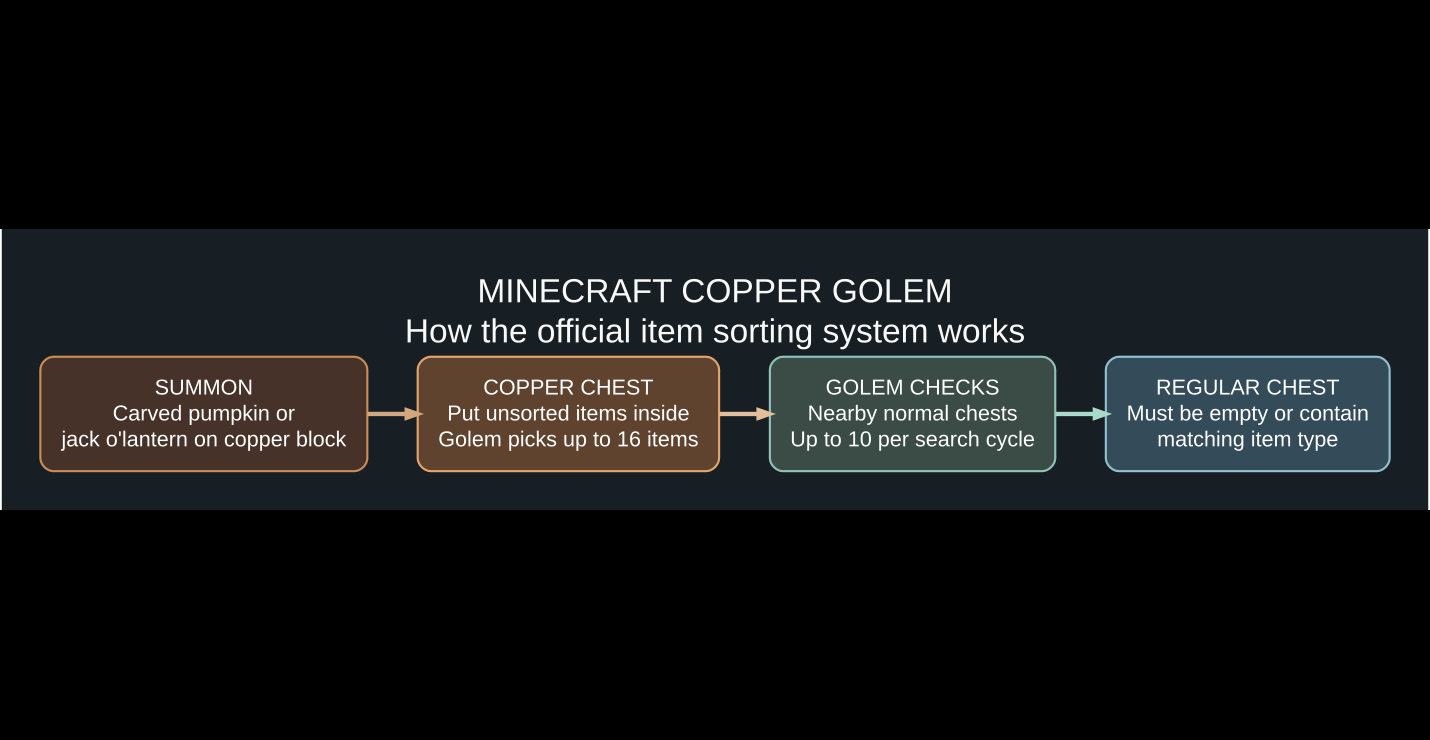
The copper golem is a helper mob for simple item sorting. When its hands are empty, it searches nearby copper chests for items. It takes an item type, looks for nearby ordinary chests, and tries to deposit what it carries. It cannot be programmed to choose arbitrary item categories; its built-in rule is simpler: it can deposit in an empty chest, or in a chest that already contains a matching item type. A golem does not automatically collect dropped objects from the ground, mine ores, or fetch items from an ordinary chest as its input.
These mechanics are documented in Mojang’s Java Edition 1.21.9 release notes and the official Copper Age feature page.
How to make a copper golem in survival mode
- Get a block of copper. Use a regular copper block; it is not a copper ore block or a copper ingot.
- Prepare a carved pumpkin or jack o’lantern. Carve a pumpkin using shears, or use a prepared jack o’lantern.
- Choose a suitable space. Make sure the copper block has enough room for the mob to appear.
- Place the copper block at the intended summoning location.
- Place the carved pumpkin or jack o’lantern on top of it as the final step. This triggers the copper golem’s creation.
- Locate the resulting copper chest. It is the kind of chest the golem uses to collect its input items.
- Add normal destination chests within a short, accessible route, and put one sample item in any chest you want to reserve for that exact item type.
The order matters: this is an in-world structure, not a crafting-table recipe for a golem spawn egg. Mojang’s official notes specify a carved pumpkin or jack o’lantern placed above copper. See also our Minecraft iron farm guide for a different golem-related system: iron golem spawning farms are not the same as copper golem item sorting.
Set up a copper golem storage sorter that works
A practical starter setup uses one copper chest as an unsorted inbox, several ordinary chests as destinations, and a clear floor path between them. Keep the input and destination chests relatively close together. Copper golems have a limited search radius and visit only a limited number of containers per search attempt; spreading storage across a whole base can make sorting appear unreliable.
Example: three destination chests
- Put three ordinary chests near the copper chest.
- Label or otherwise organize them for cobblestone, iron ingots, and oak logs.
- Put at least one corresponding item in each destination chest before starting. This helps reserve those chests for their intended item type.
- Place spare stacks of these exact items into the copper chest.
- Watch the golem carry items to the existing chests and verify that nothing is blocking its path.
A crucial limitation: an empty destination chest is eligible for any item. That can be helpful for overflow, but it can also lead to an unintended category taking over a chest. For predictable storage, pre-seed and label destination chests. Do not assume copper golems sort categories such as “all stone blocks” into one chest automatically.
What are the exact copper golem sorting limits?
| Mechanic | Officially documented behavior |
|---|---|
| Source container | Copper chest, including oxidized and waxed copper-chest variants |
| Destination container | Normal chest or trapped chest |
| Maximum carried at once | 16 items of one kind |
| Search sequence | At most 10 relevant chests or copper chests per attempt |
| Search radius | 32 blocks horizontally and 8 blocks vertically from the golem |
| No matching chest found | It idles for 7 seconds before trying again |
| Eligible destination | Empty chest or chest that already contains the exact carried item type |
The values above come from the official Minecraft Java 1.21.9 release notes. They are rules for the mob’s search behavior, not a promise that it will process every chest within range at once. If you need guaranteed, fixed-path high-throughput sorting, a hopper-and-redstone design may better suit the job; our hopper setup guide covers its basic mechanics.
How to craft more copper chests
The summoning process gives you a copper chest, but you can make additional copper chests using one ordinary chest and eight copper ingots at a crafting table. Place the chest in the center of a 3×3 grid and surround it with the eight copper ingots. Copper chests have oxidation and waxed variants; the golem is able to retrieve items from those variants, too.
Important: a copper chest is the golem’s input. Put the sorted items’ destination in regular or trapped chests. A room full of copper chests alone is not a destination layout.
Why does a copper golem turn green and stop moving?
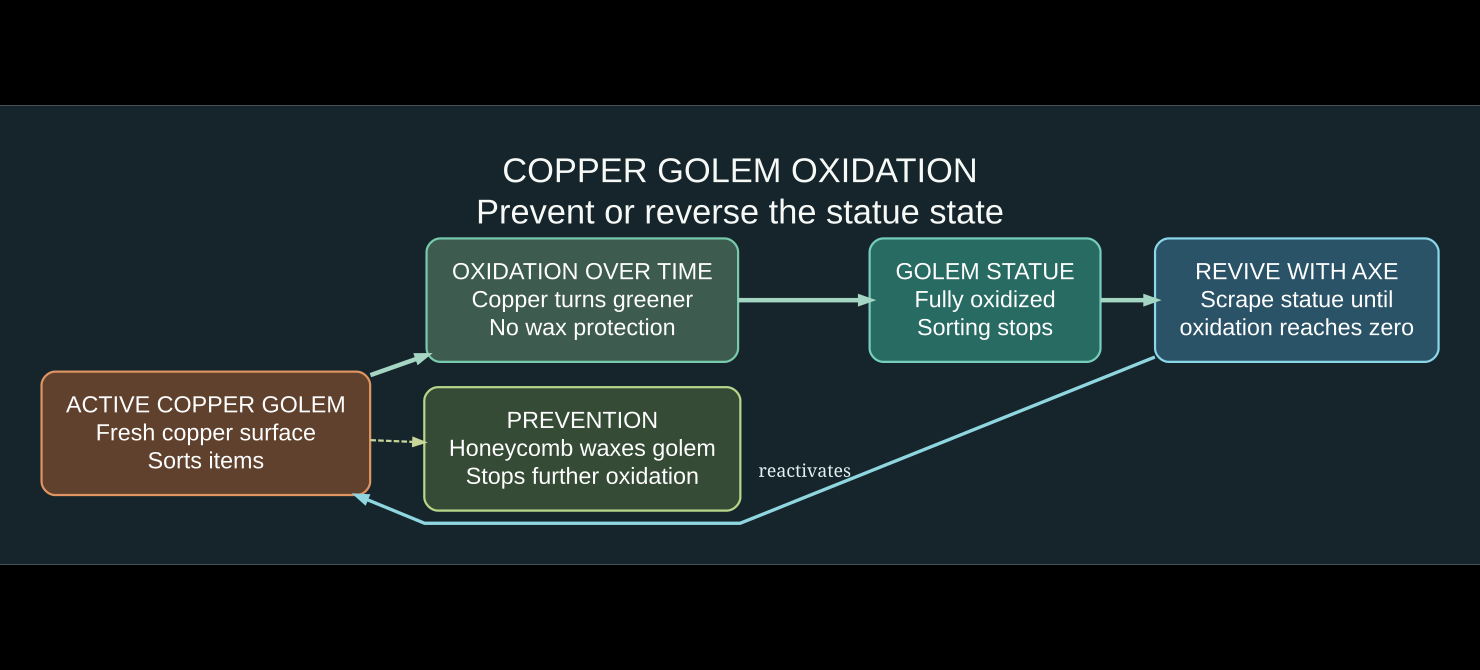
Like other copper blocks, an unwaxed copper golem gradually oxidizes. Its appearance becomes greener over time. When it reaches the fully oxidized state, the golem becomes a copper golem statue and stops doing its normal item-sorting work. Mojang’s release notes say the transformation also causes it to drop any item it was carrying and preserves its name.
Stop oxidation with honeycomb
Use a honeycomb on the copper golem to wax it and protect it from further oxidation. This is especially useful for golems assigned to a storage room that you expect to keep working. Honeycomb is not a sorting upgrade: it preserves the golem, rather than making it carry more than 16 items or search more chests.
Turn a statue back into a copper golem
Use an axe to scrape oxidation from a copper golem statue, one stage at a time. Minecraft’s official Java release notes explain that when the statue has no oxidation and is interacted with using an axe, it becomes an active golem again. If you want it to keep working afterward, consider waxing the revived golem.
Statues also have a redstone use
A copper golem statue can be set to one of four poses — standing, sitting, running, and star — and its pose affects the redstone-comparator output. This creates an additional decorative or redstone signaling use for statues even when you do not want an active sorting helper.
Copper golem not sorting? Troubleshooting checklist
- Wrong source chest: check that you loaded an actual copper chest. Ordinary chests are destinations, not the golem’s pickup point.
- No eligible target: give it a normal or trapped chest that is empty, or already holds the same item it carries.
- Too much distance: stay within the official 32-block horizontal and 8-block vertical search area. For testing, build much closer than the maximum.
- Container search limit: an attempt checks up to 10 chests; reduce clutter and irrelevant chests surrounding the golem.
- Golem became a statue: inspect oxidation, then scrape with an axe and wax it after revival.
- Path blocked: ensure the mob can physically reach input and output chests; test a simple open-floor design before adding doors, fences, or cramped corridors.
- No instant result: the official notes describe a seven-second idle period after an unsuccessful search. Allow it to try again rather than assuming an immediate failure.
- Wrong game version: use a version containing The Copper Age. Java 1.21.9 and Bedrock 1.21.111 introduced it; older versions may not contain the mob.
Want to improve the rest of your storage workflow? Read our Minecraft inventory and storage guide for stack limits and organizing your inventory before depositing items into copper chests.
Copper golem vs. iron golem: which do you need?
| Copper golem | Iron golem | |
|---|---|---|
| Main purpose | Moves items from copper chests into matching regular chests | Protects villagers and attacks many hostile mobs |
| Summoning | Carved pumpkin or jack o’lantern over a copper block | Carved pumpkin or jack o’lantern over a T-shaped set of iron blocks |
| Oxidation | Yes; can turn into a statue | No copper-style oxidation |
| Best use | Small automated storage and decorative bases | Village defense and suitable iron farms |
They are not interchangeable. Copper golems do not replace iron farms, and iron golems do not provide this chest-sorting behavior.
FAQ: Minecraft copper golems
Are copper golems in Minecraft now?
Yes. They entered the game in The Copper Age update released in 2025, including Java 1.21.9 and Bedrock 1.21.111. The mob is not just an unused Mob Vote idea in current supported versions.
Do copper golems sort items automatically?
Yes, but only under specific rules: they pick up from copper chests and deposit in eligible normal or trapped chests. They do not classify every related item into broad categories automatically.
How many items can one copper golem carry?
Up to 16 of one item type at a time, according to Mojang’s Java Copper Age release notes.
Do I have to wax the copper golem?
No, but wax prevents it from continuing to oxidize. Without it, a fully oxidized golem becomes a statue and stops sorting until restored.
Can a copper golem use hoppers or ender chests?
Its built-in search uses copper chests as sources and regular/trapped chests as targets, not ender chests or every possible container. Hoppers can be part of a larger player-built storage system, but that is a separate mechanic.
Why is the copper golem not moving?
Check if it has become a fully oxidized statue, whether it is blocked from reaching chests, and whether it is currently idling after an unsuccessful search.
Official sources and next step
The mechanics in this guide are checked against Minecraft’s Copper Age overview, the Java 1.21.9 changelog, and the Bedrock 1.21.111 update notes. For the simplest first test, summon one golem and place a single copper chest beside two normal chests, each seeded with one type of item. Once that works, expand the storage layout gradually rather than starting with dozens of chests at the search limit.

Other Articles