
Quick answer (October 13, 2026): To watch the International Space Station live, go to NASA Live and look for Space Station Views. NASA’s page directs visitors to a genuine ISS camera feed, while the official Spot the Station tool separately shows where the station is and when it may pass visibly above your location. A live camera, a live location tracker and a recorded highlight clip are different products. Not every video claiming “ISS live 24/7” is transmitting live footage from orbit.
The distinction matters if you are trying to see Earth from space right now rather than a computer-rendered simulation. NASA’s live programming page was updated October 13, 2026 and still identifies “Space Station Views” as live video from the International Space Station. Some streams temporarily show darkness, a placeholder or no signal because the station moves between sunlight and shadow and its video connection is not guaranteed at every moment.
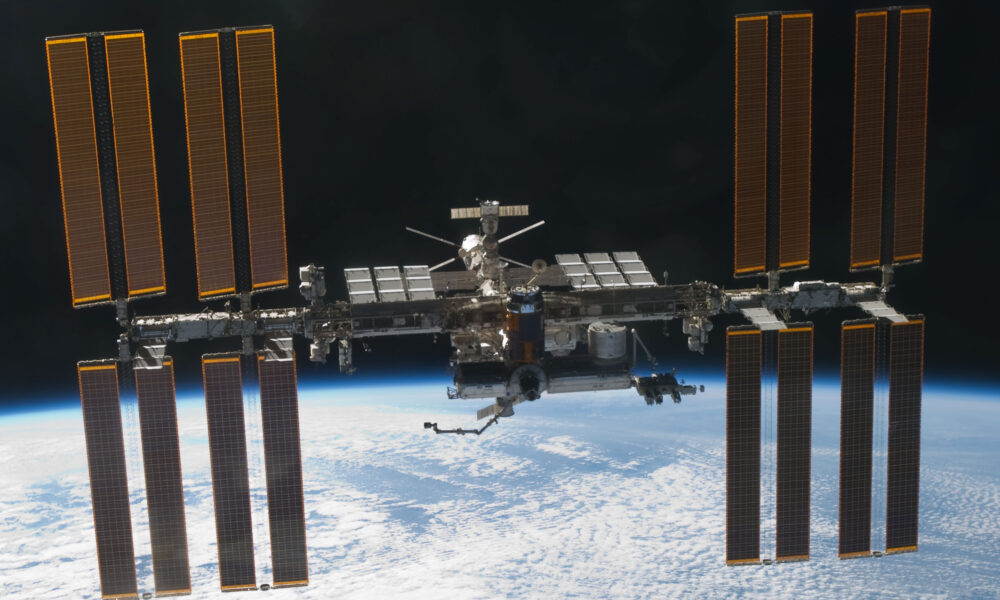
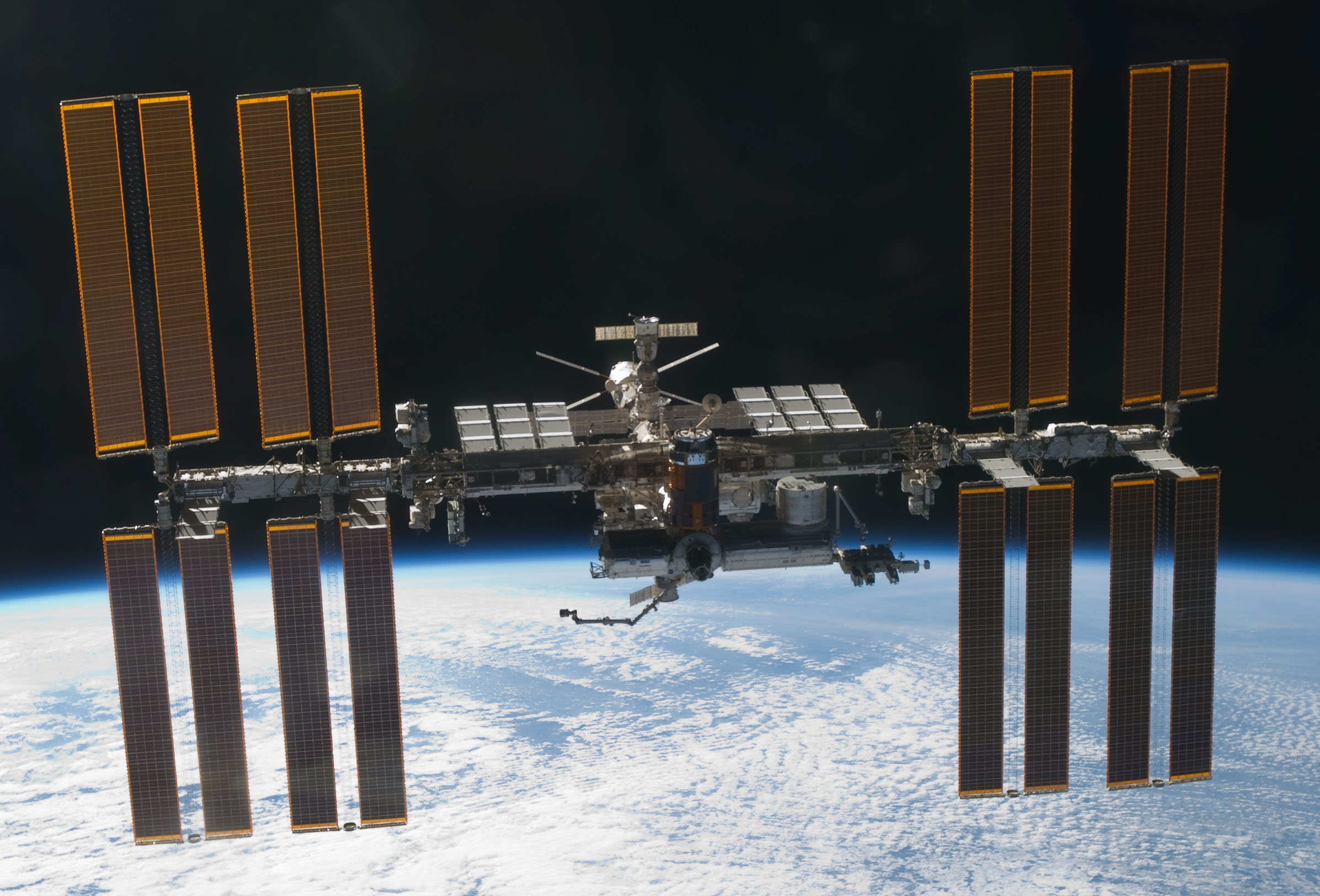
The photograph shown below is an authentic NASA photograph of the ISS taken in March 2011 during a shuttle fly-around. It illustrates the physical station and is historical imagery, not a live frame or a representation of its current position.
Where can you watch the International Space Station live?
There are three useful official starting points, each serving a different question:
| What you want | Recommended official source | What it shows |
|---|---|---|
| Live Earth video from ISS cameras | NASA Live → Space Station Views | Live station video when the feed is available |
| Where the ISS is over Earth now | NASA Spot the Station | Tracking map, flyover times and observer location features |
| Official mission briefings and upcoming dockings | NASA Live event schedule | Scheduled live NASA programming, not necessarily a constant Earth-view camera |
| NASA’s station overview and learning links | Get to Know the Space Station | Official mission context and separate live/track resources |
You can open the NASA Live website on a phone or computer without relying on a random third-party player. NASA+ is NASA’s free streaming destination for official programming. Some third-party distribution services may charge fees of their own, so the cheapest and clearest option is to start at NASA itself.
Step-by-step: how to find NASA’s actual ISS Earth camera feed
- Open nasa.gov/live in your browser.
- Scroll to How to Watch and find the Space Station Views option rather than simply opening the first NASA event trailer.
- Open the station-view stream. Allow video playback or open it in the linked platform if your browser blocks embedded media.
- If the image is dark, wait or check the station’s position. The ISS may be over Earth’s night side, or the camera may be unable to send video briefly.
- Use Spot the Station in another tab if you want the station’s location relative to Earth. Do not confuse the map itself with a live picture of the ground below.
- Return to NASA Live for scheduled launch, docking or spacewalk coverage; these events follow a published schedule and differ from the continuous external Earth camera.
Important: The old 2014-era High Definition Earth Viewing (HDEV) experiment is not an active stream in 2026. NASA states it ceased sending data in 2019 and was retired. Some pages still display old HDEV embeds, which is why searching the official NASA Live page is safer than relying on video tutorials with obsolete Ustream links.
Do I need the NASA app?
No app is required to start with NASA Live in a compatible browser. NASA also offers official app access for its programming and Spot the Station tools; availability depends on the device, region and app store. Do not install an unofficial extension that claims to unlock a “hidden” ISS feed or asks for unrelated account credentials.
Is the ISS video really live or a prerecorded loop?
A legitimate live feed from a space station camera captures a view from orbit, sometimes including Earth, clouds, sunlight on the atmosphere or dark portions of the planet. It may change camera angles or temporarily display a connection-status message. A video from a third-party service might instead be a recorded ISS highlight, a simulated computer animation, or a rebroadcast of an official NASA feed. These can all be educational, but they should be labeled accurately.
One quick test is whether the stream links back to the official NASA station-view page, identifies its original source, and distinguishes a live camera from a live orbital map. A video displaying a real-time clock is not automatically a real-time ISS picture. Some sites overlay orbital tracks on older photographs, which are attractive visuals but are not evidence that the picture itself was taken in the last minute.
What can be on-screen during a live ISS stream?
- Daylight on Earth: cloud systems, blue ocean, land and the curved horizon can be clearly visible.
- Night side: most of the picture may appear black, with occasional lights, reflections or city lights.
- Switching camera views: a stream may change framing according to which camera feed is available.
- Temporary connection interruption: the broadcast can freeze or display a message; the ISS is not necessarily experiencing an emergency.
- Scheduled live event coverage: NASA may broadcast conversations, spacecraft operations or mission-control events separately from the standard external camera.
NASA’s former HDEV description specifically explains that black video can correspond to Earth’s nighttime side, while gray indicated a ground distribution issue. That historical status convention is useful context, but you should not assume a modern video player’s colors or overlays mean exactly the same thing. NASA’s HDEV program page explicitly marks the old experiment as ended in August 2019.
Why is the ISS camera black, frozen or unavailable?
Not every black picture is a technical failure, and not every freeze is the loss of the station itself. Diagnose the simplest explanation first:
| What you see | Possible explanation | Reasonable next action |
|---|---|---|
| Mostly black screen | Nighttime beneath the station; low-light scene | Give it time; compare the station’s current position and day/night context |
| “Signal lost” or waiting message | Temporary video transmission or distribution issue | Wait briefly and revisit NASA’s official live page |
| Playback error on one browser | Autoplay restriction, network filter, incompatible player or browser issue | Refresh once, try another mainstream browser or open NASA’s linked stream |
| Same dramatic aurora clip repeats | Recorded highlight or third-party loop | Check the original broadcast description and time label |
| Map updates while image stays static | Location tracker is live, image is static or unavailable | Treat map position and imagery as separate data products |
| An old “HDEV live” player fails | 2014–2019 experiment is retired | Use NASA’s current Space Station Views link instead |
How long does nighttime last on the ISS?
The station circles Earth rapidly, completing roughly 16 orbits each day. A single orbit takes around 90 minutes, with the precise light/dark portion varying over the orbit and season. NASA’s historical Earth-view guidance notes that nighttime can take a significant part of one orbit. It is therefore normal for an external Earth camera to show periods without a well-lit view. Do not interpret one dark frame as evidence that a live camera is fake.
Does it work on mobile?
The official NASA Live page is browser-accessible, but embedded stream behavior can vary on iOS and Android. If autoplay is blocked, press Play manually. If an embedded player fails, open the official linked stream in the corresponding browser or app. Be cautious about third-party “space station tracker” apps that request location access when all you want is video.
Track the ISS live: position, speed, route and visible passes
If you want to answer “Where is the International Space Station right now?” rather than “What does its camera see?”, open NASA Spot the Station. NASA describes its app and site as providing a tracking map, flyover opportunities and alerts for locations around the world. NASA lists an orbital inclination of 51.6 degrees and roughly 16 orbits per day; the station travels at approximately 17,500 mph.
Location predictions are not instantaneous photographs. They are calculated from tracking and trajectory information and updated as the orbit changes. NASA says its mission-control flight controllers update the trajectory data approximately three times a week, with planned adjustments including reboost maneuvers accounted for. A tracker can be useful and accurate even when an external video camera is temporarily offline.
How to find a visible ISS pass from your city
- Visit NASA Spot the Station or its official mobile companion.
- Set your location or choose a city offered by the tool.
- Review upcoming sighting opportunities and their local time, duration, maximum height, and appearance/disappearance directions.
- Choose a viewing location with an unobstructed sky and check local clouds and weather separately.
- Look for a steady, bright point of light moving steadily across the sky; it is not a blinking airplane.
NASA explains that many good visible passes occur within a few hours before or after sunrise or sunset, when the station is sunlit against a comparatively dark sky. The tracker may show the ISS passing overhead during the middle of the day even though it is not visible to an ordinary observer on the ground.
How to tell live ISS Earth views from simulated ISS videos
Third-party websites can show beautiful Earth imagery while using a simulation or pre-rendered animation. That is not inherently misleading if labeled as simulated. It becomes a problem when the site presents a static illustration or old footage as a real-time physical camera feed.
| Feature | Real NASA station-video feed | Live-location map | Simulation/recorded clip |
|---|---|---|---|
| Main function | Show actual camera video from the station | Estimate position and passes from orbital data | Illustrate an experience or show an earlier event |
| View type | Physical recorded photons from the camera at broadcast time | Digital map and trajectory | Render, animation, replay or edited stills |
| Can be dark or interrupted? | Yes | Map may continue independently | Can be edited to avoid interruptions |
| Proof to look for | Link from NASA Live’s Space Station Views | NASA Spot the Station and mission data | Video description disclosing replay or simulation status |
| Best use | Observe actual Earth-view camera feed | Find your next sighting opportunity | Education, visualization or viewing highlights |
The combination of both official tools is better than trusting a third-party map with an unrelated video overlay. NASA is the primary authority for its own camera feed, and it provides public trajectory data separately for independent trackers and developers.
Watch ISS missions live: docking, spacewalks and crew coverage
The NASA Live schedule also shows upcoming agency coverage. This is distinct from the station’s ordinary exterior cameras. For example, the NASA Live page reviewed October 13, 2026 lists SpaceX CRS-35 rendezvous and docking coverage on October 15 at 9:15 a.m. U.S. Eastern. This is a scheduled broadcast, not confirmation the event has already taken place or that it will happen at that time if mission operations change.
NASA warns that listed times are U.S. Eastern; in October 2026 until daylight saving time ends on November 1, that means UTC−4. Event timing is subject to mission updates. If you visit this guide later, always use NASA’s current live schedule rather than relying on a date quoted in a months-old article.
For wider context, AVARIXO has covered Cygnus XL station departure and stream information and NASA Crew-12 splashdown coverage. Those are specific mission explainers, not substitutes for NASA’s current live stream.
Can you use or record NASA’s live stream for your own videos?
NASA generally does not assert copyright in material it creates and releases, but NASA logos, emblems, agency endorsement, third-party licensed material and individual likeness rights have special restrictions. Read the NASA media and brand guidelines before reusing footage commercially or branding an article or product around it. The fact that a NASA clip is publicly watchable does not automatically clear all background music, partner feeds or people shown in a commercial promotion.
Do not strip another publisher’s watermark from a reposted NASA stream and claim you produced the original video. Instead, trace the footage to its official source and accurately label whether it is current, an archived record or historical stock footage.
International Space Station live FAQs
What is the official live ISS camera website?
NASA lists its official Space Station Views feed on nasa.gov/live. The direct player URL may change, which is why the NASA hub is a better bookmark than an old third-party embed.
Is the International Space Station live video free?
NASA Live is available through NASA’s free streaming offerings. NASA notes that watching through some unrelated distribution services may require subscriptions or equipment; start at the official NASA hub for the free route.
Can I watch the whole Earth from the ISS live?
You can watch the regions visible from an available ISS camera as its orbit changes, but not the entire planet at once. The camera’s current angle, local daylight and communications determine what appears on-screen.
Why is the ISS live stream dark or gray?
Darkness may reflect Earth’s night side, while a solid status screen may indicate a signal or distribution issue. The old HDEV program specifically described night-time black screens, but modern interfaces can label outages differently.
Is the old NASA HDEV experiment still running?
No. NASA says the High Definition Earth Viewing experiment ended in August 2019. A current Earth feed may use different cameras; do not assume a ten-year-old HDEV link is still live.
Where is the ISS right now?
Use Spot the Station or its official tracker for a current location. This article does not claim to display the station’s instantaneous position in static text.
Can you see the ISS without a telescope?
Yes, when a suitable pass occurs above your location and sky conditions allow. NASA describes the ISS as a bright, non-blinking point moving across the sky. Check local sighting times in Spot the Station.
Is an ISS flyover map itself live video?
No. A live map tracks or predicts an orbital position. A camera feed shows actual imagery. A site can update its map while showing a recorded image, so validate each component independently.
Do NASA+ videos and NASA’s camera feed show the same thing?
Not necessarily. NASA+ includes on-demand videos and live programming; the station external camera is a particular type of feed. Use the NASA Live page’s Space Station Views destination for the camera rather than opening an unrelated live event.
Sources and editorial verification
- NASA Live — official live video, event schedules and Space Station Views; page checked October 13, 2026.
- NASA Spot the Station — official tracking map, visibility times and orbital details.
- NASA Get to Know the Space Station — live video, tracking and mission background.
- NASA Johnson Space Center HDEV record — explicit retirement of the 2014–2019 viewing experiment and notes about available newer external footage.
- NASA Media & Brand Guidelines — rules on NASA material and avoiding implied endorsement.
Updated October 13, 2026. Streaming links, event schedules and available camera feeds can change without prior notice. We have not tested a live video connection from every device; the practical troubleshooting above follows NASA documentation rather than claiming personal testing.