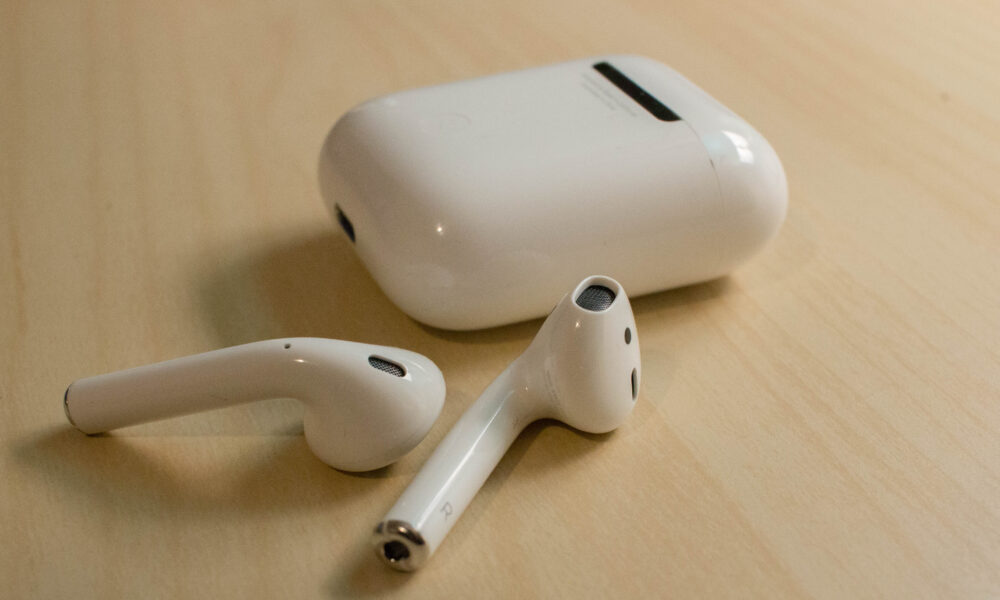

Earwax, lint and hand oils can collect on wireless earbuds. To clean AirPods safely, treat the speaker mesh, microphones, silicone tips and charging case as different surfaces rather than washing everything together. AirPods are small electronics, and water resistance on certain models does not mean they are waterproof.
Before cleaning: know your AirPods model
Apple’s instructions vary among standard AirPods, AirPods Pro, and charging cases. Check the model and the care steps in Apple’s official AirPods cleaning guide before using a cleaning product. If yours have detachable silicone ear tips, the permitted method for those removable parts may differ from the method for the earbuds themselves.
How to clean the outside of AirPods
- Remove the earbuds from your ears and disconnect them from chargers or cables.
- Use a clean, soft, lint-free cloth to wipe the external surfaces.
- If allowed for your model, slightly dampen the cloth with fresh water; do not immerse the AirPods or hold them under a faucet.
- Keep liquid from entering speaker openings and microphone ports.
- Finish with a dry, lint-free cloth and let the earbuds dry completely before placing them in the case or using them.
Apple advises using a cloth slightly dampened with fresh water for applicable AirPods surfaces, followed by drying. Follow the latest instructions for the precise model; different generations have different exposed openings.
How to clean speaker mesh without pushing wax inside
The mesh is the delicate part. Start by inspecting the affected grille under good light. Do not jam toothpicks, pins or a metal tool into the mesh, and do not pour alcohol or water into an opening. Apple has model-specific cleaning guidance that may involve recommended tools and techniques; if the mesh is heavily blocked, read those directions before attempting more than a very gentle exterior wipe.
If one earbud is quieter than the other, debris is possible but not the only explanation. Verify left/right audio balance, software settings and fit before scraping the speaker grille.
Cleaning removable AirPods Pro ear tips
For models with removable silicone tips, Apple’s instructions may permit rinsing the removed tips with water. Remove only parts meant to detach. Never rinse the earbud body. Let tips dry completely, then press them back into place as Apple describes. Incorrectly fitted tips can affect comfort and noise isolation.
How to clean the charging case
- Unplug the case from any charging cable.
- Wipe the exterior with a dry, soft cloth; follow the case-specific guidance if extra cleaning is needed.
- Use caution around the charging contacts and interior cavity; do not insert a wet cloth deep inside.
- Avoid scraping the charge port or contacts with metal tools.
- Only resume charging when the case and connectors are dry.
Repeated charging problems may also reflect dirty contacts, a weak cable or a device issue. Cleaning cannot repair every hardware fault. For pairing rather than hygiene issues, use our guide to connecting AirPods to Windows and Mac.
What not to use
| Method | Why it is risky |
|---|---|
| Soaking earbuds | Can introduce liquid into electronics |
| Poking mesh with sharp tools | Can puncture a grille or push debris inward |
| Hair dryer or direct high heat | Can damage batteries, seals and plastic |
| Aggressive household cleaners | May affect coatings and sensitive parts |
FAQ
Are AirPods waterproof?
No. Some models have specified sweat and water resistance, but that is not a license to submerge them.
Can you wash AirPods Pro ear tips?
Some removable silicone tips can be cleaned separately under Apple’s model-specific instructions; the earbuds themselves must not be rinsed like the tips.
Why is one AirPod still quiet after cleaning?
Check fit, audio balance, Bluetooth connection and possible hardware faults. Do not force tools through the mesh.
How long should AirPods dry?
Follow the relevant official guidance. Do not charge or use them while moisture remains; drying times vary with what became wet.
Quick takeaway: gentle, model-specific cleaning beats aggressive scraping. Start with Apple’s care instructions, keep liquid out of openings, and handle silicone ear tips separately.

Other Articles

How to Remove Laptop Stickers Without Scratching the Lid
