
Quick answer: A fullbright texture pack aims to make dark environments easier to see, especially caves, night landscapes and shadowed builds. Different products accomplish that effect in different ways: some alter resource-pack assets such as lightmaps,

Setup checklist
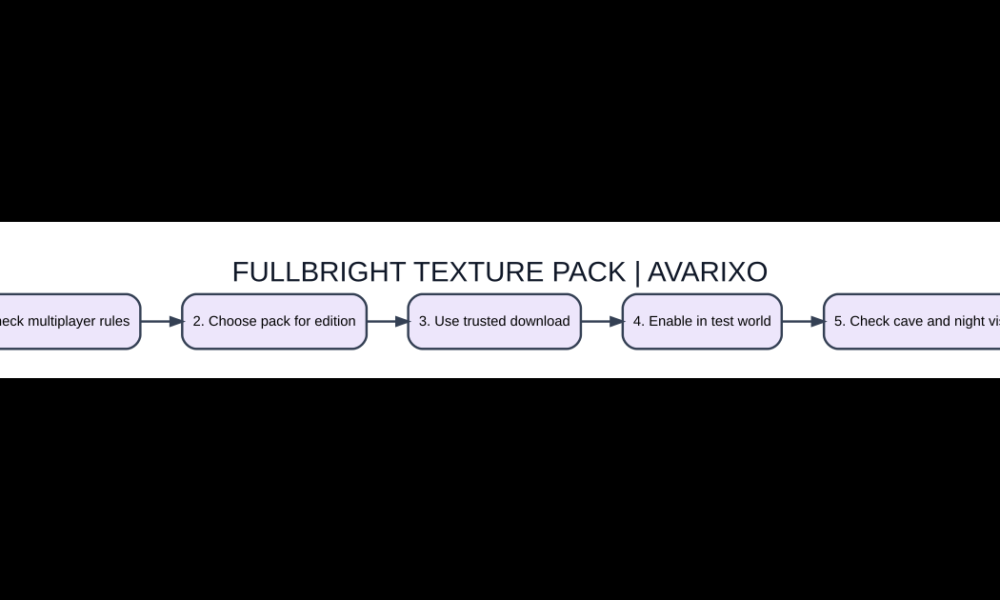
- Check multiplayer rules
- Choose pack for edition
- Use trusted download
- Enable in test world
- Check cave and night visuals
What a fullbright pack is meant to do
A fullbright texture pack aims to make dark environments easier to see, especially caves, night landscapes and shadowed builds. Different products accomplish that effect in different ways: some alter resource-pack assets such as lightmaps, while others require a client mod or visual option. The change is generally client-side display behavior, not a command that places torches or removes hostile mob spawning rules from the world. A brighter cave can still contain enemies that spawn according to the normal light and difficulty rules.
Different types of brightness changes
The ordinary in-game Brightness slider adjusts how dark scenes look within the game’s intended range. A fullbright resource pack can use additional client-side asset changes, while a dedicated mod may override lighting presentation more directly. Shader packs sometimes alter lighting yet again. These approaches are not always compatible with each other; a fullbright pack may appear to stop working when a shader modifies the same rendering stage.
Verify multiplayer rules before enabling it
Some competitive or public servers consider fullbright an unfair visibility modification or prohibit particular client-side alterations. Other communities allow harmless accessibility or graphics changes. There is no universal permission just because the pack is client-side. Read the server’s current rules or ask moderators before using it in ranked PvP, tournaments or custom maps. Avoid tutorials that show bypassing anti-cheat or concealing prohibited client mods.
Install a trustworthy version
Select a resource pack or mod that explicitly matches your Minecraft edition and version. Use reputable project repositories and review the file format: Java resource packs are often ZIP files, whereas Java client mods generally use JAR files for a specific loader. An unknown .exe promising to install a simple fullbright texture is a warning sign. Back up important saves and test the visual change in a local world rather than joining a protected server immediately.
How to check if the change works
Enter a creative test world and compare the same area at night, inside an unlit cave and near a light source. Do not judge solely by an overexposed promotional screenshot. If the appearance is unchanged, verify that the pack is enabled and positioned above conflicting packs in load order. Disable shaders temporarily to identify which visual system takes precedence. Restart the game where the selected mod or pack documentation requires it.
Safety, accessibility and image accuracy
Improved visibility can help with navigation, but it can also obscure the atmosphere or intended difficulty of dark-themed maps. If you are creating tutorials or screenshots, label footage that uses special fullbright settings so readers do not confuse it with vanilla lighting. Do not tell other players that a bright-looking cave is free of danger: spawning and damage mechanics can still operate normally. Use torches and ordinary survival preparation when gameplay requires them.
What is different?
| Feature | How it works | Why it matters |
|---|---|---|
| Vanilla brightness | Built-in gamma adjustment | Usually easiest option |
| Fullbright resource pack | Client-side texture/light presentation | Version-dependent |
| Fullbright mod | Additional rendering changes | Loader compatibility |
| Torches and light blocks | Changes in-world lighting | Can affect mob spawning |
FAQ
Does fullbright stop hostile mobs spawning?
No. Visual brightness and the game’s actual spawning-light rules are different.
Is it allowed on every Minecraft server?
No. Servers set their own client modification and fairness rules.
Can it work without mods?
Some resource-pack methods exist for specific versions, but results vary by edition and rendering setup.
Why does my shader override fullbright?
Shaders can replace or reinterpret the lighting system used by the pack.
Important compatibility note
Mod developers can change compatible Minecraft versions, dependencies, settings and distribution formats. Check the specific project’s official release page before downloading anything, and test on a backup or separate game profile. AVARIXO also explains resource pack installation and troubleshooting and platform setup concepts. Avoid software mirrors that demand unrelated login codes or security bypasses.