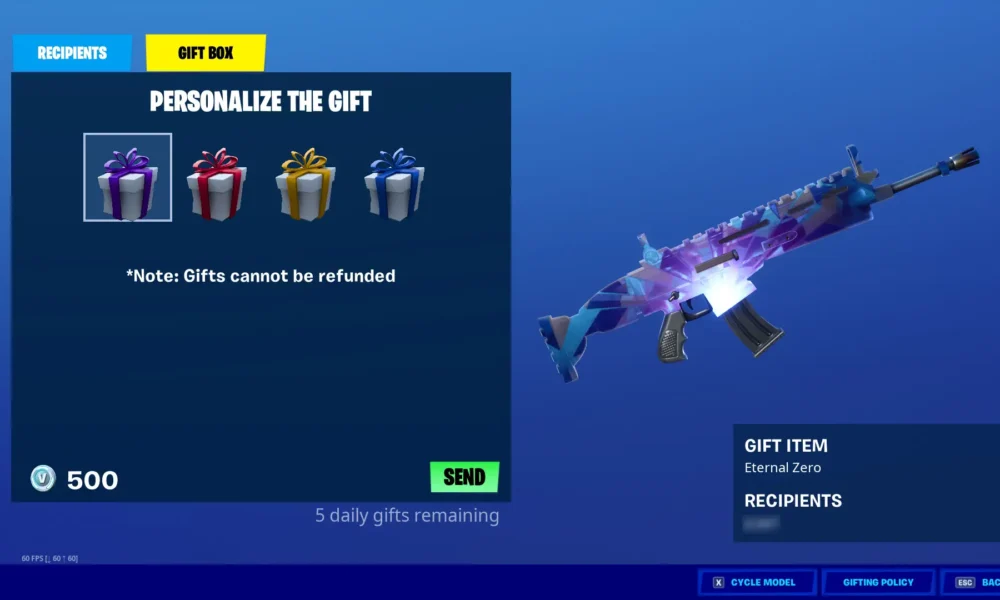

Quick answer (checked October 9, 2026): Fortnite gifts require the sender to have two-factor authentication enabled, reach at least account level 2, and have the recipient on their Epic friends list for at least two days. Epic Games currently limits gifting to five gifts during each rolling 24-hour period. The person receiving a gift must sign in to receive it, and not all store products can be gifted.
Check Fortnite’s gifting requirements
Before investigating a payment error, confirm you satisfy the account requirements. Epic’s official gifting guide lists 2FA, level 2, and the two-day friendship requirement. A new friend who appeared in the list this morning may not yet be eligible for gifting even though regular party invitations already work. Do not rely on a changing display name alone to identify the right recipient.
Enable two-factor authentication before gifting
Open your Epic account settings using a browser on a trusted device and review password and security controls. Choose a supported 2FA method, follow the verification steps and store backup recovery information securely. Epic can require 2FA for gifting to help reduce unauthorized purchases. Never enter account credentials into an outside page promising to ‘activate gifting instantly’. For related account security help, see Gaming guides.
Wait for the two-day friend requirement
Both accounts must be Epic friends long enough to meet the gifting rule. If a friend was removed and added again, the eligibility period may change. Verify that the recipient’s current Epic display name identifies the intended account. When gifting to someone with a similar name, inspect their profile carefully; Epic states gifts are generally nonrefundable, so a mistaken recipient can be costly.
Understand the five-gifts-per-24-hours limit
Epic states that gift allowances refresh 24 hours after the individual gift was sent. This is not necessarily a reset exactly at midnight in your timezone. If you sent a gift at 9 p.m., that slot may return around 9 p.m. the following day. Sending repeatedly while at the cap does not speed up the reset. Different purchases may also have separate store eligibility requirements.
What items cannot be gifted?
Epic’s current exclusions include V-Bucks themselves, Fortnite Crew, items not currently in the Item Shop, certain pass levels and offers, and some dynamically priced bundles where the recipient already owns pieces. Pass purchases have special rules: passes purchased with V-Bucks cannot generally be gifted using the pass-gifting route, while some real-money pass options are supported. Review the specific offer before buying because availability can change by product and season.
Why the purchase price may differ from your own shop
Your account may receive a partial-ownership discount on a bundle if you already have some included items. The person receiving a gift may not have the same ownership history, so the gift price can differ. Epic says the adjusted gift price is calculated for the recipient. Do not assume a low price on your own account will apply to a friend’s purchase.
When to ask Epic Support
If all requirements are met but gifting still fails, record the exact error, affected item, date and platform. Check that the friend does not already own the item and the sending account has not exhausted its rolling limit. Epic recommends using official troubleshooting before making repeated purchase attempts. Avoid posting screenshots containing personal account details.
FAQ
How long do you have to be Epic friends to gift?
Epic says at least two days.
Do I need 2FA to send gifts?
Yes. Epic lists two-factor authentication as a gifting requirement.
How many Fortnite gifts can I send in one day?
Epic lists five gifts in a rolling 24-hour window.
Can I refund a gift if I chose the wrong person?
Epic says gifts are nonrefundable, so verify the intended recipient before paying.
Source: Epic Games: How Gifting Works.