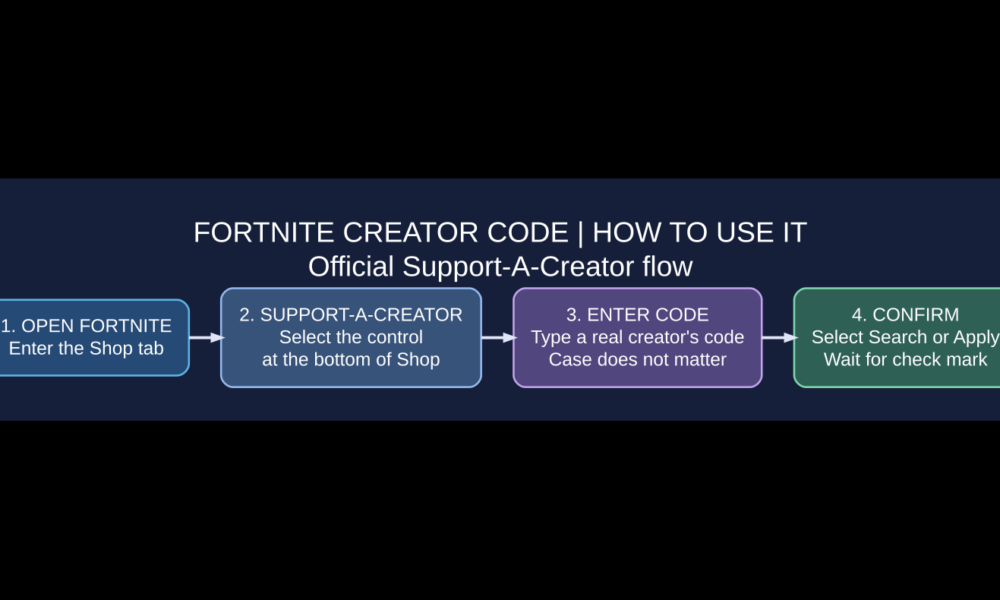

A Fortnite Creator Code is a Support-A-Creator identifier you can enter in the Fortnite Shop to support an eligible content creator when you make qualifying purchases. To use one, launch Fortnite, open the Shop tab, choose Support-A-Creator near the bottom, type the creator’s actual code, and confirm it. Epic says a check mark appears when the code has been accepted. This is not a free V-Bucks code, free-skin voucher or Creative island code.
In 2026, Fortnite players encounter several kinds of codes, and mixing them up leads to failed redemption attempts and scams. This guide distinguishes a Support-A-Creator code from a 12-digit island code and explains who can obtain a creator code through Epic’s official programs, why a code might not work, and what Epic says about changing a creator code. The steps are based on current Epic Games support instructions rather than code lists copied from social media.
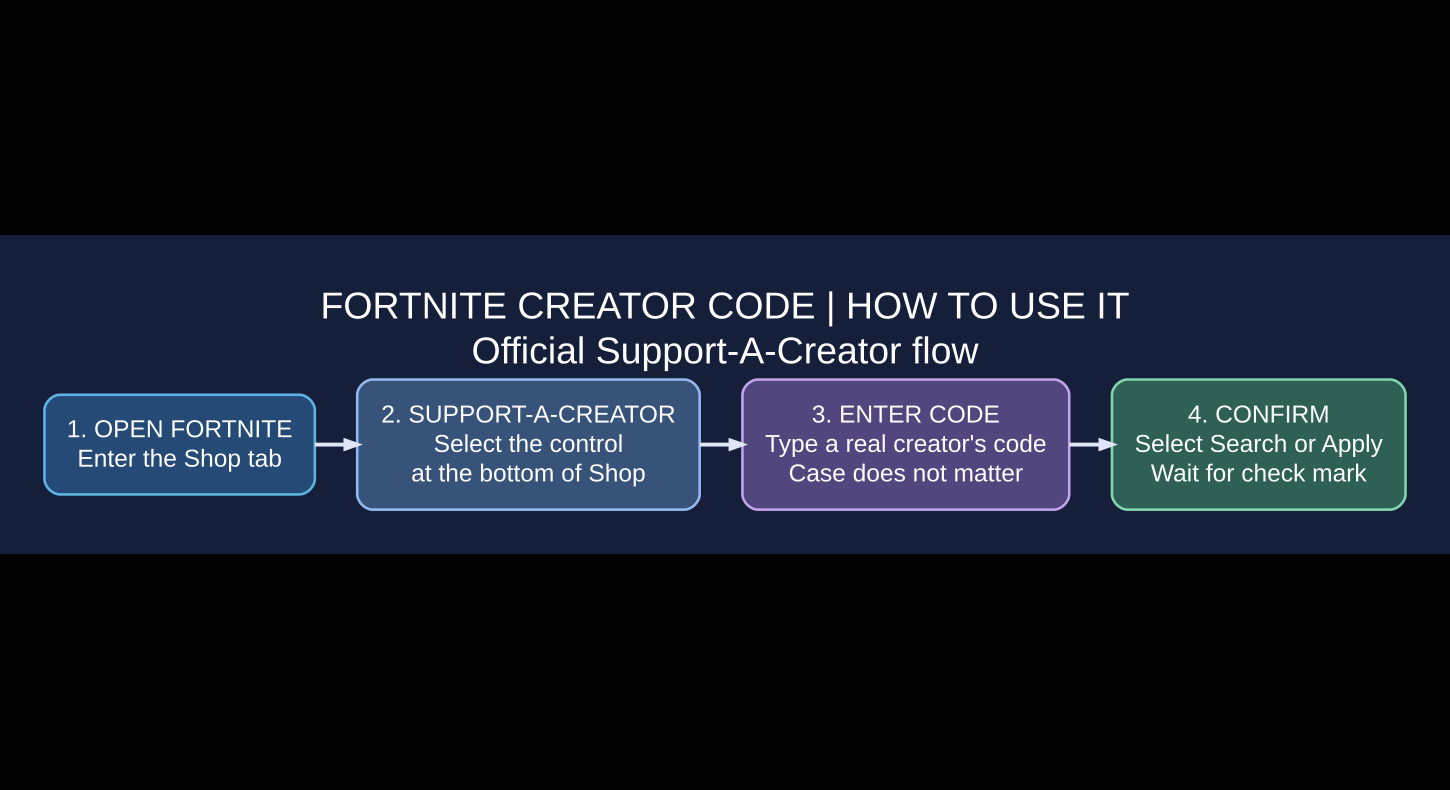
How to enter a Fortnite Creator Code in the Item Shop
- Launch Fortnite and make sure you are signed in to the correct Epic Games account.
- Open the Shop tab from the game menu.
- Look near the bottom of the Shop screen for the Support-A-Creator control.
- Choose it and enter the real creator’s code in the field provided.
- Select Search, then wait for the check mark that confirms the code has been added.
- Choose Cancel or the corresponding exit control to close the code entry window. Your selected creator remains associated with the account according to the program’s current rules.
Epic also provides an Item Shop browser flow: open the official Item Shop, click the banner with a star, enter a creator code, select Apply, and close the prompt. Epic’s help center confirms that creator codes are not case-sensitive, so uppercase and lowercase versions of the same code are interpreted alike.
Read Epic Games’ official instructions for entering a Creator Code whenever the menu layout changes. Do not enter a Fortnite island’s numeric code in the Support-A-Creator field.
What does a Fortnite Creator Code actually do?
The Support-A-Creator program lets eligible streamers and social-media creators earn money from qualifying purchases when supporters select their code. Epic describes it as an affiliate-marketing program that rewards creators for the content and communities they build around supported games. A player’s purchase is still a normal Fortnite transaction; the code is a way of declaring support for a creator.
That distinction matters because false advertisements sometimes claim that using a particular creator’s code will instantly generate skins, gift cards or V-Bucks. Epic’s own warning about creator scams explicitly says that using a creator code does not award free V-Bucks or free outfits. Check our legitimate free Fortnite skins guide for actual promotional and reward mechanisms instead of unsupported code promises.
Creator Code vs. Island Code vs. Developer Program

| Type | Where it’s used | Purpose | Common mistake |
|---|---|---|---|
| Support-A-Creator Code | Fortnite Shop / applicable purchase flow | Credits an eligible creator for qualifying support | Assuming it redeems a skin or island |
| Island Code | Fortnite island discovery / map search | Opens a published Creative island | Entering the 12-digit number in Item Shop |
| Developer Program | Creator Portal for eligible developers | Publish islands and potentially earn engagement payouts | Assuming an island code is a Shop creator code |
Epic’s comparison of Support-A-Creator and Fortnite Developer Programs explains that the former is for affiliate support associated with media creators, while the latter is for developers publishing islands and receiving engagement-based payouts where eligible.
What does a Fortnite island code look like?
Epic says a published island’s code follows the format xxxx-xxxx-xxxx — three groups of four digits. Only publicly or privately published Creative islands receive an associated island code; an unpublished island has no code to find. For official instructions, see Where can I find my Island’s codes?.
If you want to create and share a map, see our Fortnite Creative island building guide. It addresses map discovery and editor basics rather than Item Shop payments.
How to get your own Fortnite Creator Code
Epic operates separate creator and developer enrollment programs. To obtain a Support-A-Creator code, you must apply to and meet the current requirements of that program. It is not generated by visiting an unofficial website, downloading a code generator, or simply choosing a display name. The Fortnite Developer Program may also assign a creator code that acts as the developer name for published islands.
If you create videos, stream gameplay or have a community, review Epic’s official program overview, follow the linked application and read its up-to-date eligibility and payment requirements. If you build islands, consult Fortnite Developer Program documentation. Program availability, taxes, payout settings and eligibility can change; this article does not guarantee acceptance.
Can you change your Fortnite Creator Code?
Epic’s official account-management instructions allow participating creators to change their code through their Epic Games account → Creator & developer tools → Programs area, choosing the relevant program. The code must meet naming requirements, and Epic states that code changes are limited to once during any 12-month period.
A crucial consequence: changing your Creator Code resets current supporters for Fortnite and Rocket League. Supporters who selected the previous code are not automatically transferred to your new code, so inform your community when you make that decision. According to Epic’s How to Change Your Creator Code page, the code can also affect both supported creator programs and is not transferable between Epic accounts.
What characters are allowed in an official creator code?
Epic’s current guidelines require 3–16 characters, using letters, numbers, underscores, hyphens or periods. The code must reflect an applicable public identity and comply with Epic’s community rules. Certain repeated characters and consecutive or edge-position punctuation are restricted. Verify these exact rules in Epic’s live help article rather than registering a code based on an outdated example.
Why is my Creator Code not working?
| Problem | Likely cause | Best next step |
|---|---|---|
| Code is rejected during entry | The code might be wrong, unavailable or inactive | Confirm spelling from the creator’s official account and try the current Shop flow. |
| You’re entering a 12-digit number | That looks like an island code | Use Fortnite island discovery instead of Support-A-Creator. |
| No free skin appears | Creator codes do not grant free cosmetics | Ignore code-reward scams and check legitimate Fortnite rewards. |
| Creator’s previous code no longer works | The creator may have changed or lost eligibility for the code | Check the creator’s current verified channel. |
| Creator cannot change their own code | Program requirements or 12-month change limit | Review Epic’s Creator & developer tools requirements. |
| Fortnite Crew purchase won’t use the code | Fortnite Crew is excluded | Do not expect Support-A-Creator application to Crew billing. |
Epic’s Creator Programs support also distinguishes where an existing creator code can be used. When troubleshooting a payment, confirm that the offer itself qualifies instead of assuming that every store transaction earns creator commissions.
Does a Creator Code work with Fortnite Crew?
No. Epic’s Fortnite Crew billing support page says Support-A-Creator codes do not apply to Fortnite Crew subscriptions. They can support creators in the Item Shop and certain in-game or eligible real-money offers instead. This is a program-rule distinction, not evidence that the particular creator’s code is broken.
How to avoid fake Creator Codes and free V-Bucks scams
- Get the creator’s exact code from their verified official channel, not a random “working codes” list.
- Enter it in the actual Fortnite Shop or official Epic flow. Do not sign in to a different domain.
- Remember that a Support-A-Creator code is not a reward redemption code.
- Do not share your Epic password, two-factor authentication code or recovery credentials with a “creator supporter” service.
- Be skeptical of promises that using a particular code guarantees V-Bucks, free skins or gift cards.
Epic’s creator scam warning explicitly describes creators who promise fictitious special rewards for using their codes and confirms that free outfit or V-Bucks rewards do not come from creator code usage. For creative maps advertised with suspicious XP promises, our Fortnite XP map verification guide explains why claims should be checked independently.
Frequently asked questions
Where do I put a Creator Code in Fortnite?
Open the Fortnite Shop, select Support-A-Creator, enter the code and confirm it. Epic says a check mark indicates successful entry.
Are Fortnite Creator Codes case-sensitive?
No. Epic states that entering the same code using capital or lowercase letters does not change which code it represents.
Does a Creator Code give free V-Bucks or skins?
No. It is an affiliate support mechanism for eligible creators, not a free reward code. Promises of a guaranteed skin or V-Bucks for entering one are a red flag.
Can any Fortnite player make a Creator Code?
Not automatically. You must qualify and enroll in the relevant Epic creator or developer program. See the official terms for eligibility and payout requirements.
Is the creator’s code the same as a Creative map code?
No. Island codes have the numeric xxxx-xxxx-xxxx format and identify published Fortnite Creative experiences. Shop Creator Codes support eligible creators and are entered separately.
Can I support a creator when buying Fortnite Crew?
No, Epic excludes Fortnite Crew from Support-A-Creator code use.
Will a creator’s supporters transfer when they change their code?
No. Epic warns that changing a creator code resets existing supporters for Fortnite and Rocket League.
The practical takeaway
For a player, using a Fortnite Creator Code should take only a moment: pick a creator you genuinely want to support, open the official Shop’s Support-A-Creator control, enter the correct code and wait for confirmation. The code does not cost extra V-Bucks by itself and does not unlock free outfits. For developers, getting a code requires enrollment in Epic’s real creator programs, not a generator. Keep your Shop code, island code and legitimate redemption offers separate, and follow current Epic guidance for any changes.