

Quick answer: To check the version of Google Chrome on a computer, open Chrome, select the three-dot menu, then Help > About Google Chrome. The page shows the installed version and checks for updates. If a newer version is available, choose Relaunch when you can safely restart the browser.
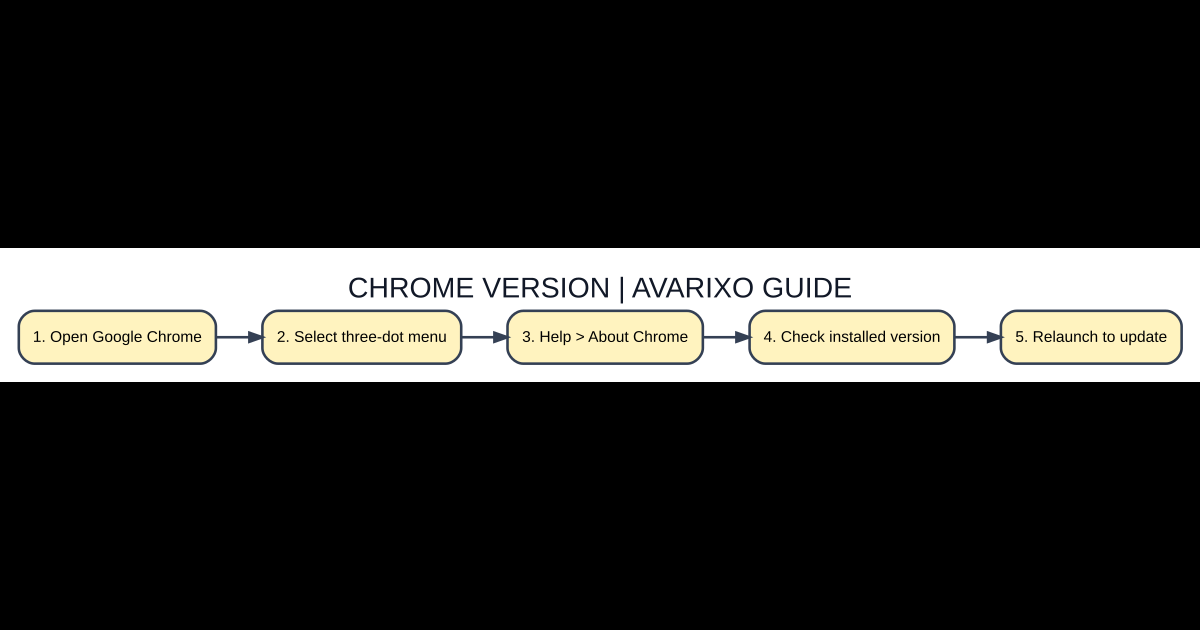
Where Chrome displays its version number
Open the browser itself rather than searching for the latest Chrome version in a web results snippet. From the upper-right More menu, choose Help, then About Google Chrome. The page shows the version installed on this computer; Chrome also checks for eligible updates there. The latest release can differ by operating system or staged rollout, so your installed number and update status are more actionable than an unrelated screenshot of another user’s browser.
Five-step checklist
- Open Google Chrome. Check the official platform requirements before changing settings.
- Select three-dot menu. Use the authentic download, website or account interface.
- Help > About Chrome. Confirm the edition, device, account and feature match your goal.
- Check installed version. Test with a small example and check the displayed result.
- Relaunch to update. Protect important files and keep a way to revert if needed.
Why relaunching Chrome matters
Chrome regularly downloads updates in the background, but a pending update may not finish applying until you close and reopen the application. Google’s instructions offer a Relaunch control when appropriate. If you have a complex task open in an unsaved web form, save your work first. Chrome normally restores regular tabs, but Google’s documentation warns that Incognito windows will not reopen on relaunch.
Windows, Mac and Linux differences
The About Chrome menu is a useful common first step across desktop systems. Operating-system update and application-installation details can differ, particularly on managed business computers and Linux distributions that rely on software repositories. If a company administrator controls updates, do not disable device-management policies or download a package from a third-party mirror. Ask the device administrator to review the approved upgrade channel.
What to do if Chrome reports no available update
If the browser says you are up to date, you may already be on the latest version available for your operating system and release channel. If the operating system is no longer supported, Chrome may not offer the newest build even though someone else has a higher number. Read the official compatibility information and plan an OS update if needed; a fake update popup from an unfamiliar website is not a reliable indicator.
Fix Chrome failing to update
First close and reopen all Chrome windows. Make sure the device has a stable connection and enough storage for normal updates. Reopen About Google Chrome to see whether an error is shown. Check antivirus or administrator restrictions only through trusted device-management settings. If you must reinstall Chrome, get it from Google’s official website and preserve important profile and sync access before removing your current installation.
Check security without losing open work
Use Chrome’s built-in update UI rather than random websites claiming they can scan your browser. Regular updates matter because browser security fixes address vulnerabilities exploited through web content. You should still use safe browsing habits and avoid suspicious extensions. For critical work sessions, review your open tabs and save unsent documents before you accept the browser’s restart prompt.
Quick comparison
| Option | Meaning / location | When it matters |
|---|---|---|
| Check version | More > Help > About Google Chrome | Shows installed number |
| Apply pending update | Relaunch | Restart needed when offered |
| Managed work computer | Organization’s browser update policies | Admin restrictions may apply |
| Unsupported operating system | Check Chrome system requirements | Latest release may be unavailable |
Frequently asked questions
Does Chrome update automatically?
Google says desktop Chrome normally updates in the background; relaunching is often needed to finish applying it.
Will I lose my tabs when updating?
Chrome normally restores regular tabs, but Incognito windows are not restored when Chrome relaunches.
Why does another person have a higher version number?
Version availability can vary by device, channel, update timing and operating-system support.
Should I install a Chrome update from a popup website?
No. Use Chrome’s built-in About page or Google’s official download website.
Verification and further reading
For up-to-date primary guidance, read Google Chrome Help: Update Google Chrome. See also AVARIXO’s related guide. The details above describe ordinary, supported behavior, not modified clients or unsupported workarounds.

Other Articles

