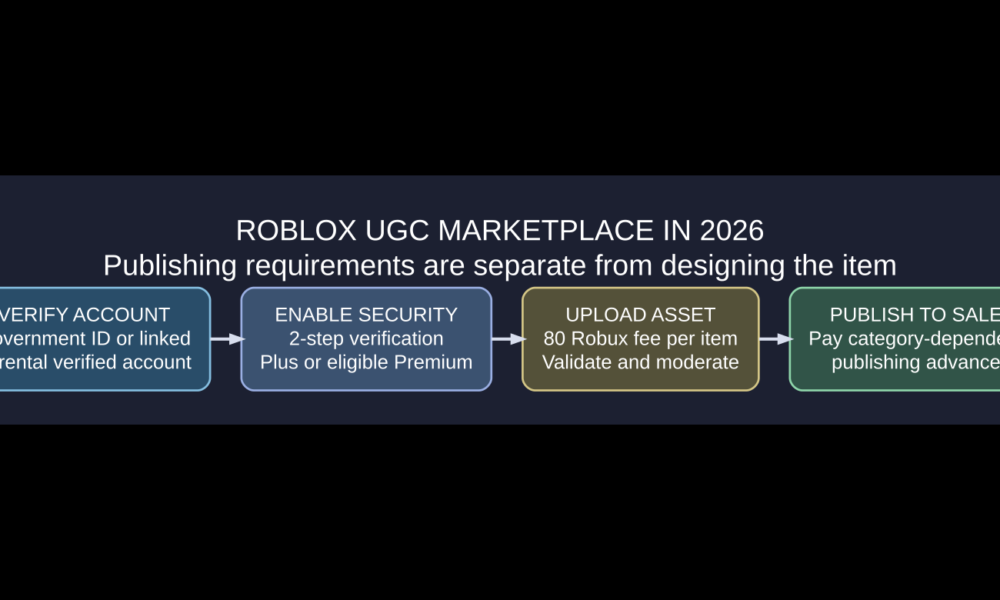

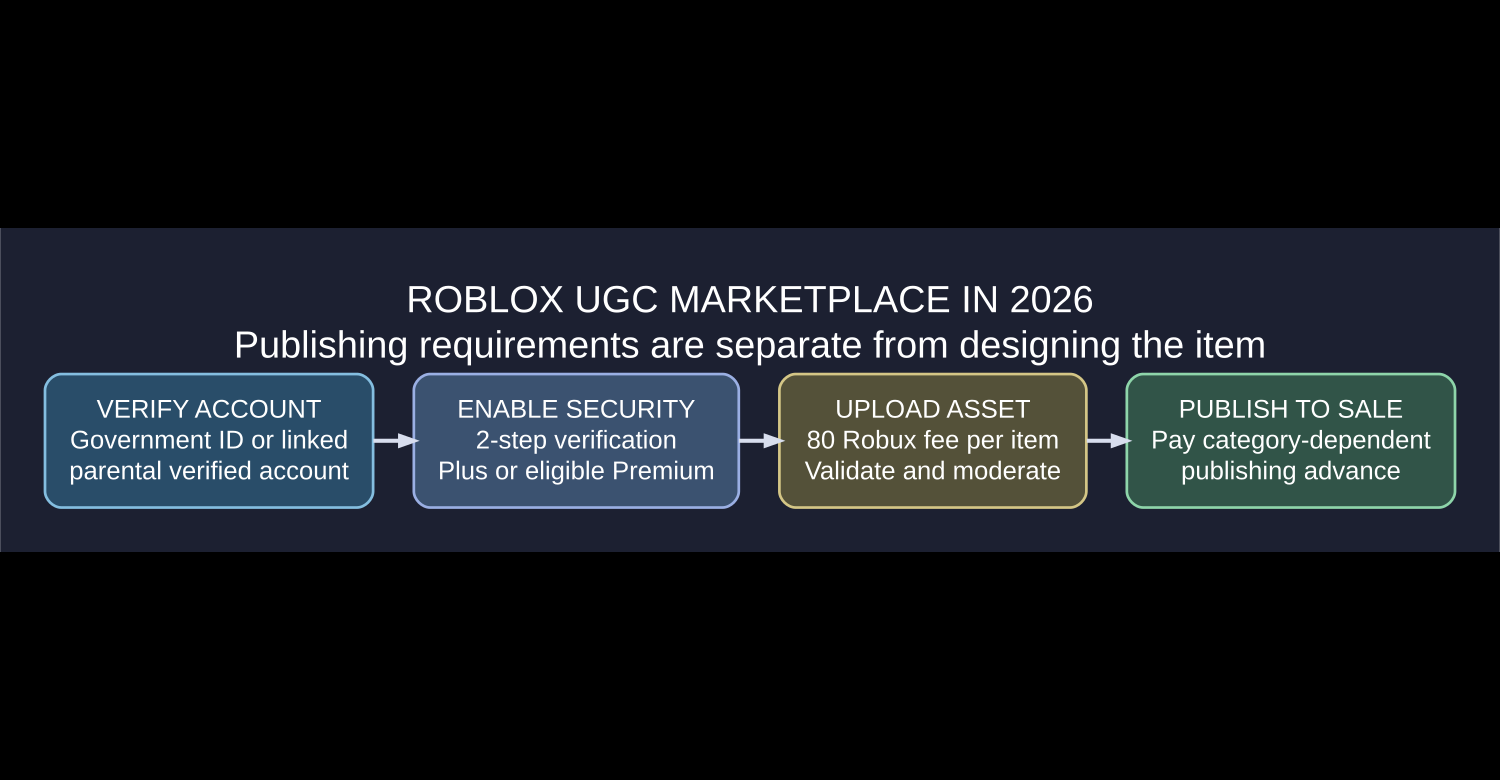
Roblox UGC (user-generated content) refers to avatar items made by creators rather than only Roblox itself. In 2026, eligible creators can design accessories, clothing, bodies, heads and other supported avatar assets, upload them through Roblox Studio or Creator Hub, pass technical validation and moderation, and then publish them for sale on the Marketplace. Uploading is not the same as publishing: creators may need verified identity, two-step verification, an eligible Roblox Plus or Premium membership, an upload fee and a category-dependent publishing advance.
The most important 2026 change is that Roblox unified many of the upfront requirements for classic 2D and newer 3D Marketplace items on July 14, 2026. The standard upload fee is now 80 Robux per item for both, while 2D classic clothing keeps a separate 10 Robux publishing advance. For 3D accessories, publishing advances vary by item type. This guide distinguishes making an item, uploading it, keeping it on sale and buying existing UGC, with direct links to Roblox’s current rules.
What does UGC mean on Roblox?
UGC stands for user-generated content. In an avatar-shopping context, it usually refers to cosmetics made by independent players and approved creators: hats, hair, layered clothing, classic clothing, accessories, faces, body parts and similar assets. Items appear in Roblox Marketplace, where players can preview and acquire them using the terms and prices the creator sets within platform requirements.
Not every user-created game model is a Marketplace UGC item. Roblox’s Marketplace overview distinguishes avatar cosmetics sold to players from assets in the Creator Store, such as development models, images and plugins that creators use inside experiences. Confusing those two stores is a common reason newcomers cannot find an uploaded model in their Avatar Editor.
Can anyone publish Roblox UGC in 2026?
Roblox opened Marketplace creation to a wider creator community, but that does not make publishing unlimited or free for every account. Its current Marketplace Policy lists the requirements. The creator or qualifying group owner must meet identity and account-security requirements, plus a qualifying membership to publish and keep items on sale. Technical checks, moderation and category fees also apply.
| Action | What the official policy requires |
|---|---|
| Upload a Marketplace avatar asset | Government ID verification, or a linked parental account with qualifying verification, plus the current upload fee |
| Publish the avatar item for sale | Identity verification, two-step verification, qualifying Plus or Premium 1000/2200 membership, and relevant publishing advance |
| Keep existing items on sale | Maintain the qualifying membership and comply with Marketplace rules |
| Use a model only within your own game | Different workflow; Marketplace selling requirements do not automatically apply |
Roblox lists Roblox Plus or Premium 1000/2200 as qualifying membership types for Marketplace creators. Account access and eligibility can be changed or restricted by Roblox; verify what your signed-in Creator Hub displays before paying any upfront amount. A person who can build or wear an avatar item is not automatically eligible to list it on the public Marketplace.
How much does Roblox UGC cost to upload and publish?
Roblox’s fees and commissions documentation lists a standard 80 Robux upload fee per submission for avatar items, with a higher fee of 500 Robux for assets using the specified emissive-mask feature. If an asset is rejected during moderation, the upload fee is generally not refunded.
After an asset clears upload and review, the creator can pay a separate publishing advance to offer it on the Marketplace. This is an advance against the item’s future earnings under Roblox’s program terms, not the same as the initial upload fee. The amount depends on the asset type and whether it is Limited. Roblox describes different treatment for free Limited items.
| Example asset | Standard upload fee | Non-Limited publishing advance |
|---|---|---|
| Classic T-shirt, shirt or pants | 80 Robux | 10 Robux |
| Hat | 80 Robux | 1,500 Robux |
| Hair | 80 Robux | 1,000 Robux |
| Face accessory | 80 Robux | 1,500 Robux |
| Layered jacket | 80 Robux | 600 Robux |
Amounts reflect the Roblox documentation checked in October 2026. Publishing advances and fees can change with category, limited availability, moderation and program policy. Always verify the amount on the final confirmation page. These figures do not include optional expenses like modeling software or paid design assets.
How to create a Roblox UGC item: beginner workflow
1. Choose an item type and read its technical specification
Before modeling anything, decide whether you want a classic shirt, rigid hat, layered jacket, avatar body or another supported type. Requirements differ substantially: 3D accessories must fit attachment and mesh rules, while layered clothing may require cage and skinning setups. Look at the Roblox official clothing specifications and linked accessory guidance first.
2. Make something original and owned by you
Create a design you own or have explicit permission to use. Do not copy a famous brand logo, duplicate another creator’s item, or download an unrelated model and assume it becomes yours merely because you recolored it. Roblox Marketplace policy requires creators to have the rights to the asset and conform to safety standards and category rules.
3. Preview and test the avatar fit
Use Roblox Studio’s avatar and accessory tools to check whether the item fits its intended body type. For accessories, ensure the item is properly represented by an Accessory and meets the correct technical category. Layered clothing needs additional fit and cage validation. Rotate and preview the item; check for clipping, bad scaling, unhelpful thumbnail angles and textures that disappear.
4. Upload through the official creator workflow
For supported 3D accessories, Roblox describes selecting the asset in Studio’s Explorer, choosing Save to Roblox, selecting an avatar-item content type, identifying the correct category and creator, and passing the built-in UGC validation checks. Depending on the interface, Roblox may label the selection Avatar Asset or Avatar Item. If eligible, you can submit it and pay the upload fee for moderation.
5. Wait for moderation, then publish separately
Once uploaded, check the item’s status in Creator Hub. The item needs moderation approval before it can go on sale. Publishing then involves its title, description, sales settings, applicable fee or advance, and any additional program limits. Do not assume the item is for sale the moment you upload it. Roblox’s Publish to Marketplace documentation explains the separate steps.

Roblox UGC validation: why some items fail upload
Roblox’s UGC validation documentation describes automated checks that examine an asset’s structure and specifications. Depending on the item category, validation can examine mesh type, attachments, materials, geometry limits, skinning or cages, and dynamic-head features.
| Issue | What it often means | Next step |
|---|---|---|
| Invalid accessory type | Model hierarchy or category does not match the selected item class | Convert to the intended Accessory structure and pick a matching category |
| Clipping or incorrect fit | Avatar attachment, cage or scale issue | Adjust the model and retest on an avatar rig |
| Missing required metadata | Title, description, creator or asset fields incomplete | Complete the official submission form |
| Texture or mesh ownership error | Linked asset ID is not yours or remains under moderation | Use your own permitted assets and wait for approval |
| Moderation rejection | Policy or copyright issue, or another disallowed component | Review the reason, improve the asset, and use the official appeal process when warranted |
Roblox notes that items meant only for use in a game generally do not need to pass Marketplace UGC validation, though the checks may still help diagnose broken attachments. That does not mean a model for game development can automatically be resold as an avatar accessory.
What changed with UGC fees in July 2026?
In its July 2026 creator announcement, Roblox said the platform was unifying baseline upload and publishing requirements for 2D and 3D avatar assets from July 14, 2026. An updated July 13 notice specified:
- 80 Robux as the standard per-item upload fee across 2D and 3D Marketplace avatar assets.
- 10 Robux publishing advance for classic 2D clothing items.
- Qualifying account verification and two-step security before public sales.
- A qualifying Roblox Plus or Premium membership to keep Marketplace items on sale.
Older YouTube tutorials may quote different classic clothing fees or say every Roblox account can publicly sell items without verification. Use Roblox’s live fee schedule rather than following outdated screen recordings blindly. These changes concern Marketplace avatar assets, not the rules for all game assets or code scripts in Roblox Studio.
How do you make money from Roblox UGC?
Eligible Marketplace creators receive a share of qualifying sales, but it is not an automatic profit machine. Earnings depend on the sale price, category, Roblox’s revenue-sharing model, and whether the item sold through Marketplace or within a particular experience. Roblox also documents a hold period before portions of sales revenue become available. The platform has a progressive revenue-share system for some avatar items, so a single fixed percentage does not adequately describe every selling situation.
Before estimating profit, include the initial upload fee, publishing advance, any subscription or production costs, and expected sales. Creating 50 items does not guarantee a sale. For broader creator cash-out requirements, see our Roblox DevEx eligibility guide, but remember that Marketplace commissions and DevEx cash-out eligibility are different questions.
UGC vs. classic clothing vs. game passes
| Type | What it is | Best use |
|---|---|---|
| Avatar UGC Marketplace item | Public avatar accessory or clothing sold through Roblox Marketplace under its creator requirements | Wearable cosmetics across supported experiences |
| Classic clothing | 2D shirts, T-shirts and pants using appropriate design templates | Accessible entry point for learning clothing design, with Marketplace rules still applying |
| Creator Store asset | Models, plugins, images or other game-development resources | Building and scripting experiences |
| Game pass | Experience-specific entitlement created by a game developer | Perks and features inside one game rather than wearable public Marketplace items |
If you are learning classic outfits, our Roblox shirt and pants template guide covers the clothing artwork workflow. If you want an experience-specific paid perk rather than a wearable item, our Roblox game pass guide covers the separate Creator Dashboard workflow.
Where to buy Roblox UGC items safely
For players, browse the official Roblox Marketplace, check the item creator and preview, and verify the actual Robux price before completing a purchase. Be cautious with tools that ask for your Roblox password to unlock a “free UGC” item. Some official limited-time promotions may offer free items or require in-experience actions, but a random external generator cannot grant ownership by merely asking for your username.
Do not assume a 2023 “free UGC” list is still valid in 2026. Marketplace availability, prices and limited quantities can change. If a specific item has disappeared or sold out, use its official listing and creator page to check its current status.
Common Roblox UGC questions
What does UGC stand for in Roblox?
UGC means user-generated content, often used for community-created avatar items sold or distributed through the Marketplace.
Can I upload Roblox UGC without ID verification?
Roblox’s 2026 Marketplace policy generally requires a government ID-verified account or an eligible linked parental account for Marketplace asset uploading. Different in-game-only asset workflows have other requirements.
Is Roblox UGC free to upload?
Not for standard Marketplace avatar submissions in 2026. Roblox documents a standard 80 Robux upload fee, and publishing may require a separate advance.
Do I need Roblox Premium to make UGC?
Designing and experimenting with personal models is different from publishing to Marketplace. Roblox’s current Marketplace policy requires the creator or eligible group owner to maintain a qualifying Roblox Plus or Premium 1000/2200 membership for selling items.
Why is my UGC item not showing in Marketplace?
It may still be in moderation, fail validation, lack required sale settings or a paid publishing advance, or your account may not satisfy the current eligibility rules. Check its status in Creator Hub.
Can I use someone else’s model and call it my UGC?
Only if you genuinely have the right to use and sell that asset and it meets Roblox policies. Downloading or lightly recoloring an item does not automatically give you those rights.
Can I list unlimited Roblox UGC items?
Roblox publishes different upload and on-sale limits by item category and type, such as limits on free Limiteds. Always review its current publishing-limits table for the exact category you intend to sell.
Official references and practical advice
The fee and eligibility details come from Roblox’s Marketplace Policy, fees and commissions reference, publishing tutorial, and the July 2026 announcement. The sensible first project is one original, technically simple asset: validate its design before paying to upload, check the on-sale requirements, and keep its creation files so you can revise the model if moderation flags a problem. The goal should be a useful, legal, well-fitting avatar item, not hundreds of rushed duplicates.

Other Articles