
Quick answer (reviewed October 13, 2026): YouTube playlists collect videos or Shorts so you can play or revisit them in a useful order. To create one on a computer, open a video, click More → Save → Create new playlist, enter a name, choose Public, Unlisted or Private, and click Create. On mobile, use the video’s Save flow or create a playlist from your You tab. The exact arrangement changes with YouTube app updates.
This guide covers both YouTube viewers and channel owners: creating a playlist on desktop and phone, adding and rearranging videos, using Shorts, finding saved playlists, sharing links, editing privacy, and fixing missing Save controls. Our steps follow YouTube’s official playlist help and playlist privacy documentation.
What is a YouTube playlist?
A playlist is an ordered collection of YouTube videos. It can be a personal list of tutorials, a public sequence on a creator’s channel, or a link shared with a small group. A viewer can make playlists even without uploading videos of their own. For channel owners, playlists can group related uploads into a clear sequence—such as beginner lessons, episode recaps or product walkthroughs—without changing the original video files.
A playlist is different from your YouTube subscriptions, your Watch Later queue and your viewing history. Subscriptions follow channels. Watch Later is a convenient predefined place to save videos temporarily. A custom playlist is the right choice when you want a named, shareable collection with a selected privacy setting.
| YouTube feature | Purpose | Can you organize by topic? |
|---|---|---|
| Custom playlist | Collect videos or Shorts together | Yes, create a separate list for each topic |
| Watch Later | Save videos to watch when convenient | One dedicated queue, not a set of themed lists |
| Subscriptions | Follow new uploads from channels | Organizes by creators, not manual playlist order |
| Watch history | Review previously watched videos | Automatic activity record, not a curated collection |
How to create a YouTube playlist on desktop
These steps work from a video page in the signed-in YouTube website. You do not need YouTube Premium for ordinary playlist creation.
- Sign in to YouTube using the Google account that should own the playlist.
- Open the watch page of a video you want to include.
- Click More (the three-dot menu) and choose Save → Create new playlist. On some layouts Save may be a visible action next to other video controls.
- Give the playlist a descriptive name, such as “Beginner Photography Lessons,” rather than a vague “Videos.”
- Choose Public, Unlisted or Private before creating it.
- Click Create and return to the You tab to check that the new playlist appears.
According to YouTube Help, a similar flow works from a Short: go to its page, use the More menu, choose Save, then create a new playlist. However, ordering controls are more limited for playlists made entirely of Shorts.
How to create a playlist in YouTube Studio
Creators can open YouTube Studio to manage channel playlists and their visibility. Studio is particularly useful for an editorial workflow where you need consistent titles, descriptions and video series. It is not required for a viewer creating a personal playlist. The official Studio path to an existing playlist is Content → Playlists → Details; use it to edit its information or visibility.
How to create a YouTube playlist on Android or iPhone
The YouTube mobile app provides two common routes: start from a video or create from the You tab. YouTube documents nearly the same general flows for Android and iPhone, with small differences around Shorts and menu placement.
Method 1: Start from a video
- Open the YouTube app and sign into your account.
- Open the video you want. Under its controls, tap More → Save if Save is not already visible.
- If YouTube immediately saves it to Watch Later or the last-used playlist, look for the confirmation toast and tap Change.
- Choose New playlist, enter a title, choose your privacy, and tap Create.
- Open your profile or You tab to locate the playlist afterward.
Important 2026 detail: The Save action on mobile can initially send the video into your last selected playlist without opening a playlist picker. If you cannot see the option to make a new list immediately, tap Change on the confirmation rather than tapping Save repeatedly.
Method 2: Start from the You tab
- Open the YouTube mobile app and tap your profile picture or navigate to the You tab.
- Find the Playlists section, then tap New playlist.
- Choose one or more videos from your recent watch history when prompted.
- Tap Next, name the playlist and set its visibility.
- Tap Create and confirm it appears under your playlists.
These steps are documented on YouTube’s Android playlist guide and its equivalent iPhone guidance. A supervised account may have restrictions that a regular adult account does not.
How to add more videos or Shorts to an existing playlist
- Open the video or Short you want to save.
- Choose More → Save, or the visible Save control on that layout.
- Select an existing named playlist. On mobile, tap Change if Save initially picked the last-used list.
- Check the confirmation that the content was saved to the correct playlist.
- Repeat with other relevant videos. Avoid adding multiple copies of a video to a series unless there is a clear reason.
YouTube notes that some content marked Made for Kids cannot be added from the home page interface; when relevant, try adding that video through search results instead. This is an interface rule, not a reason to use unauthorized playlist apps.
How to organize, reorder, edit or remove playlist videos
On a computer, open the playlist from the You tab or navigation guide. To reorder supported videos, drag a video up or down in the playlist. YouTube’s own documentation says this manual reordering feature is not available for playlists that contain only Shorts. If the drag handle is missing, first check whether this limitation applies.
To remove a saved video without deleting the video from YouTube, open the playlist, find that entry’s More menu and choose the relevant removal action. You can also change the playlist’s name, description and visibility from its edit/details controls, where offered. Playlist editing does not modify the underlying video that belongs to another creator.
Organizing YouTube playlists for a channel
For a channel, it is usually more useful to make several tightly focused collections than one giant playlist of unrelated uploads. For example, a technology channel might create Android Fixes, Windows Basics, and Device Comparisons. Put an introductory or most useful video first, keep episode names understandable out of context, and update older lists after removing outdated advice. Playlist titles should describe the actual videos rather than promise material the list does not contain.
If your viewers ask how to control what plays after a video ends, that is a separate setting: see our YouTube autoplay guide. Autoplay affects playback suggestions; custom playlists are curated sets you choose.
YouTube playlist privacy: Public vs Unlisted vs Private
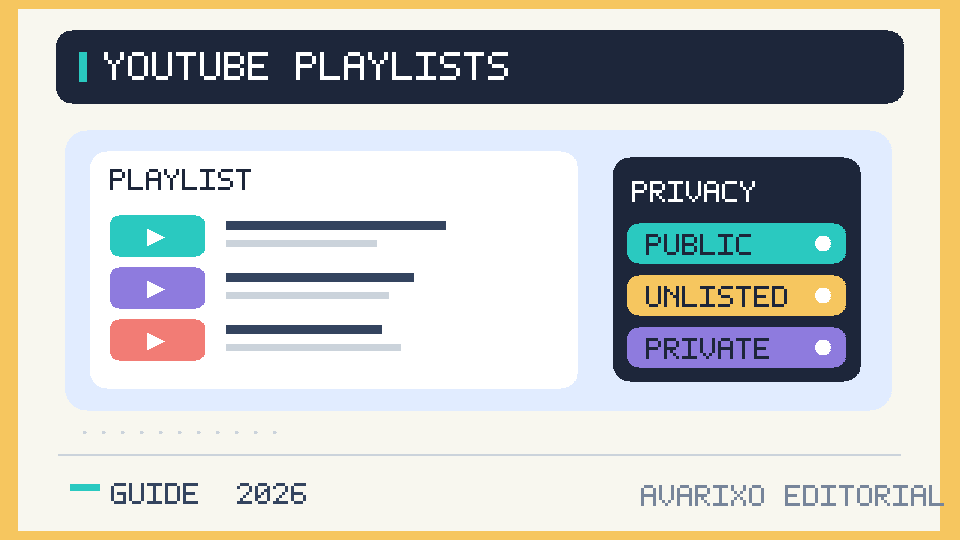
Privacy is arguably the most important playlist choice. A playlist with the right videos can still reveal your interests if you accidentally leave it public. YouTube’s current support documentation distinguishes the three settings clearly:
| Setting | Who can access it? | Search and channel discovery | Best use |
|---|---|---|---|
| Public | Anyone | Can appear in search, recommendations and channel sections | Published tutorials, music collections, channel series |
| Unlisted | Anyone who has the link | Does not normally appear in public search or channel sections | Share a list with a small group without publicly listing it |
| Private | Only the owner account | Not publicly searchable or shareable | Personal research or private viewing collections |
Do not mistake “Unlisted” for access-controlled. Anyone who receives the link can pass it to someone else. If a playlist contains genuinely sensitive material, keep it Private rather than treating an unlisted URL as a password. Also note that video-level restrictions still apply: including another creator’s private or unavailable video in a playlist does not make that video viewable.
How to change playlist privacy on desktop
- Go to the You tab and open your playlist.
- Choose View full playlist, if shown.
- Under its title, open the visibility dropdown and select Public, Unlisted or Private.
- Alternatively, use YouTube Studio → Content → Playlists → Details → Visibility → Save.
How to change playlist privacy on phone
- Go to the YouTube mobile app and open your profile’s Playlists section.
- Select the playlist you own and tap Edit.
- Change the privacy menu to the desired level.
- Tap Save, then reopen it to verify the setting.
YouTube warns that supervised accounts may not have every playlist or privacy feature. If the option is missing, review the account’s current supervision limits rather than attempting to bypass them.
How to share a YouTube playlist link
Open the playlist’s main page and use Share or copy the playlist URL from your browser. Make sure the link points to the playlist, not only a video watch page with extra parameters if you intend others to open the full collection. Test it in a signed-out browser session when you want to see what a new viewer can access.
- Public playlist: Use a share link freely; it can also be discovered in YouTube surfaces.
- Unlisted playlist: Share the link only with your intended audience, knowing they can forward it.
- Private playlist: Other users generally cannot open it, even if they have the URL.
If a friend reports that a link is unavailable, first check the playlist’s visibility and whether the videos themselves are public and available in their region. Changing a playlist to Public does not override a deleted video, private upload or platform restriction.
YouTube Music playlists vs YouTube video playlists
YouTube Music has its own music-focused library and playlist interface, but a number of playlists can also be visible across YouTube and YouTube Music depending on their content and account. For long-form tutorial collections, manage the list from main YouTube or YouTube Studio. For curated songs and music-video queues, YouTube Music provides music-specific discovery and controls.
Don’t assume a playlist title has to be unique across all of YouTube. Distinct names help a channel’s own visitors, but YouTube doesn’t guarantee exclusive ownership of an ordinary playlist name. If a playlist is meant to be public, give it a clear topic, appropriate description and logical opening video so viewers understand what they will find.
How to delete a YouTube playlist without deleting the videos
- Go to your playlists in the You tab or channel navigation.
- Open the specific list you want to remove.
- Use its More menu, then choose Delete playlist.
- Confirm the deletion only when you are certain; deleting a playlist does not delete the original videos uploaded by their creators.
YouTube notes that the old playlist may remain in people’s watch histories and that its URL and title will stop appearing as a separate playlist in certain Analytics reports. Treat deletion as a meaningful permanent change; first check whether simply making the list Private would solve your privacy concern.
Why can’t I create or save a YouTube playlist?
| Symptom | Likely place to check | First action |
|---|---|---|
| Save seems to add to the wrong list | Mobile auto-save to last-used playlist | Tap Change on the confirmation toast |
| New playlist option missing | Account/supervision, interface or temporary issue | Try creating from the You tab or a watch page |
| Cannot create more public playlists today | YouTube’s public-playlist creation limit | Stop retrying in a loop; review account feature access |
| Cannot reorder a list | Only Shorts in the playlist | Check YouTube’s documented Shorts-only restriction |
| Video will not save from Home | Made for Kids restriction on the homepage | Try the search-results route when allowed |
| Other people cannot open link | Private visibility or unavailable individual videos | Check playlist and video privacy separately |
| Playlist seems missing | Wrong account or channel identity | Confirm the Google account and visit the You tab |
Fix a missing Save button
On desktop, YouTube may place Save inside the More menu. On mobile, the quick Save control can silently choose the last-used playlist; use Change in the confirmation. If controls truly do not load, test a current official YouTube app or another browser, and check whether the same Google account has access to its playlists in YouTube Studio. Avoid extensions that ask for account access solely to create a simple playlist.
Check public playlist limits and supervised accounts
YouTube documents daily limits for the number of public playlists a channel can create across its main app, Music and API. Access to advanced features may increase that limit. This is not proof your account is permanently banned. Supervised account settings can further restrict playlist functions or default visibility. Repeatedly clicking Create won’t override those controls.
What if a playlist says one or more videos are unavailable?
A playlist may retain entries whose source videos were removed, made private, region-restricted or otherwise unavailable. You cannot fix another creator’s video’s privacy through the playlist. Remove obsolete entries and substitute currently accessible content when appropriate.
How to make YouTube playlists better for viewers
For public playlists, usefulness matters more than stuffing keywords into the title. Organize around one promise, such as “Beginner Excel: Formulas in Order,” and sequence the videos so the first one makes sense without previous context. Add a description that explains the audience and expected outcomes. Review the list when an app, game or software tutorial becomes outdated. Link to a series at the end of related videos only when it genuinely continues the topic.
If your channel covers several unrelated areas, keep separate playlists for each. A well-organized list makes it easier for a viewer to pick the next relevant step. But a playlist alone does not guarantee rankings or views: whether YouTube recommends it depends on platform signals and audience behavior, not only on having many playlist titles.
Frequently asked questions
Are YouTube playlists free?
Yes. Ordinary playlist creation is available to signed-in YouTube users without buying YouTube Premium, subject to platform rules and account restrictions.
Can I add a Short to a playlist?
Yes. Use the Short’s More menu and Save to playlist. Keep in mind that YouTube limits manual reordering for playlists composed only of Shorts.
Can people see my private YouTube playlists?
Private playlists are not publicly visible or shareable with other viewers through a normal link. YouTube may still review private content for policy, copyright or abuse-prevention purposes.
What’s the difference between unlisted and private?
People with an unlisted playlist link can open and forward it. Private playlists are restricted to the owner. Neither is discoverable through ordinary public search in the same way as a public playlist.
How do I find my saved playlists?
Open the You tab (or profile section) while signed in. If something is missing, check whether you are using the same Google account or channel identity that saved it.
Can I reorder my YouTube playlists?
You can reorder individual videos in many playlists by dragging them; YouTube says the manual ordering option is not available for playlists containing only Shorts. Reordering entire playlists in your account is a different interface question and can vary.
Can I add a video from another channel to my playlist?
Yes, if it is eligible to be saved. A playlist can include videos by other creators. You do not gain ownership or the right to reupload their footage by adding it to a collection.
Why is my newly created playlist not on my channel homepage?
Creating a playlist and featuring it on a channel homepage are different steps. Public visibility and channel customization determine how it is surfaced; a Private or Unlisted playlist won’t behave like a featured public series.
Can friends collaborate on a playlist?
YouTube supports collaboration on eligible playlists, depending on available controls and account settings. Use the playlist’s official collaboration/invite option if it appears rather than giving anyone your Google password.
Official sources
- YouTube Help — Create and Manage Playlists on Computer.
- YouTube Help — Create and Manage Playlists on Android.
- YouTube Help — Playlist Privacy Settings.
AVARIXO editorial review: October 13, 2026. YouTube tests and changes button layouts; when a menu label differs, consult the relevant official platform-specific help page above.

Other Articles

Golf Grip for a Slice: Find a Neutral Hold and Square the Clubface