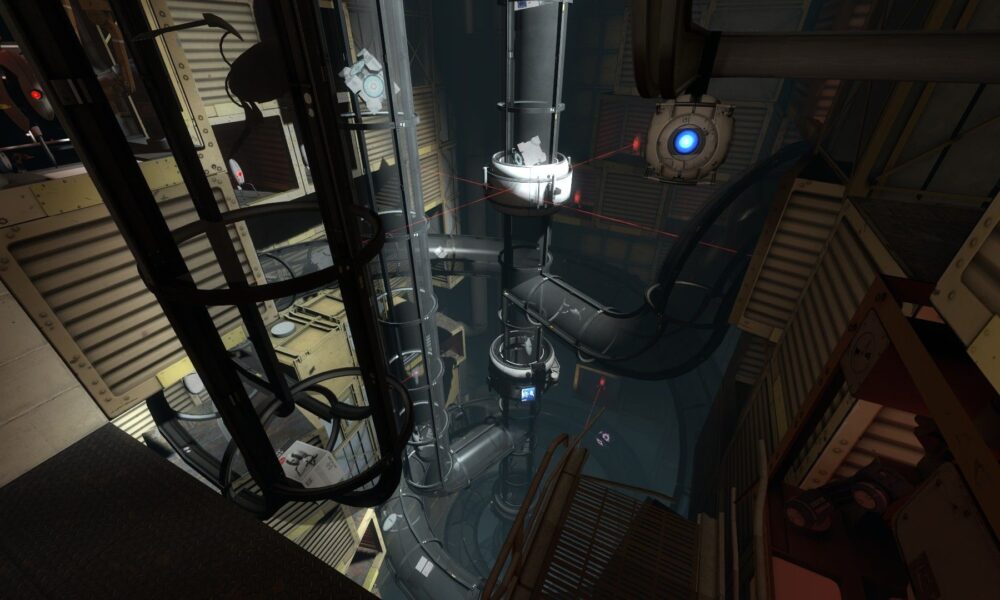

Quick answer: Portal 2 on Steam is Valve’s first-person puzzle adventure featuring a complete single-player campaign and a separate two-person cooperative campaign. It also supports split-screen and online co-op, community-made test chambers through Steam Workshop, controller input and Steam Cloud. You solve puzzles by using interconnected blue and orange portals to redirect movement, objects and momentum through Aperture Science laboratories.

portal 2 steam at a glance
| Feature | What to know |
|---|---|
| Developer | Valve |
| Steam release | April 18, 2011 |
| Gameplay | First-person environmental puzzle adventure |
| Story | Single-player campaign |
| Co-op | Two players; a distinct cooperative campaign |
| Steam Workshop | Community-created test chambers |
| Input | Keyboard/mouse and compatible controllers |
What is included with Portal 2 on Steam?
Portal 2 contains the original single-player story in Aperture Science and a separate campaign made around cooperation. That is useful to understand before buying: two friends can enjoy a dedicated set of puzzles, but you cannot necessarily drop a second player into every moment of the solo campaign. The Steam product page also lists access to the Perpetual Testing Initiative and community levels through Steam Workshop. A separate product called Portal 2: The Final Hours is a digital making-of publication rather than a campaign DLC you must buy to finish the normal game.
Understand what your portal gun does
You can fire two linked portals onto suitable surfaces. Entering one portal moves you to the other, preserving important aspects of your direction and speed. This means that a wall-to-floor connection can transform a fall or a run into a useful jump elsewhere in the room. Not every surface permits portal placement: puzzle chambers have deliberate limitations, and learning to identify usable surfaces is part of the challenge. Start by testing a simple pair of portals in a safe area and observing how objects and your own movement change.
Momentum is an important puzzle ingredient
Some puzzles become solvable when you stop treating portals as ordinary doors and instead think about momentum. Falling through a portal can create speed that carries you out through another portal at a new angle. Study where you will arrive before jumping, and check that there is a safe landing area. If a puzzle seems to require an impossible leap, look for a way to build speed before entering the portal. Do not keep attempting a risky fall without checking how the exit portal is oriented.
Buttons, cubes and laser connections
Aperture test chambers use weighted cubes, buttons, laser emitters, receivers and other interactive devices. First determine which door or platform needs to change state, then identify the mechanism connected to it. A cube might need to remain on a pressure plate while you reposition portals elsewhere. In rooms with redirection mechanics, the most direct path is not always the right one. Organize the puzzle into a sequence: activate this part, move that object, then cross the opened route. Solving one local problem at a time is more reliable than moving every object randomly.
Excursion Funnels and light bridges
Later Portal 2 chambers use specialized elements such as Excursion Funnels and Hard Light Bridges. These devices create paths through space or move the player and objects in a controlled direction. Portals can redirect the effects, allowing them to operate in locations their original emitters do not directly reach. Before jumping into one, examine its direction and possible endpoints. A funnel that carries a cube to a switch can sometimes be just as important as a path for the player. The puzzle’s challenge is to understand how different systems interact rather than operate one tool at a time.
Gels change movement
Certain puzzle elements apply different effects to movement or surfaces. A speed-enhancing gel, for example, can affect how you approach a jump; other variants encourage bouncing or change what surfaces can support portals. Experiment in a safe spot and note the relationship between a gel, the direction of your run and the portal setup. If an object slides or bounces unpredictably, consider which surface was affected. Portal 2 is a physics game at its heart, so even a complicated-looking puzzle often has a small number of understandable rules.
The single-player story without spoilers
The story follows an attempt to escape a sprawling science facility, with conversations and interactions that gradually reveal the history of Aperture Science. Characters such as GLaDOS and Wheatley help shape the experience, but important story turns are best discovered while playing. If you are stuck, try looking for the relevant chamber mechanics rather than immediately watching a full ending walkthrough. The dialogue is part of the fun, and knowing every twist ahead of time can make a first playthrough feel less surprising.
Two-player cooperative campaign
Portal 2’s co-op campaign features two robot characters who must coordinate actions and portal placement. Each player has their own portals, making the puzzle possibilities more complex than ordinary solo chambers. Many solutions require one player to maintain a connection while the other moves a cube or crosses a gap. Explain your plan before changing a portal that might support your partner. A useful habit is to agree on which surfaces belong to each player’s part of the solution and test the setup before both jump.
Online co-op versus local split-screen
Steam lists both online co-op and shared/split-screen modes for Portal 2. For local play, check the attached controller setup and select the appropriate co-op option. Remote Play Together is also listed on Steam, but the exact experience and connection quality depend on current hardware, network performance and supported host settings. If a friend cannot join, confirm whether you are using the game’s ordinary online invitation or a Steam streaming invitation. These are different connection paths even if both ultimately display the same cooperative campaign.
Steam Workshop and the level editor
The Perpetual Testing Initiative lets players create puzzle chambers and share them through Steam Workshop. Downloading a popular level is not the same as downloading arbitrary software: use the official Workshop interface, read the level description and check that the item targets Portal 2. Community maps vary in complexity and may assume advanced movement knowledge. Start with a short level built around a familiar device. If you decide to design a chamber, test whether someone who does not know your solution can understand the clues without reading an external guide.
Build a fair first Workshop puzzle
A good beginner chamber uses a clear starting area, visible goals and one central mechanic, such as positioning a cube through portals. Avoid hiding a required portalable surface behind visual clutter or demanding precision tricks before you teach the player the intended rules. Test your chamber from the player’s perspective: can they see the exit, identify the active object and predict what a switch affects? An original puzzle should reward understanding rather than guessing. Change one mechanic after each test run, then invite a friend to try it without hints.
Controller and PC troubleshooting
Portal 2 has full controller support on Steam, but some players prefer a mouse for precise aiming. If an analog stick feels too sensitive, inspect the in-game settings and Steam Input configuration rather than installing unknown third-party controller utilities. For co-op, ensure each device is detected before launching the session. If audio, graphics or performance become inconsistent, verify installed game files and check platform requirements. Keeping the game and Steam client updated is a better first troubleshooting step than deleting your save data.
Steam Cloud, achievements and saves
Steam lists Cloud support, achievements and a range of other platform features for Portal 2. Cloud synchronization can be convenient when moving between PCs, but you should still avoid making unverified changes to important local files. Achievements and Workshop activity are separate from the basic ability to play the solo story. You do not have to complete a lengthy list of online challenges before you can enjoy the original campaign. Take time to explore the story and experiment with the mechanics at your own pace.
Is Portal 2 the same as Portal?
Portal 2 is a sequel with its own extended story and cooperative campaign. The first Portal game is shorter and focused on introducing core puzzle concepts, but you can still understand the basic mechanics of Portal 2 with its own teaching sequences. Steam sells the titles separately and also lists combinations that may include both. Check the actual contents of a bundle before buying; owning the first Portal does not automatically grant the sequel. If you want another entirely different cooperative adventure, our two-player games guide discusses couch and online arrangements.
Official listing and comparison
Valve’s Portal 2 Steam page documents the two campaigns, co-op, Steam Workshop and game features. You can also compare game ownership and PC storefront restrictions in our Steam on Xbox guide. A Steam PC license does not automatically give you a different console-store copy, even when the game is available on multiple platforms.
Frequently asked questions
Is Portal 2 multiplayer on Steam?
Yes. It has a separate two-person cooperative campaign with supported online and local split-screen modes.
Can you play the whole solo story with two people?
No. The cooperative campaign is a different designed experience from the single-player story.
Does Portal 2 have Workshop maps?
Yes. Steam Workshop supports community-created test chambers.
Do you need Portal 1 to play Portal 2?
Not as a technical prerequisite for understanding and playing the sequel.
Is the level editor included?
The official Steam listing describes level-editing and community testing tools.