
To go live on Instagram in 2026, you generally need a public account with at least 1,000 followers. If your account qualifies, open the Instagram app, enter the camera/create interface, switch to Live, review the available audience and settings, and start the broadcast. If the Live option is missing, check eligibility before spending time reinstalling the app: Instagram tightened access in 2025.
Information checked October 12, 2026. Instagram’s interface can move controls between updates, so this guide distinguishes official eligibility rules from interface steps that may look different on particular phones.
Instagram Live requirements in 2026
Instagram’s official Start a live video guidance states that users must have a public account and at least 1,000 followers to start a Live broadcast. Meta confirmed the policy change in 2025, as reported by Engadget. This is a platform-access rule, not a recommendation for better audience reach.
| Condition | Does it matter? | What to check |
|---|---|---|
| At least 1,000 followers | Yes | Follower count on the account that will broadcast |
| Public profile | Yes | Account privacy setting |
| Account in good standing | Can affect access | Account Status and any notices about removed content |
| Newly created account | May be temporarily restricted | Any eligibility message shown in the app |
| Teen Account | Additional restrictions can apply | Teen settings and parental permission where required |
Important: A profile with exactly 1,000 followers may meet the numerical threshold but still be unable to broadcast if another account restriction applies. Buying automated followers is not an appropriate workaround: artificial engagement can expose your account to separate enforcement and security risks.
How to start an Instagram Live on iPhone or Android
- Update Instagram through the phone’s official app store and sign in to the correct account.
- Check that your profile is public and meets the follower requirement. You can review privacy settings before opening the camera.
- Tap the create (+) control or open the Instagram camera. Depending on the app version, this may be available from the home feed, profile or a swipe gesture.
- Move among creation modes until you reach Live. Some layouts place it in a row alongside Story, Reel or Post rather than in a menu.
- Before broadcasting, inspect any title, audience, practice or moderation controls that are actually shown on your device. Availability varies; do not assume a feature exists for every account.
- When ready, tap the button that starts the live video. Allow camera and microphone permissions if the phone requests them.
- Watch for the indicator that the broadcast has started, then speak to your viewers. Monitor comments and use available moderation controls to manage the conversation.
- When finished, use the end control and confirm the broadcast has stopped. Review whatever sharing, archive or discard options Instagram currently offers to your account.
The Live camera may have changed labels since a tutorial was recorded. If your phone shows a different interface, locate the Live mode by its name and follow the visible confirmation buttons rather than assuming an older screenshot is current.
Why can’t I go live on Instagram?
You have fewer than 1,000 followers
This is the first eligibility check. If Instagram says your account is not eligible, reinstalling the app, switching networks or using a desktop browser will not override the account-level requirement. You can still publish Stories or Reels that your account is eligible to use.
Your account is private
Instagram’s published Live threshold includes a public-account requirement. Check whether your profile is private. Do not switch to a public profile without considering who will then be able to see your public posts and profile information.
Your account has a restriction
Go to Settings and activity or the equivalent settings screen and look for Account Status. Check any notices about eligibility, removed content or feature restrictions. If Instagram provides an appeal or review option for a mistake, follow the official procedure; no third-party tool can guarantee access.
You’re using a new account or Teen Account
Instagram can limit Live for newly created accounts and applies extra protections to teen profiles. In particular, Live may be disabled by default for Teen Accounts, with parental permission required in certain age groups. Consult the app’s current eligibility message rather than guessing an account-age waiting period.
The Live mode is absent despite meeting requirements
After checking account privacy, followers and Account Status, update the app and restart it. Check camera and microphone permissions if the mode opens but cannot access the devices. If Instagram itself is having service problems, wait for the outage to resolve; a temporary technical issue and a permanent eligibility restriction are not the same thing.
Prepare for an Instagram Live that viewers can actually follow
Good setup matters even after your account is eligible. Pick one practical goal for the broadcast—such as answering questions, walking through a product setup, or showing a real event—and plan a brief outline. Avoid inventing a complicated run of show for a short demonstration.
- Camera and audio: Put the phone on a stable support and test microphone clarity in a quiet environment. Headphones can help prevent feedback when another device is nearby.
- Connection: Prefer reliable Wi-Fi or strong mobile data; move away from weak signal before beginning. A Live stream depends on sustained upload quality.
- Lighting: Face a soft light rather than a bright window behind you. Check framing in the preview.
- Privacy: Hide notifications and sensitive background details, including personal documents, location markers and other people’s screens.
- Moderation: Decide beforehand how to respond to spam, harassment and off-topic comments. Use platform moderation settings where available.
- Backup plan: If the connection drops, tell followers when and where you will return using a Story or regular post if appropriate.
Instagram Live vs. Stories vs. Reels
| Format | Best for | Interaction |
|---|---|---|
| Live | Real-time conversations and demonstrations | Viewers can comment during the broadcast where enabled |
| Stories | Brief updates and behind-the-scenes moments | Replies and interactive stickers, depending on settings |
| Reels | Edited short-form videos with longer discovery potential | Comments and other engagement after posting |
Live is not automatically the best format for every creator. If your account is below the Live eligibility threshold, a series of well-structured Reels or Stories may be a more realistic way to communicate than chasing unsupported tricks.
Can you stream Instagram Live from a computer?
Desktop streaming capabilities and professional-account tools can differ from the mobile app. Eligibility does not disappear when using a computer. Check Instagram’s official Live guidance and any Live Producer controls available to your specific account before buying streaming equipment or software. A third-party service cannot bypass a restriction attached to the Instagram account.
Frequently asked questions
Do you need 1,000 followers to go live on Instagram?
Yes, Instagram’s published 2026 eligibility rule requires a public account with at least 1,000 followers, along with any other applicable account restrictions.
Can a private Instagram account start a Live?
Not under the current public-profile requirement. A high follower count does not replace the privacy condition.
Why is the Live option gone from my account?
Check follower count and public/private status first, then Account Status, Teen Account limitations and temporary technical problems. A removed Live button is not necessarily caused by an app bug.
Can I go live on Instagram with 500 followers?
Not under the current 1,000-follower requirement. Avoid unofficial services that promise to unlock the feature.
Can I hide my online status while planning a Live?
The setting for whether your profile shows activity status is separate from eligibility to broadcast. See our guide to turning off active status on Instagram. If you want finer control over unwanted interaction, read what Restrict means on Instagram.
Sources and image rights
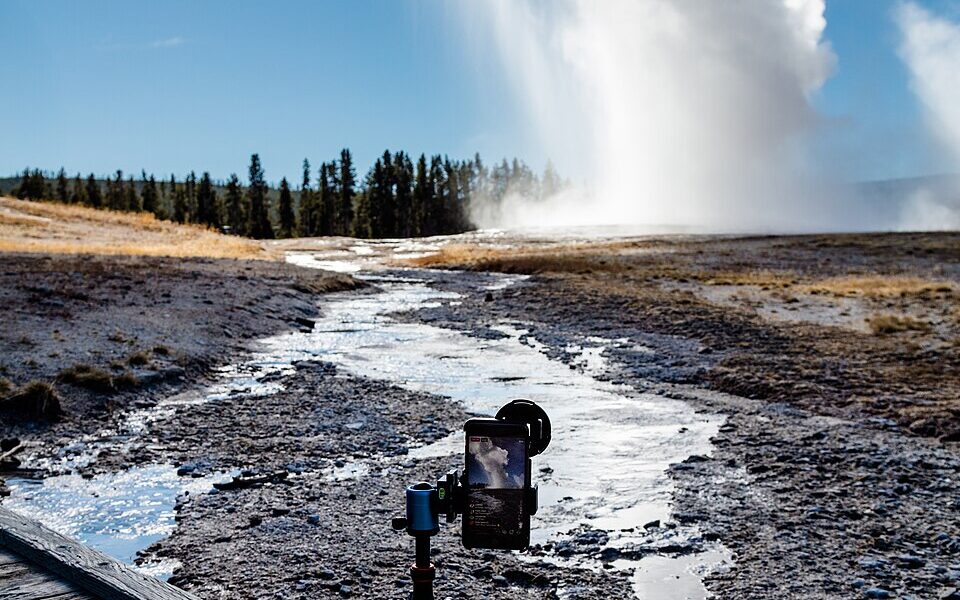
Eligibility and feature instructions: Instagram Help Center: Start a live video; policy confirmation: Engadget’s August 2, 2025 report. Photo: NPS / Jacob W. Frank, 2017, public domain U.S. federal government work. The photograph documents an Instagram Live broadcast of Old Faithful but is not a representation of the 2026 app interface.

Other Articles

Handball Explained: How to Play, 7 Positions and Key Rules