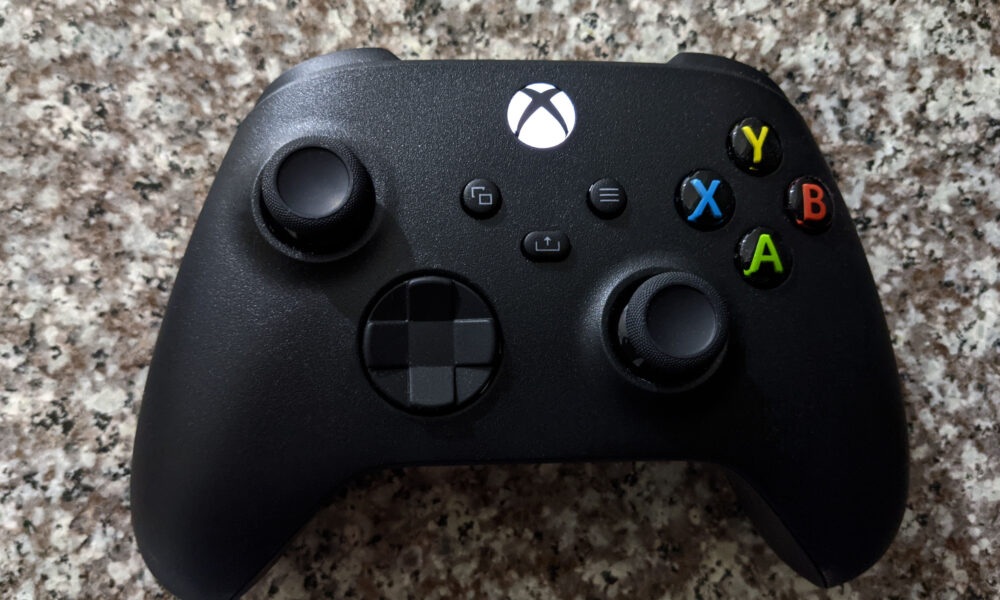

An Xbox controller gathers skin oils, dust and crumbs around its buttons, triggers, grips and thumbsticks. Cleaning can restore a comfortable feel, but it cannot fix every hardware fault. This guide shows how to clean an Xbox controller using cautious methods consistent with Microsoft’s Xbox care advice, and when a persistent problem needs more than a wipe.
Before cleaning your Xbox controller
Power the controller off and disconnect it from the console, PC and charging accessories. If the controller uses replaceable batteries, remove them where practical and follow the model’s instructions. Place the controller on a dry surface and check for visible damage, loose parts or battery leakage. If you see leakage or swelling, stop routine cleaning and follow manufacturer safety guidance.
What can you use to clean an Xbox controller?
| Item | Use | Caution |
|---|---|---|
| Soft lint-free cloth | Outer shell and grips | Keep liquid out of openings |
| Small soft brush | Loose surface dust near buttons | Do not force dirt into gaps |
| Manufacturer-approved wipe | Exterior cleaning or disinfecting | Match the guidance for your exact controller |
| Dry cotton swab | Accessible exterior crevices | Do not insert deep into mechanisms |
Microsoft’s official Xbox cleaning and care guidance permits certain disinfectant wipes or a soft cloth dampened with an isopropyl alcohol solution of 70% or less for compatible Xbox Wireless Controllers. Always follow the product-specific directions and avoid saturating the cloth.
How to clean the controller step by step
1. Remove loose dirt
With the controller powered off, gently wipe exposed surfaces using a clean dry microfiber cloth. Use a soft brush to remove dust from the outer edges of buttons, without prying or scraping.
2. Clean the shell and grips
Lightly dampen the cloth with an approved cleaning solution, where permitted. Wipe the hand grips, back shell and faceplate. Do not spray any cleaner directly on the controller, especially around the battery door and ports.
3. Wipe around face buttons and triggers
Use the edge of the cloth or a soft dry swab on the visible gaps. Avoid pushing liquid under A, B, X, Y or into trigger mechanisms. Do not use a metal pin or sharp object to scrape the seams.
4. Clean around the thumbsticks
Rotate the sticks gently to expose the base and remove surface dust with a dry soft brush. Avoid pulling the stick aggressively. Surface grime may affect the feel, but a failing internal sensor often needs service instead of cleaning.
5. Let everything dry before use
Check the USB connector, seams and battery compartment for moisture. Reconnect power only when the controller is completely dry.
Sticky Xbox controller button: what to do
A button that feels sticky may have a residue problem, especially after a spill. Begin with safe external cleaning. If it remains stuck, avoid flooding the gap with liquid or repeatedly mashing the button. Microsoft’s controller button troubleshooting advice provides the next diagnostic steps. A sugary spill inside the housing may require proper repair.
Will cleaning fix Xbox controller stick drift?
Not reliably. Thumbstick drift can come from wear, sensor failure, debris or calibration problems. Cleaning accessible exterior dirt is a reasonable first step, but do not claim it will repair worn components. Check supported calibration tools and device service options if the problem persists. The safest choice depends on warranty coverage and whether the controller can be serviced.
What should you avoid?
- Submerging the controller or soaking buttons
- Using bleach, abrasive pads or unapproved strong solvents
- Blowing moisture into controller openings
- Removing the housing without understanding warranty and repair risks
- Reconnecting a damp controller to a charger or console
FAQ
Can I use rubbing alcohol on an Xbox controller?
Microsoft allows specific wipes or a soft cloth with an IPA solution of 70% or less for supported Xbox controllers. Check the exact care instructions and keep liquids away from openings.
Can I wash removable thumbstick caps?
Only if the accessory maker permits it; do not assume the controller’s electronics or every removable part is washable.
How often should I clean the controller?
Wipe outer surfaces when dirty and clean gently as needed, especially if used frequently.
Should I open the controller to clean a button?
Start with safe exterior methods and official troubleshooting. Internal disassembly can damage the controller or affect warranty service.
Having trouble navigating games with a controller? Our Steam Big Picture Mode guide covers controller-oriented PC play.
Controller photograph: uKER / Wikimedia Commons, CC BY-SA 4.0; source and license details in the media caption.

Other Articles