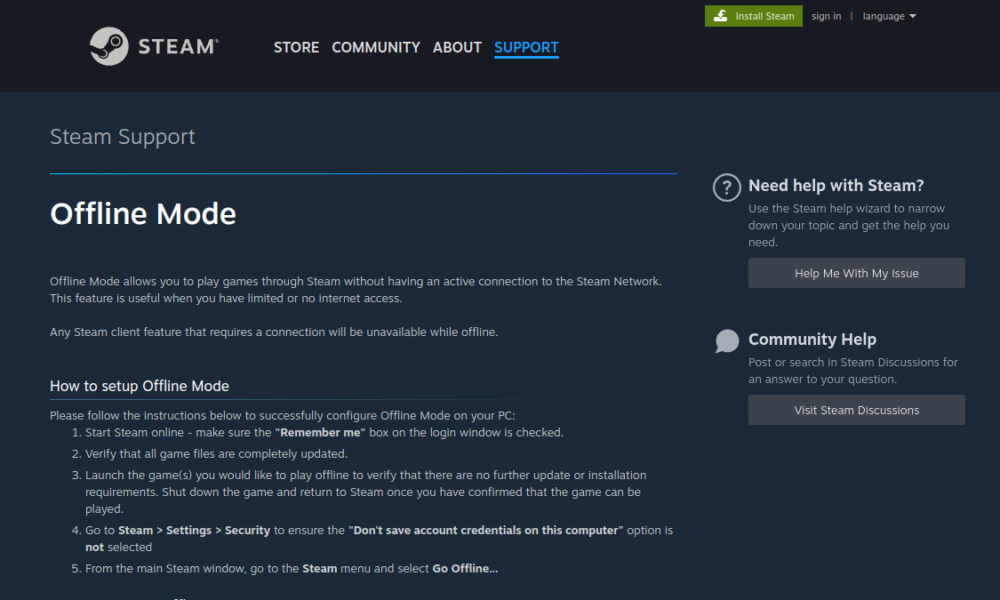

If you want to appear offline on Steam while still using online features, the status you usually want is Invisible. Steam also has a separate Offline Mode that affects connectivity. The similar names cause confusion: hiding your friends-list status does not necessarily disconnect the client from Steam’s online services.
How to appear invisible to Steam friends
- Launch Steam and sign into your account.
- Open the Friends & Chat interface or your presence menu.
- Find your current online status.
- Choose Invisible if available.
- Confirm that Steam still allows you to browse and use online services normally.
Steam changes its UI from time to time, so the exact menu position may differ on desktop or mobile. A Steam status change is not a way to hide account ownership or defeat game-specific matchmaking visibility.
Invisible versus Away versus Offline Mode
| Setting | Main purpose | Typical connection behavior |
|---|---|---|
| Invisible | Hide online presence from friends | Steam remains connected |
| Away | Indicate you are not actively at the computer | Steam remains connected |
| Offline Mode | Use Steam without an active online connection where supported | Online functionality is limited |
Choosing an offline status is a social presence control; using Offline Mode is a client connectivity choice. Check game requirements before traveling without internet, as some titles and launches still require connectivity or prior authorization.
How to use Steam Offline Mode
Valve’s official Offline Mode guidance explains preparation and limitations. Sign in normally before the trip where possible, ensure updates are complete and check that the relevant games can launch offline. Use Steam’s designated menu to enter Offline Mode. Do not assume online multiplayer or cloud synchronization remains available.
Can friends still see game activity?
Invisible status affects your visible presence in Friends & Chat, but other public information may still exist through profile settings or third-party game systems. If privacy is your goal, review Steam’s profile and game details privacy controls as well. A presence setting alone is not a comprehensive privacy audit.
Troubleshooting Invisible status
The status changed back
Verify you chose Invisible rather than Away, and inspect your active client after signing in again.
I cannot play a game offline
Make sure you did not confuse Invisible with Offline Mode. Some games require connectivity even when Steam itself can run offline.
FAQ
Can I use Steam Store while Invisible?
Invisible is intended to keep the online connection while hiding presence.
Is Invisible the same as Do Not Disturb?
No. Notification preferences and friend presence are different controls.
Does Offline Mode work with all multiplayer games?
No. Internet-based multiplayer generally requires connectivity.
Will a friend definitely never notice my activity?
No. Other game or profile information may reveal activity depending on settings.
If game progress fails to synchronize after changing connectivity, see our Steam Cloud save conflicts guide.

Other Articles

Discord Screen Share No Sound? Fix Missing Stream Audio in 2026
Forgot Roblox Password? Reset Your Account Safely in 2026
