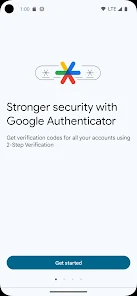

Google Authenticator generates one-time verification codes for services that support authenticator-app two-step verification. The codes can continue to work without internet or mobile service.
Set up Google Authenticator
Install the official Google Authenticator app, then open the security settings for the account or service you want to protect. Choose the authenticator-app option and follow the service’s setup instructions. Most services show a QR code that you scan with Authenticator.
Sync codes with a Google Account
Google Authenticator can synchronize verification codes across devices when you sign in to your Google Account in the app. Google says synced Authenticator codes are encrypted in transit and at rest.
Use Authenticator without a Google Account
You can also use the app without signing in. In that mode, codes remain on the device rather than syncing automatically to other devices.
Move codes to a new phone
If you use account sync, signing in on the new device can restore synced codes. If you use Authenticator without account sync, the app includes a manual transfer process that exports codes from the old device and imports them on the new one.
Protect access to the app
Google offers a Privacy Screen option that requires the device’s PIN, pattern or biometric verification before the Authenticator app can be opened.
If a code does not work
- Make sure you selected the correct account entry.
- Enter the code before it expires.
- Check that the device date and time are correct.
- Confirm the service still has the same authenticator method registered.
Recovery planning
Do not depend on a single device without a backup plan. Where the service supports it, keep additional approved recovery methods or backup codes in a secure place. Never share one-time verification codes with someone who contacts you unexpectedly.
Bottom line
Authenticator is strongest when you combine it with a secure device lock, a recovery plan and either encrypted account sync or a controlled manual-transfer process before replacing your phone.

Other Articles
Google Tasks: Create Lists, Due Dates and Recurring To-Dos
Google Wallet App: Add Cards, Passes and Check Compatibility