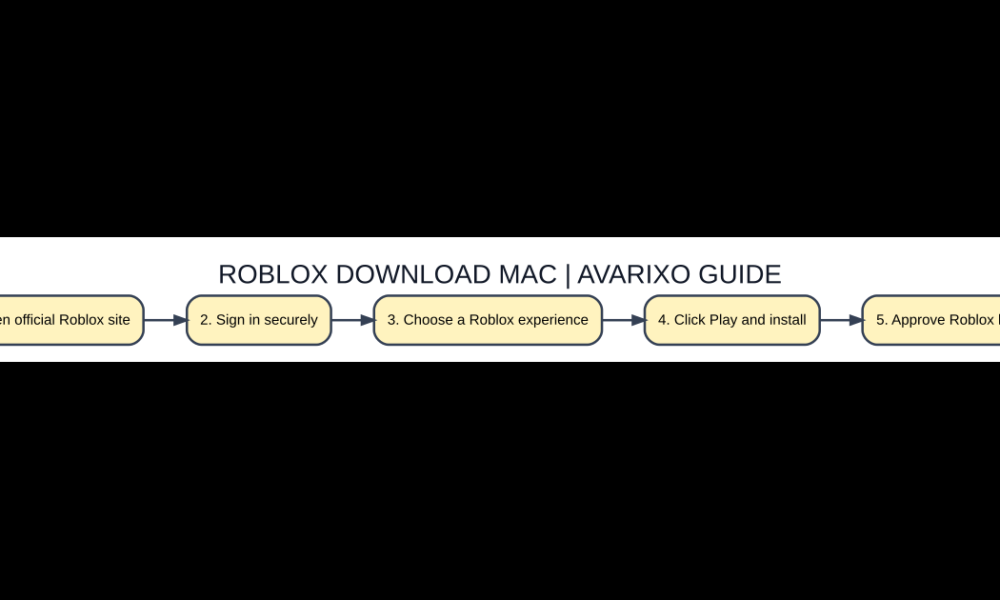

Quick answer: To download Roblox on a Mac, sign in at the official Roblox website in a supported browser, open an experience, and click the green Play button. Follow the prompt to install Roblox Player, then reopen the experience and allow the browser to launch Roblox. You do not need a third-party installer repository.

Why Roblox on Mac is installed from an experience page
Roblox’s official installation instructions start with its website and the Play button on an experience. The site prompts for the platform player, which launches experiences on your device. That is different from Roblox Studio, the separate creation application. If you are trying to join your friends in games, you need Roblox Player; if you want to build a game, the official Studio setup is a different task.
Five-step checklist
- Open official Roblox site. Check the official platform requirements before changing settings.
- Sign in securely. Use the authentic download, website or account interface.
- Choose a Roblox experience. Confirm the edition, device, account and feature match your goal.
- Click Play and install. Test with a small example and check the displayed result.
- Approve Roblox launch. Protect important files and keep a way to revert if needed.
Install using Chrome, Safari or Firefox
Use an up-to-date browser supported on your Mac and log in through the genuine Roblox domain. Open a game, select Play and follow the installation prompt. Roblox documents a Firefox-on-macOS installation route using the same pattern. If your browser downloads a package, open it only after confirming its origin. macOS may ask for confirmation before opening an app downloaded from the internet; read the dialog rather than bypassing security controls blindly.
Launch a game after installation
Return to the Roblox game page and press Play again. The browser may ask whether it should open the Roblox application. Select the actual Roblox Player, and use the remember-choice option only when you recognize the site and app. If installation succeeds but nothing happens, close the browser tab, check that the player is installed, and try the Play button again rather than downloading multiple unrelated packages.
Fix repeated download loops
A common symptom is being asked to install Roblox each time despite having already run the installer. Confirm which macOS user installed the app, verify browser permissions for opening external applications, quit stale Roblox processes and retry from the official site. Try a different up-to-date browser to determine whether the problem is tied to one browser’s protocol handler. Do not use terminal commands from anonymous videos to disable macOS security.
Troubleshoot startup and performance
A player that opens but immediately closes may be affected by outdated system software, insufficient resources, damaged local application data or an unstable connection. Restart the Mac and check Roblox’s published operating-system requirements before repeated reinstalls. If an experience alone fails while others work, the issue may be in the experience itself rather than your installation. Use the official Roblox Help Center for account-specific failures.
Keep your account and Mac protected
Ignore sites offering a paid Roblox installer, cracked Roblox builds, or free Robux in exchange for your login. Choose a strong account password and account security features. Never approve a macOS request for broad permissions solely because a random page says it will improve FPS. Save school or work files before any system maintenance unrelated to Roblox.
Quick comparison
| Option | Meaning / location | When it matters |
|---|---|---|
| Roblox Player | Play existing experiences | Open Play on Roblox website |
| Roblox Studio | Build and test experiences | Creator Hub and official Studio setup |
| Browser only | Browse game pages | Player still launches experiences |
Frequently asked questions
Is Roblox on Mac free to install?
The standard Roblox application is offered without a download fee; individual in-game purchases and subscriptions are separate.
Why does the Play button keep downloading Roblox?
Check installation completion, external-app launch permission and browser behavior, then use Roblox’s own reinstall instructions.
Can I use an unofficial Roblox DMG?
Avoid it. A third-party copy may contain modified binaries, account-stealing code or malware.
Is Roblox Studio the same download?
No. Player joins experiences, while Studio creates them; use the tool appropriate for your goal.
Verification and further reading
For up-to-date primary guidance, read Roblox Support: How to Install and Play Roblox. See also AVARIXO’s related guide. The details above describe ordinary, supported behavior, not modified clients or unsupported workarounds.


