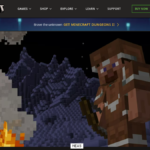
Cobblemon is a community-created Minecraft mod that brings creature collecting, battles and exploration into Minecraft Java Edition. If you want to explore a blocky world while building a team of collectible creatures, Cobblemon offers a different experience from playing a standalone monster-catching game.
The most important setup rule is to match your Minecraft version, mod loader and Cobblemon build. Many installation problems happen because one of these components is incompatible with the others.
What is Cobblemon?
Cobblemon adds collectible creatures, encounters and battle mechanics to Minecraft. Players can travel through biomes, encounter creatures in the world, build a team and battle. It is a mod rather than an official Minecraft expansion or a separate licensed Pokémon game.
The exact creatures, items and mechanics available depend on the Cobblemon release, any additional mods and the server you join. Videos from older versions may show content that has changed.
What do you need to install Cobblemon?
- A legitimate installation of Minecraft: Java Edition.
- A Minecraft version supported by the particular Cobblemon release you select.
- The supported mod loader and any dependencies listed for that release.
- A trusted launcher or a launcher profile configured for the matching mod loader.
- Enough memory and processing power for modded Minecraft.
Cobblemon is not a standard Bedrock add-on. Do not assume it will work on the Minecraft editions used by consoles or mobile devices.
How to install Cobblemon safely
- Visit the project’s official website or its linked distribution pages.
- Choose a Cobblemon version and read the requirements carefully. Write down the exact Minecraft version and loader.
- Install the corresponding mod loader through its official source or a reputable mod manager.
- Download Cobblemon and all required dependencies from the project’s linked, reputable download pages.
- Place the mod files in the correct profile’s mods folder, or let your trusted mod manager handle the installation.
- Launch Minecraft using that specific modded profile.
- Test a new single-player world before installing additional gameplay mods.
Never install an executable advertised as a “free Cobblemon account generator.” A legitimate mod download should not require you to surrender your Microsoft login credentials.
Should you use a modpack or install manually?
| Approach | Advantages | Watch out for |
|---|---|---|
| Curated modpack | May bundle compatible dependencies and recommended settings | Additional mods can raise memory usage |
| Manual installation | More control over each installed file | Version and dependency mistakes are easier |
Beginners often find a maintained modpack simpler, but the safest choice is one linked or recommended by the project’s maintainers. Do not trust a random file just because its filename contains “Cobblemon.”
How to catch your first creature
Start by exploring a safe area near your base. Depending on your version, the game provides ways to begin with a starter and obtain the items needed for encounters and captures. Review the current in-game tutorial, keybinds or official documentation because menus and item recipes may change.
- Find a creature in the world and observe its level and surroundings.
- Prepare the appropriate capture item and make sure your team is ready.
- Enter the supported encounter or battle flow for your build.
- Use the available battle and capture options.
- After a successful capture, check your team or storage interface.
Captures are not always guaranteed. Creature level, battle state and the type of capture item can influence your chances, depending on the game’s mechanics.
How do Cobblemon battles work?
Battles involve selecting actions for your creatures and responding to opponents. Rather than treating every encounter as a race to attack, pay attention to types, move effects and team composition. A balanced team can make exploration and difficult fights easier.
Begin by learning the battle interface and the effect of one or two common status conditions. Once you understand the basics, you can experiment with team roles instead of simply collecting the highest-level creatures you see.
Can you play Cobblemon with friends?
Yes, on compatible multiplayer setups. The server must support the same relevant Minecraft and mod versions as the players. A vanilla server cannot provide Cobblemon features merely because one player’s client has the mod installed.
- Confirm the server’s Minecraft version and loader.
- Install the exact client-side mods and dependencies required by the server.
- Check any server-specific rules, resource packs and additional mod requirements.
- Join through the server address supplied by its operator.
- Test creature encounters and battles after connecting.
Public servers may have custom rules, modified creature spawns and additional features. Their behavior should not be treated as the default for every Cobblemon installation.
Cobblemon vs Pixelmon
Both names are associated with Minecraft monster-catching mods, but they are separate projects with their own designs, dependencies and update schedules. They are not interchangeable downloads. Choose based on the supported Minecraft version, the gameplay you prefer and whether your friends or preferred server use the same project.
Fix common Cobblemon installation problems
Minecraft crashes before the menu
Check the crash log for missing dependencies and version conflicts. Verify that the mod was downloaded for the same Minecraft version and loader as your profile. Remove unrelated mods temporarily to isolate the problem.
Creatures do not appear
Confirm that Cobblemon loaded successfully. Try a new test world and check whether a server has changed spawn settings. Do not assume a specific creature appears in every biome or every release.
Cannot join a Cobblemon server
Match the server’s game version, mod loader and required mod list. A “missing mods” or version-mismatch message is often more useful than repeatedly reinstalling Minecraft.
Low FPS or stuttering
Reduce render distance, close unnecessary programs and avoid installing a large collection of performance-heavy mods at once. Increasing allocated memory can help some modpacks, but assigning excessive memory is not always beneficial.
Frequently asked questions
Is Cobblemon free?
The mod is distributed separately from Minecraft, but you still need access to the supported Minecraft Java Edition game. Always check the project’s current distribution terms.
Does Cobblemon work on Minecraft Bedrock?
It is primarily a Java Edition mod, not a native Bedrock add-on.
Can Cobblemon and other mods run together?
Often, but compatibility is not guaranteed. Test additions one at a time and back up important worlds first.
Can I use an old world?
That depends on version compatibility and world settings. Back up the world before adding or updating major mods.
Bottom line: install Cobblemon from trusted project-linked sources, match every version requirement and begin with a clean test world. Once the basics work, explore creature collecting, battles and multiplayer at your own pace.

Other Articles

Google Assistant to Gemini in 2026: Settings and Device Changes
Minecraft Armor Trims: How to Find, Copy and Apply Every Style