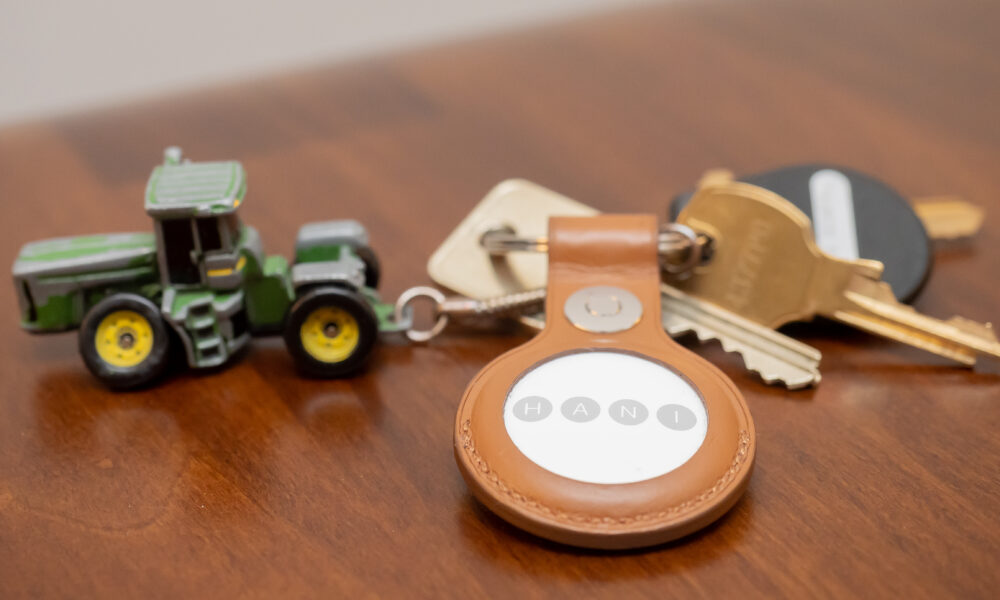

An Apple AirTag uses a replaceable CR2032 3-volt lithium coin-cell battery. When the battery is low, open the AirTag by pressing down on its metal cover and rotating it counterclockwise, remove the old battery, place a compatible new CR2032 with the positive (+) side facing up, and lock the cover back in place. The tag should make a sound when the new battery establishes contact.
These steps follow Apple’s current AirTag battery instructions. This guide also explains how to check whether you need a replacement, why some bitterant-coated batteries may not establish a connection, what to try if the AirTag is silent, and how to handle coin cells safely.
AirTag battery replacement: quick checklist
| Item | What to know |
|---|---|
| Battery type | CR2032 lithium coin cell, 3V |
| Tool needed | Normally none; the cover turns by hand |
| Battery orientation | Positive (+) side faces upward |
| Confirmation | A sound should play when contact is established |
| After installation | Align cover tabs and rotate clockwise to lock |
| Low battery indication | Find My can show Low Battery for the AirTag |
Keep the AirTag, loose battery and removable cover away from children. A lithium coin cell is a serious ingestion hazard. If someone may have swallowed a battery, seek emergency medical care immediately and follow local poison-control guidance. Do not wait for symptoms.
Step-by-step: how to change an AirTag battery
- Move to a clean, well-lit surface away from children and pets. Have one compatible CR2032 battery ready before opening the tag.
- Hold the AirTag with its polished metal side facing up.
- Press down on the metal cover and rotate it counterclockwise until it stops.
- Lift off the cover and carefully remove the old battery. Place the old cell somewhere safe for proper battery recycling.
- Insert the new CR2032 with the positive (+) side facing up. Apple says a sound indicates the cell made contact.
- Align the three tabs on the metal cover with the matching AirTag slots.
- Rotate the cover clockwise until it stops, confirming that it is securely seated.
- Check the AirTag in the Find My app to confirm it still appears as expected.
Do not use metal tools to pry open a cover that is not turning normally. Excessive force can damage the enclosure or deform the battery. If it seems stuck, check that your grip is pressing evenly on the cover rather than twisting the white body separately.
What battery does an Apple AirTag take?
AirTag uses a CR2032 3V lithium coin cell. Its specification is important: a similarly shaped coin battery with a different size or chemistry is not automatically compatible. Check the exact designation on the package and follow the battery manufacturer’s handling instructions.
Apple recommends looking for a CR2032 sold as compatible with AirTag. Some cells have a bitterant safety coating intended to discourage accidental swallowing. That can be a good safety feature, but Apple warns that certain coated cells may fail to make electrical contact in AirTag. Do not remove or scrape coatings using unapproved methods just to force an incompatible cell to work.
How to know when your AirTag battery is low
According to Apple, the paired iPhone can display a low-battery notification. You can also open the Find My app, select Items, tap the relevant AirTag, and look for a Low Battery indicator under its name. That wording appears when replacement is needed rather than showing a traditional precise percentage gauge for every battery state.
If a tag stops updating but Find My does not specifically show Low Battery, the cause is not necessarily the coin cell. Check whether the paired device has its normal connectivity available and whether the tag has been physically damaged or separated from the owner. The AirTag cannot magically report a live location if it is outside the reach of the Find My network.
Why is there no sound after changing the AirTag battery?
A missing confirmation sound can mean the new cell has not made electrical contact. First reopen the device carefully and verify the CR2032 is seated with the positive side up. Confirm that the package says CR2032, not a lookalike number. If the battery has a bitterant coating and is not explicitly compatible with AirTag, its contact behavior may be part of the problem.
Do not repeatedly strike the AirTag, bend the cell or place a metal object across the battery contacts. Replace the cell with a known-compatible, unopened battery from a reputable manufacturer and test again. If the tag remains silent, consult Apple Support rather than relying on improvised electrical repairs.
Does replacing the battery reset the AirTag?
Changing an AirTag’s normal power source is not the same as removing the item from your Apple account. After replacing the battery, check that Find My still lists the AirTag under your Items. If you are trying to transfer ownership or deliberately reset the tracker, use Apple’s separate official reset and removal instructions rather than assuming a routine battery replacement changes account association.
If you plan to sell or give away an AirTag, coordinate the legitimate owner removal process before handing it over. A secondhand tag may remain associated with the previous owner’s account, which battery replacement does not authorize you to override.
How long does an AirTag battery last?
Battery longevity depends on usage and the cell itself. A device repeatedly playing sounds or being used in conditions outside ordinary expectations may behave differently from another tag. Apple designed AirTag around a replaceable cell rather than charging the tracker with a cable. Since no live measurements were performed for this article, we do not claim a precise lifespan for every brand or user.
Carry a replacement only if you can store it safely. Loose coin cells should never float around in a bag with keys, coins or other metal items; use their protective packaging and keep them out of children’s reach.
CR2032 vs. CR2025: can you swap them?
The numbers identify different battery sizes, including thickness. A battery that is thinner than the model designed for an AirTag may not make reliable contact. Use the specified CR2032 rather than substituting a cell based on the fact that it looks similar or physically fits the opening. If in doubt, use Apple’s official specification instead of guessing.
How to dispose of an old AirTag battery
Follow your local rules for lithium coin-cell collection and recycling. Many locations have designated collection points for household batteries. Keep the old cell inside suitable insulating packaging or otherwise protected according to local recycling instructions until it can be delivered safely, and keep it out of reach of children. Never put a coin cell into your mouth to check whether it still has charge.
Can water damage cause AirTag battery problems?
A physically damaged gasket or improperly fastened cover may affect the enclosure’s protection. Be careful to align the cover correctly and avoid forcing it. If the device has visible corrosion, swelling, cracks or unusual heat, stop using it and contact a qualified service provider or Apple Support. Do not attempt to charge a disposable CR2032 or heat it to restore performance.
AirTag battery replacement FAQ
Do you need to buy a new AirTag when the battery runs out?
No. AirTag uses a replaceable CR2032 3V coin cell, so routine battery depletion does not require replacing the whole tracker.
Which side of a CR2032 faces up in AirTag?
The positive side marked + faces upward, as Apple describes in its installation instructions.
Why does a bitterant-coated battery sometimes fail?
Apple warns that some coatings can interfere with the contact needed by AirTag. Choose a battery labeled as compatible rather than attempting to remove a safety coating.
How can I check the AirTag battery level?
Open Find My, select Items, tap the AirTag and look for Low Battery when it is due for replacement.
Is the battery rechargeable?
No. The specified CR2032 is a disposable lithium coin cell. Do not connect it to a charging device.
What if the cover will not close?
Recheck the alignment of the three tabs and the battery orientation. Do not force the cover with pliers or sharp tools.
Can I give my old AirTag to someone after changing the battery?
Changing the battery alone does not transfer ownership. Follow Apple’s official account-removal and transfer procedures.
Official source: Apple Support — How to Replace the Battery in Your AirTag. This guide is based on the current published manufacturer procedure and makes no claim to have physically opened or tested a particular AirTag.
Featured image: ajay_suresh, Wikimedia Commons, CC BY 2.0, unchanged. The image is illustrative and does not show the battery replacement itself.

Other Articles

Fortnite Stuttering on PC? Fix Frame Drops, Lag and Choppy FPS
Roblox Error 524: Fix ‘No Permission to Join’ Private Servers
