
Quick answer: Minecraft Java Edition is the straightforward official PC edition for many desktop Linux distributions. The normal Bedrock Windows application is not interchangeable with the Java Edition launcher, and an Android Bedrock build does not magically become a supported
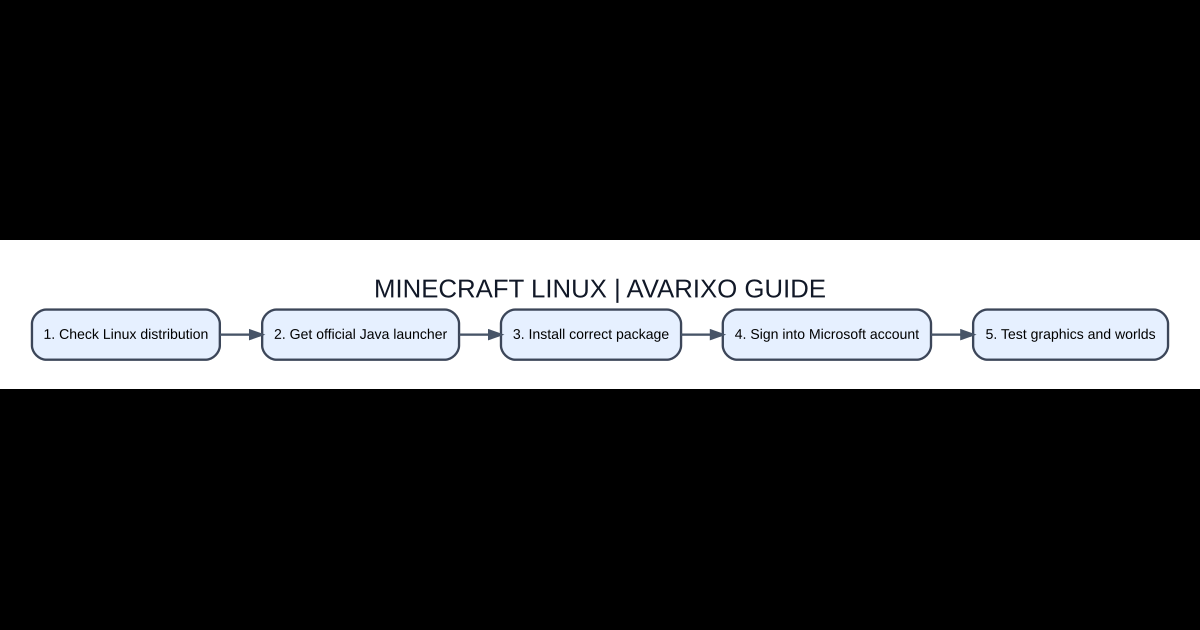
Five-step quick checklist
- Check Linux distribution
- Get official Java launcher
- Install correct package
- Sign into Microsoft account
- Test graphics and worlds
Minecraft Java versus Bedrock on Linux
Minecraft Java Edition is the straightforward official PC edition for many desktop Linux distributions. The normal Bedrock Windows application is not interchangeable with the Java Edition launcher, and an Android Bedrock build does not magically become a supported desktop native game. When a friend shares a server address, check which edition it uses before downloading software. Java servers generally require Java clients unless a server runs an explicit third-party compatibility layer.
Choose the authentic Minecraft launcher
Start with Minecraft’s official download page and look for its Linux launcher packages. A Debian or Ubuntu system commonly handles a .deb package, while other supported distributions may use a different format. Do not run an unknown installation script from a search advertisement merely because it promises higher FPS. Keep the package name and source for later troubleshooting. If a store or software manager already offers a trusted distribution-specific launcher, verify its actual publisher and maintenance status.
Install and sign in
For a downloaded .deb on Debian-based Linux, install it through your package manager using the correct file path, rather than relying on untrusted shell snippets. Launch Minecraft Launcher and sign in with the Microsoft account associated with your Minecraft Java entitlement. An account that owns only a different edition or is signed into the wrong store identity may show purchase prompts. If the account selector is wrong, sign out and select the account with the real license instead of purchasing the game twice.
Drivers, display servers and performance
Linux performance depends on the graphics driver, GPU capabilities, Mesa or vendor stack, desktop session and Java environment. Update through trusted repositories or the graphics vendor’s official process. Start without performance mods or shaders to establish a working baseline, then add extras through a separate game instance. Reduce render distance if initial performance is poor. A low frame rate near a complex base is not the same as remote multiplayer lag; test local and server worlds independently.
Fix a launcher that opens but will not start the game
Read the actual launcher error and the game’s latest log, rather than reinstalling blindly. A version-specific Java runtime, graphics library, package dependency or incorrect folder permission may be involved. Do not run the entire game launcher as the root account. Verify there is enough free disk space for game data and that your home directory remains writable. If a modded profile crashes, try a clean vanilla profile first to isolate the incompatibility.
Backups and multiplayer considerations
World saves typically live in the selected Minecraft instance’s data directory, so copy the save folder before deleting or reinstalling software. For a group server, match the same game version and required mods that the host specifies. Some mod installers designed for Windows cannot be run directly on Linux; choose Java-compatible or Linux-supported releases. Keep backups of screenshots, resource packs and configuration before making major distribution or launcher changes.
Options compared
| Item | Role | Practical use |
|---|---|---|
| Java Edition | Main official Linux desktop Minecraft option | Java worlds and servers |
| Bedrock Windows build | Different edition | Not a native Java substitute |
| .deb package | Debian / Ubuntu package format | Use compatible package manager |
| Shader and performance mods | Optional client changes | Add after vanilla works |
Common questions
Can I play Minecraft Java on Linux?
Yes, through a compatible official launcher and supported system.
Does a Windows Bedrock license always grant Java on Linux?
Check the actual Microsoft account bundle entitlement rather than assuming any edition purchase qualifies.
Why does a modpack crash on Linux?
Check the loader, Java runtime, drivers and pack dependencies.
Should I use root to fix permission errors?
No. Investigate user directory permissions rather than launching a game with administrator privileges.
Edition and version checks
Verify your exact Minecraft edition, game release and any relevant server rules before applying commands or mod advice. For related resources, read the AVARIXO resource-pack guide and Java vs Bedrock differences. Mechanics can differ between mods, multiplayer servers and vanilla worlds.


