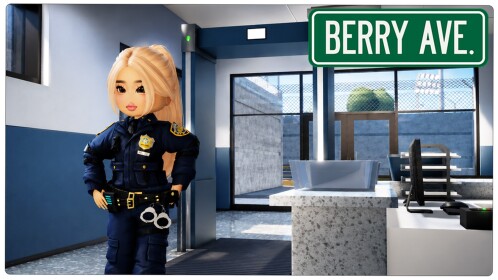

Quick answer (updated October 14, 2026): Berry Avenue codes are Roblox catalog item IDs that you enter in the game’s avatar customization screen. They are not the usual time-limited bonus codes, and they do not award coins or Robux. Use the Avatar → Menu → Equipped → Import ID path to try the IDs below and dress your character with hair, outfits, and accessories.
Berry Avenue outfit and accessory IDs for October 2026
The following IDs appear with matching item descriptions in multiple independent Berry Avenue outfit lists. An ID can nevertheless stop importing if a catalog asset becomes unavailable or the experience changes its avatar system. Treat each as an item import ID, not a promise of permanent catalog ownership.
| Import ID | Item shown in Berry Avenue | How to use it |
|---|---|---|
451221329 | True Blue Hair | Hair for a bright-blue character look |
12866588724 | White Hair | Light-colored hairstyle for minimalist or fantasy outfits |
10262070935 | Blue Top | Upper-body clothing for a blue-and-white outfit |
12972063798 | Blue-and-white cap | Head accessory to pair with a casual outfit |
6390242300 | Short denim shorts | Bottom clothing for a casual summer look |
12610754313 | Blue-and-white sneakers | Footwear to match the cap or blue top |
12938939719 | White jacket | Layered outerwear for a clean streetwear look |
6238414257 | White purse | Accessory for fashion-focused roleplay |
398633812 | Black jeans | Dark bottom clothing for a contrasting outfit |
Important: Numeric clothing IDs are different from redeemable developer codes. Importing an asset in a roleplay game is not the same as buying the asset for your Roblox account. Availability and clothing layering may vary with the current version of Berry Avenue and your avatar.
How to use Berry Avenue codes
- Open the official Berry Avenue RP experience on Roblox, rather than a similarly named copy.
- Once your character loads, open Avatar on the right-hand side.
- Open the small Menu control in the avatar editor.
- Select Equipped, then choose Import ID.
- Paste one complete numeric ID from the table and select Add.
- Return to the avatar view to confirm whether the clothing or accessory appears correctly. Repeat for another item, one at a time.
Mobile menus can be compact; look inside the Avatar editor rather than the Roblox website’s gift-card redemption page. There is no code-to-currency exchange in Berry Avenue for these item IDs.
Three outfit combinations to try
Blue casual outfit
Start with the Blue Top (10262070935), then add Short Denim Shorts (6390242300), Blue-and-white Sneakers (12610754313), and the Blue-and-white Cap (12972063798). This gives a coordinated look for school or city roleplay without mixing too many contrasting pieces.
Black-and-white streetwear
Combine White Hair (12866588724), Black Jeans (398633812), and the White Jacket (12938939719). If both jacket and shirt occupy the same clothing layer, remove the conflicting piece in Equipped and reapply the one you prefer.
Bright statement look
Use True Blue Hair (451221329) as the main color accent, then try the White Jacket and White Purse. This is a simple way to keep an outfit recognizable during busy group roleplay scenes.
Why a Berry Avenue ID may not work
- Incorrect digits: Paste the full number; an extra or missing digit can point to a different catalog item or no item at all.
- Removed or restricted item: Asset creators and Roblox can change catalog availability, and an older code list may no longer match what imports.
- Wrong input location: Use Avatar → Equipped → Import ID, not a game rewards or gift-card field.
- Conflicting clothing: Remove an incompatible shirt, pants layer, accessory, or hair item before importing another.
- Experience differences: Restart the official Berry Avenue RP experience if your menu appears different or an imported item fails to render.
A failed import does not mean your Roblox account is broken. Avoid third-party sites that ask for your password to “activate” outfit IDs.
Are Berry Avenue codes the same as Dress to Impress codes?
No. Berry Avenue uses numeric catalog IDs for the avatar-import feature. Dress to Impress codes are a separate game’s rewards, with a different redemption menu and eligibility rules. If you want to change your account-level appearance outside Berry Avenue, see our Roblox avatar customization guide.
FAQ
Do Berry Avenue codes give free Robux or cash?
No. The numbers in this guide identify avatar items for the in-game import feature. They do not give Robux, coins, or a paid catalog purchase.
Are these IDs permanent?
They are item identifiers rather than conventional expiring promo codes. However, an item may stop importing if it is moderated, removed, or affected by an update. A successful import does not necessarily transfer ownership to your Roblox inventory.
Where do I type a code?
Open Avatar, select Menu, go to Equipped, choose Import ID, paste a numeric asset ID and press Add. If you do not see the control, check that you launched Berry Avenue RP rather than another Roblox experience.
Can I use several IDs for one outfit?
Yes, provided the items are compatible. Build your look one asset at a time; if two clothing pieces occupy the same slot, choose the one you want to keep.
What else can I play after Berry Avenue?
For other city, fashion, and roleplay experiences, browse our best Roblox games by play style.
Editorial review date: October 14, 2026. Import availability may change after this date.

Other Articles

Elemental Magic Arena Codes (October 2026): Free Souls and Diamonds
Evade Codes (October 2026): 90 Free Points and How to Redeem